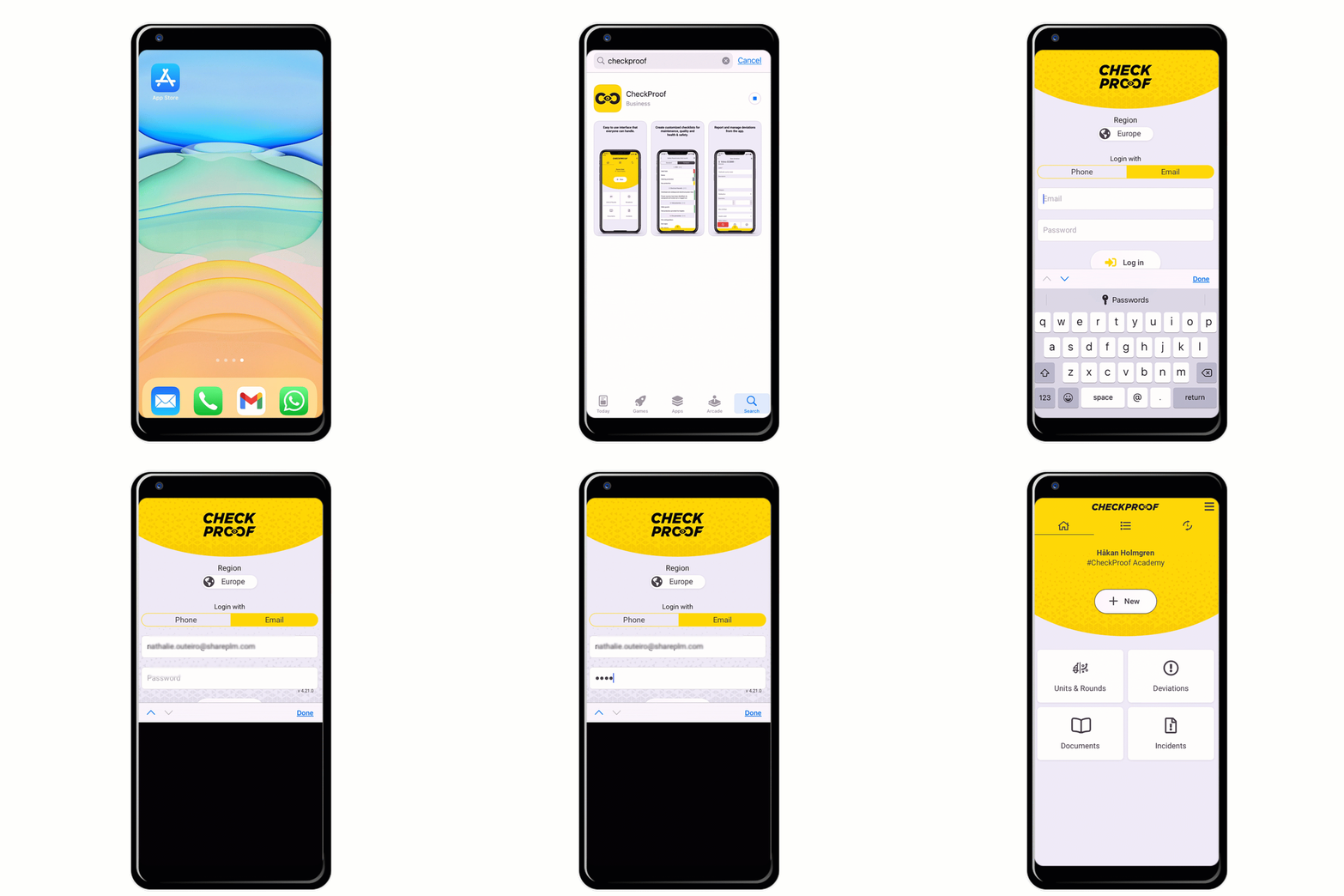
Downloading and Installing the CheckProof Application

Getting your Licence
The CheckProof app runs on your mobile device like any other app.
Once you’ve acquired your CheckProof license you will receive your user account and password.
Now you only need to download it to your mobile phone or tablet
Downloading and Installing the App
You can find the CheckProof app for both Android and iOS.
- Open the App Store or Google Play.
- From the search bar, search for “CheckProof”.
- Click on the download button.
- Sign in to your CheckProof account using your phone number and pin, or by email and password.
- Allow push notifications to get important notifications from the app or system.