
Reporting a Deviation to an External Contractor
You may need to assign a deviation to someone outside your company. Let’s see how to do this with the CheckProof app.

Let’s learn how to report a deviation to an external contractor.
Click on “Deviations”.
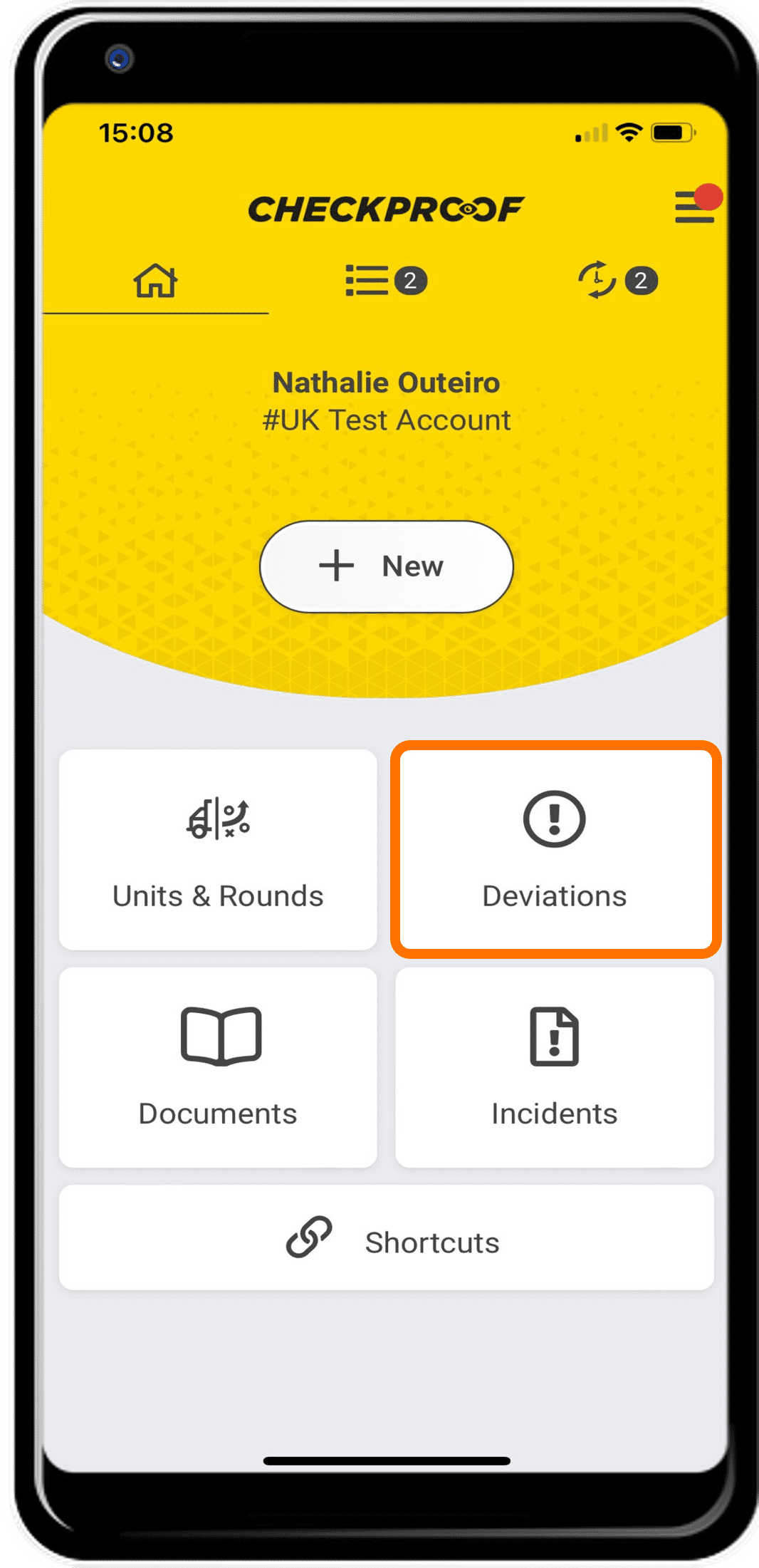
From the homepage, click “Deviations”.
Choose your deviation.
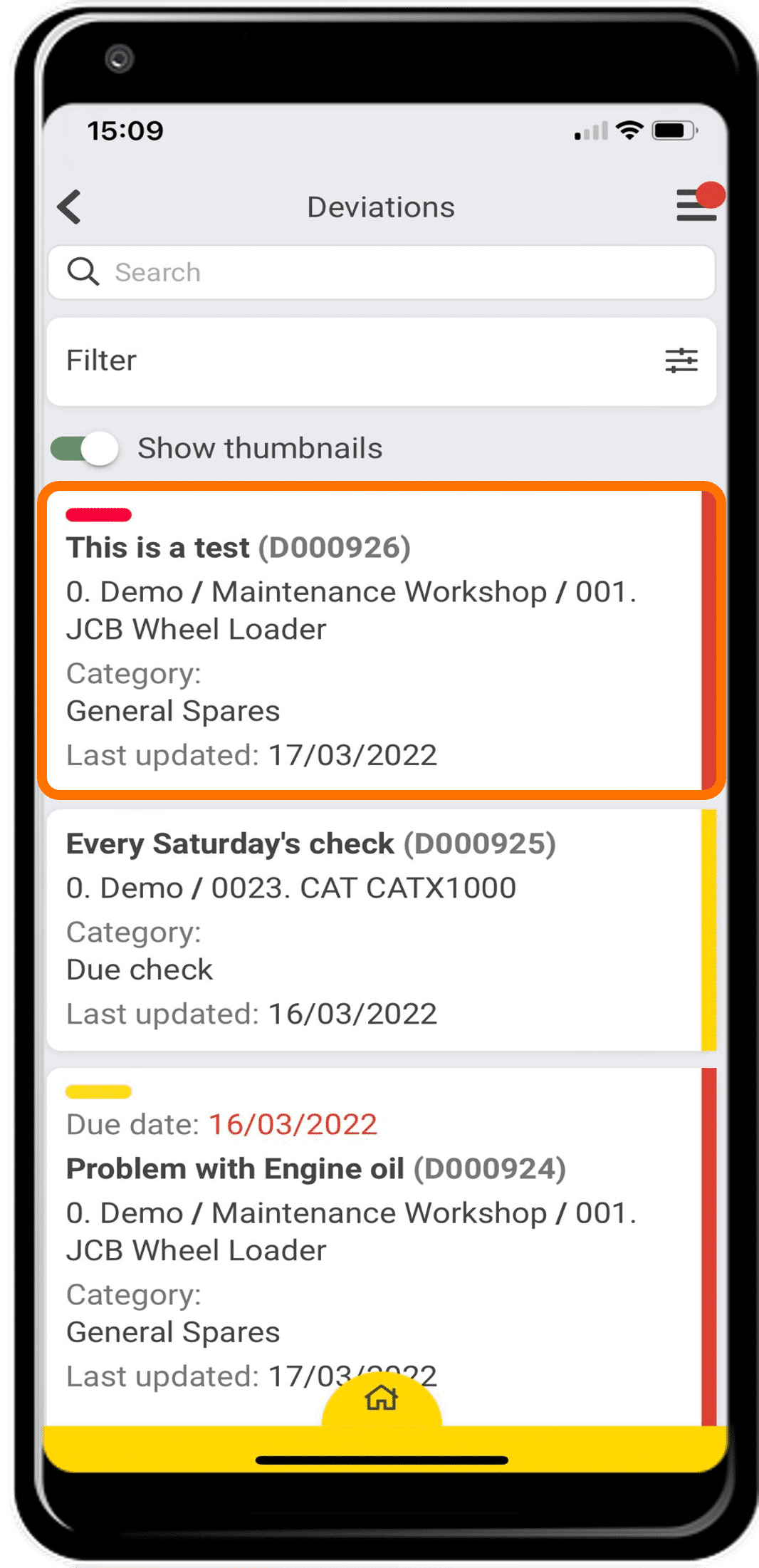
Here you will see a list of deviations. Select the deviation you want to assign to an external contractor from the list.
Click on “Edit”.
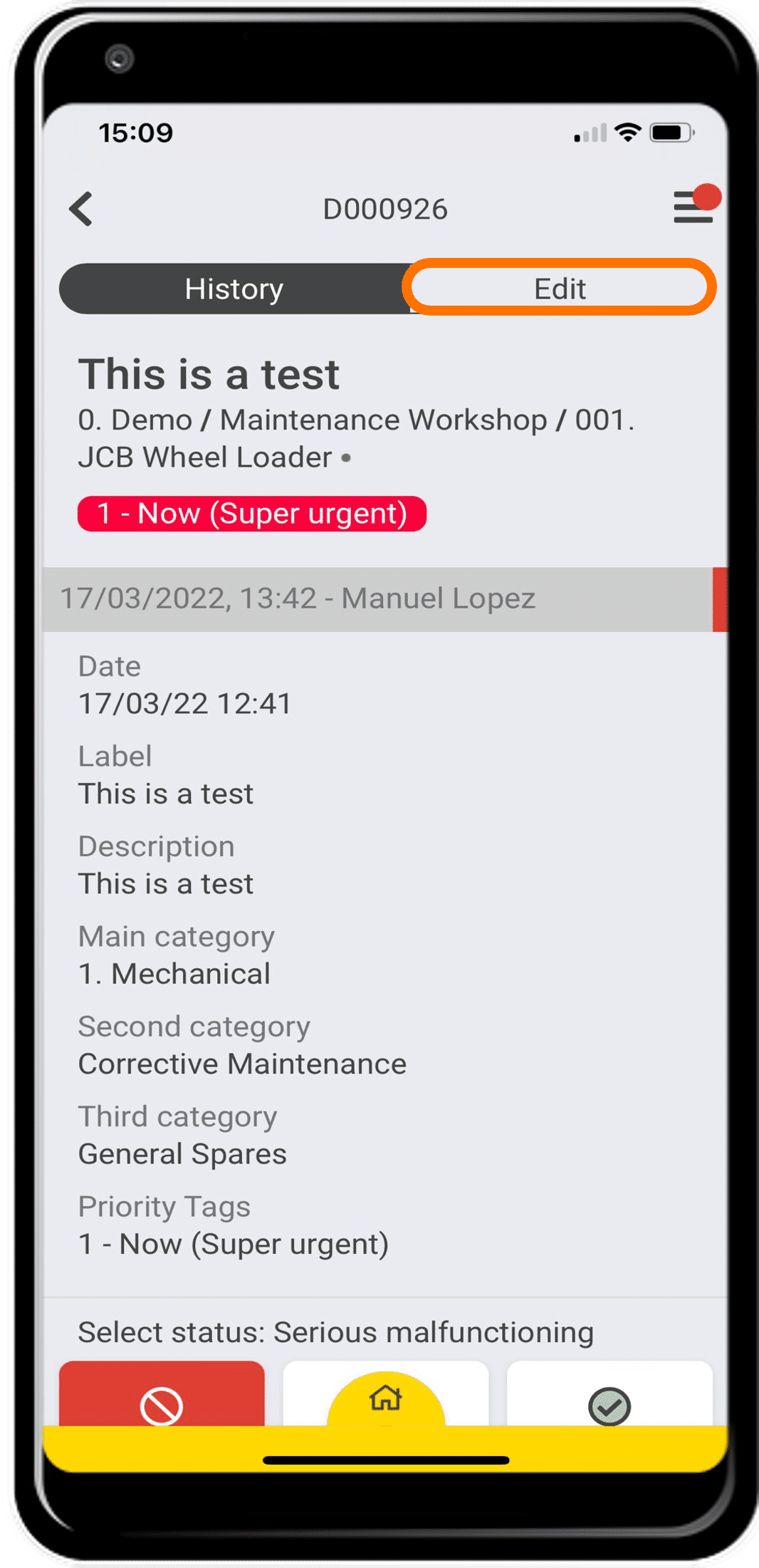
On this page you will see information regarding the deviation that you selected. You should click “Edit” at the top of the page.
Report to an external contractor.
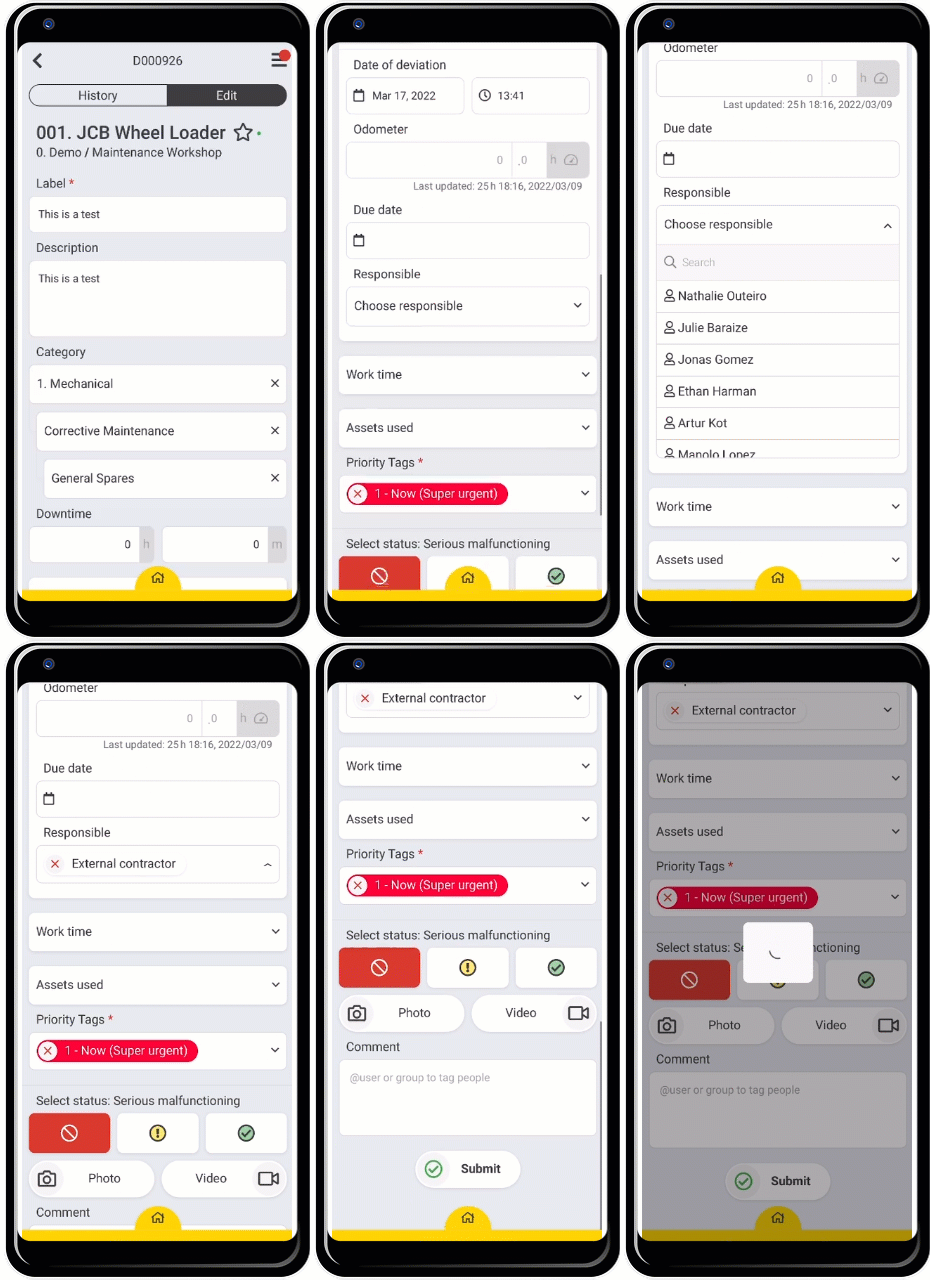
Scroll down and click on the “Responsible” field. Now, select which “External Contractor” you want to send the deviation to. When you are finished, click on “Submit” at the bottom of the page.
Great! Now you know how to report a deviation to an external contractor.
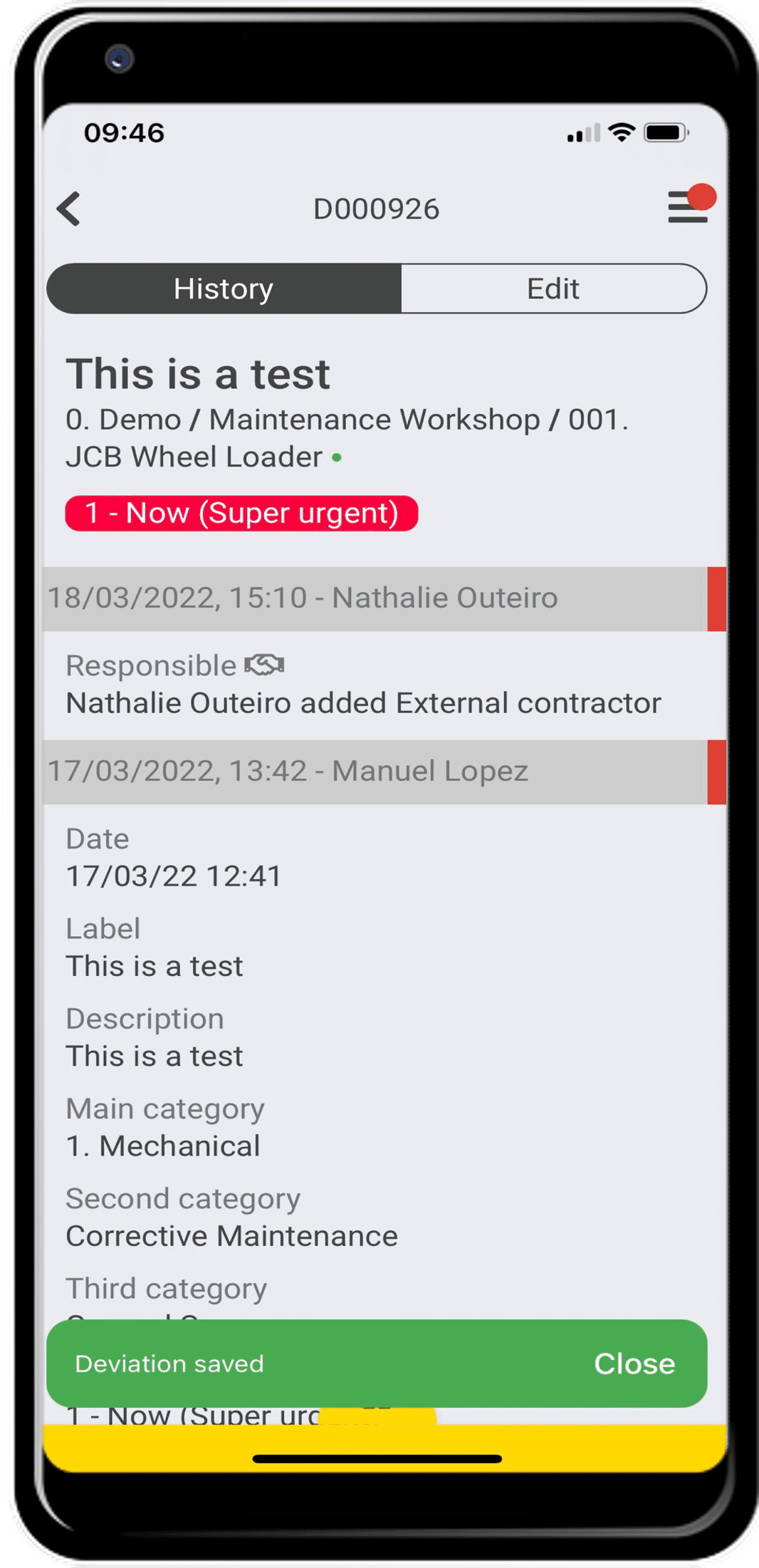
Once you’re done an admin will have to send the order to the assigned external contractor.

