
Managing Categories
Let’s take a look at how to manage categories from the Admin Panel.
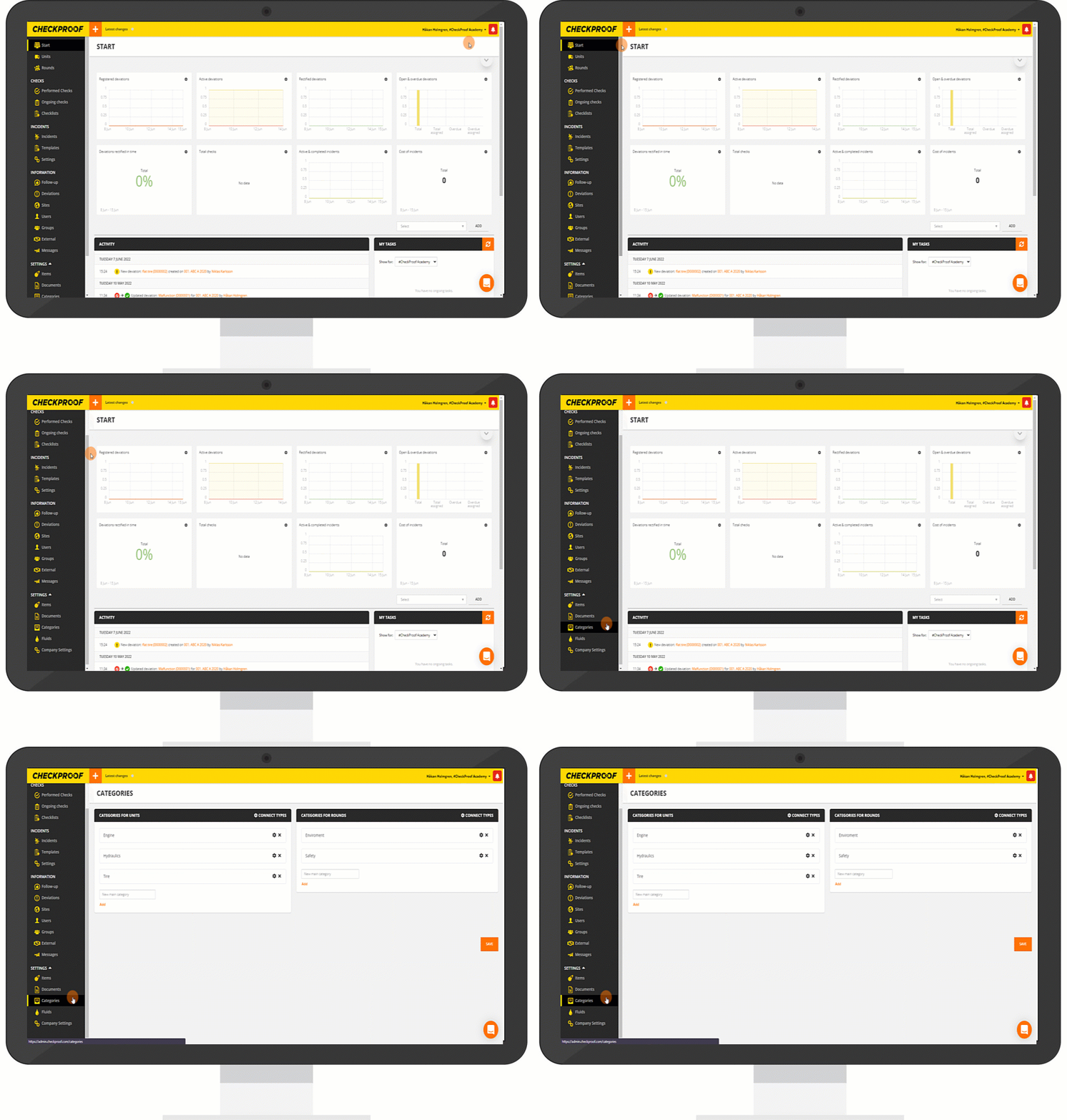
From the homepage, scroll down the side panel and click “Categories”.
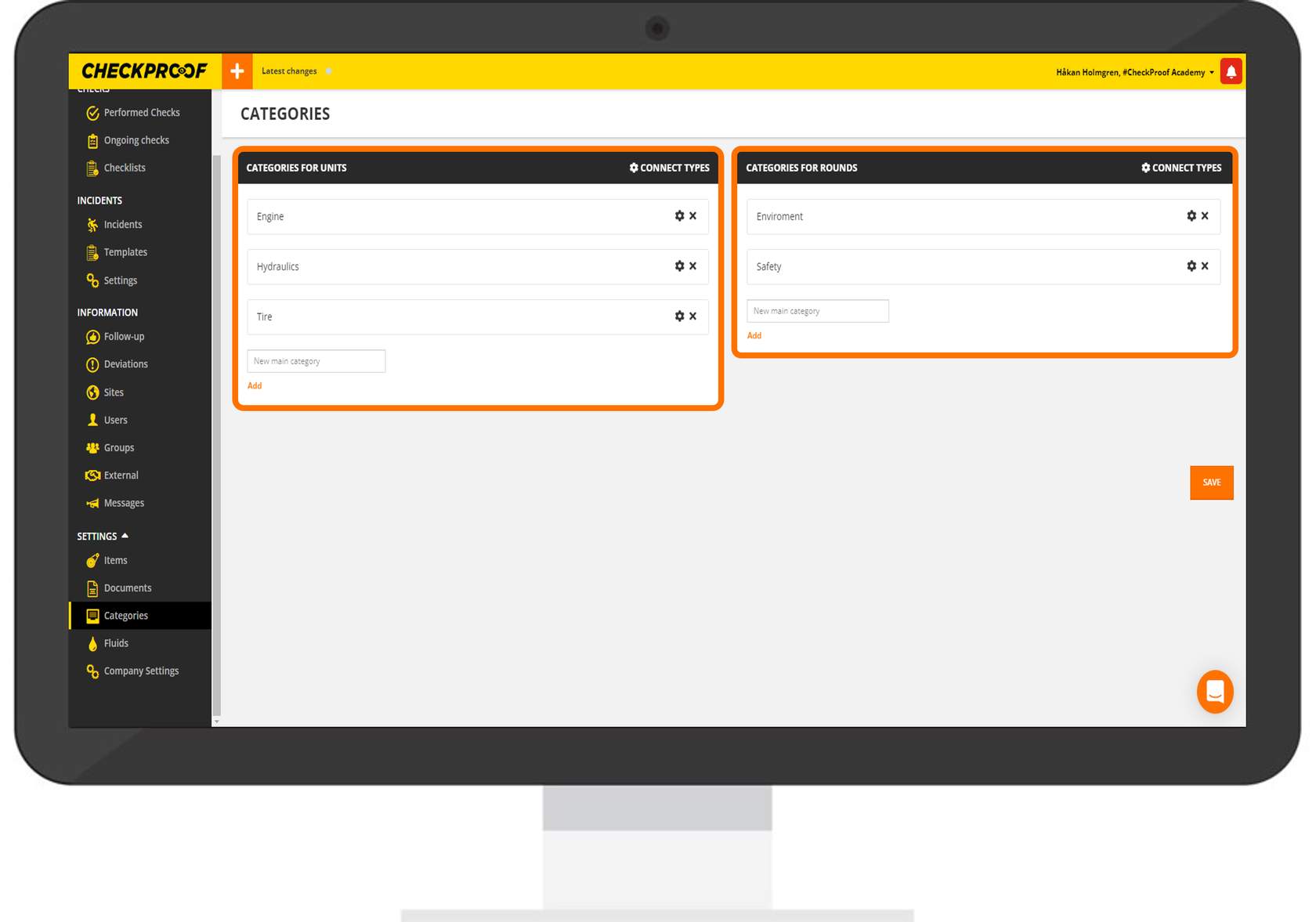
If any categories have been created previously, you will see them here. Categories are separated into “Categories for Units” and “Categories for Rounds”.
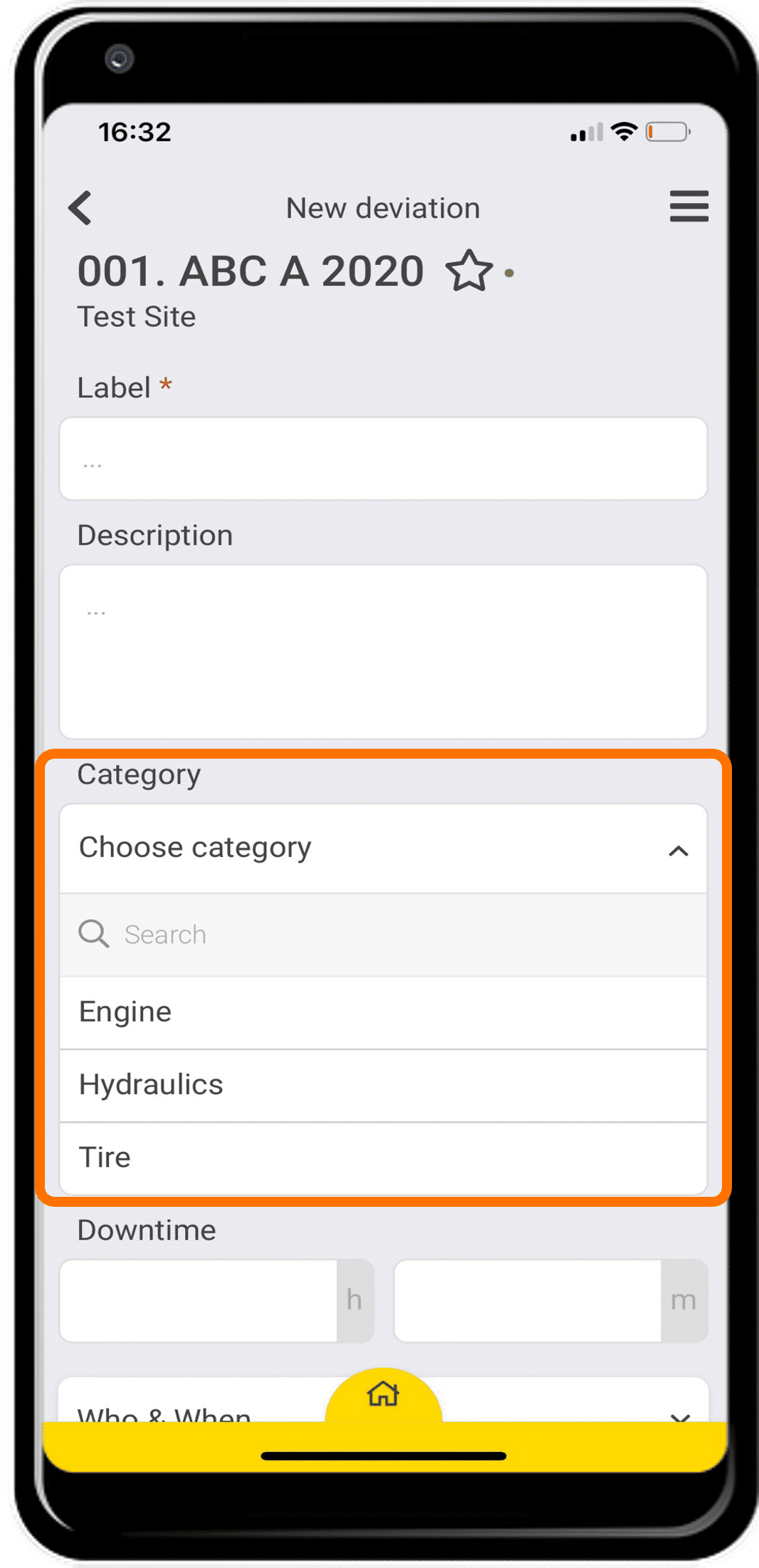
These categories will appear in the CheckProof app whenever a user reports a deviation. Categories are also used for services, inspections and fluids.
Follow this process to learn how to add categories and subcategories.
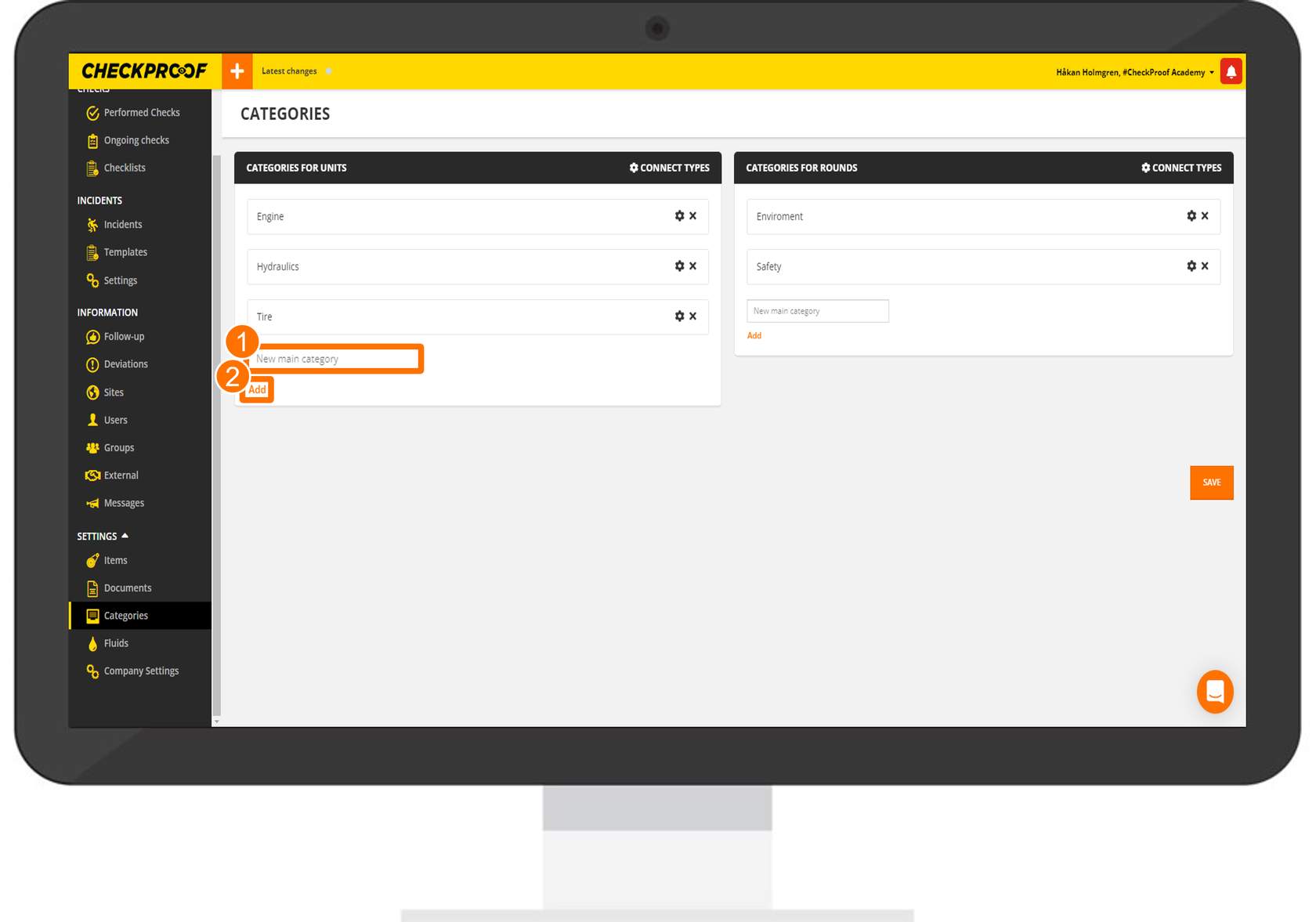
To add a new category, simply type the new category name in the empty “New Main Category” field and then click “Add”.
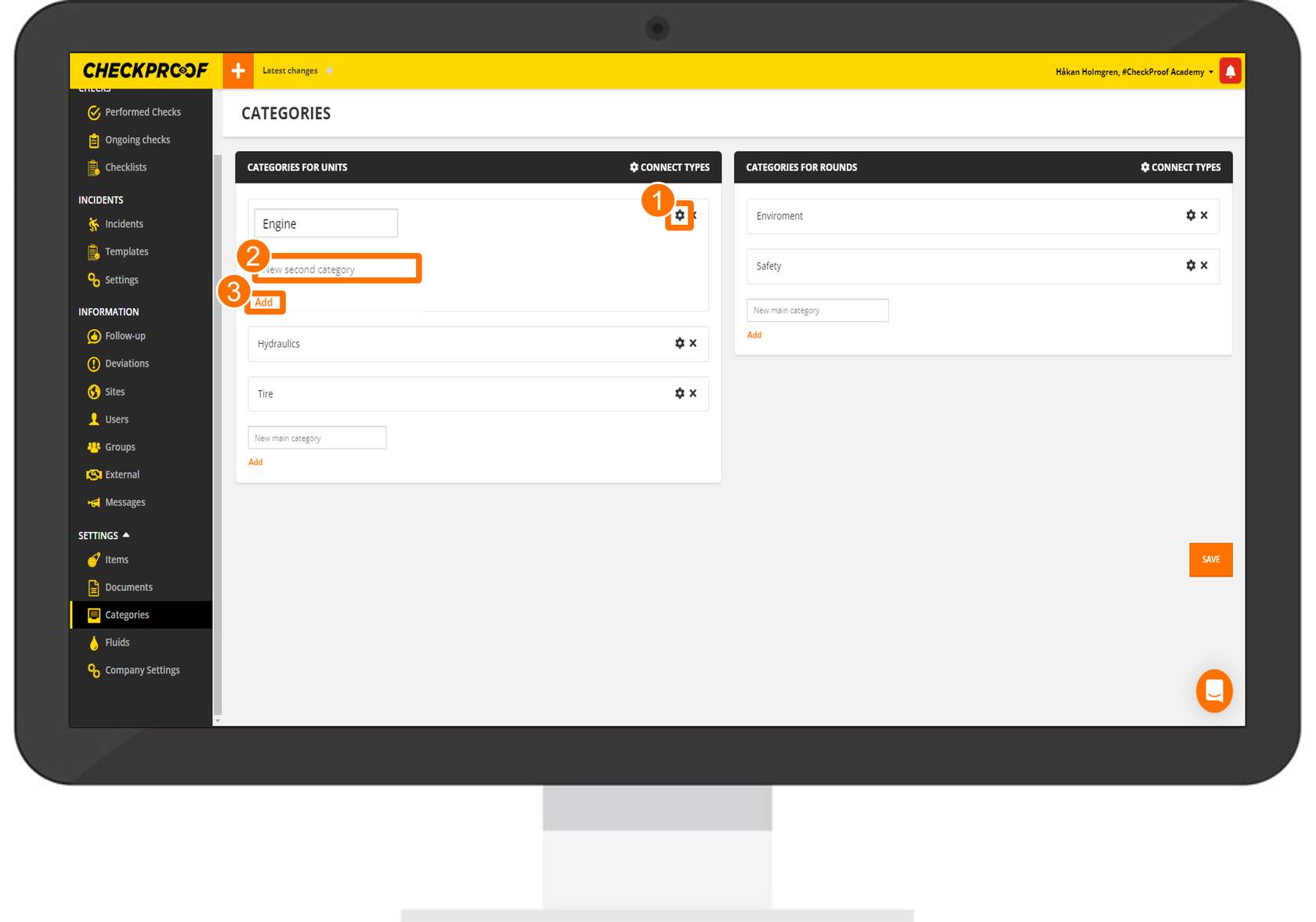
To add a subcategory, click the cogwheel icon next to the category that you want to add a subcategory to. Now enter a name for the subcategory in the “New Second Category” field and then click “Add”.
You can add multiple subcategories by clicking the cogwheel icon next to the category, or you could create further (third) subcategories by clicking the cogwheel icon next to the subcategory.
The new categories and subcategories will now be available for user to use in the CheckProof app.
Great! Now you know how to manage categories from the Admin Panel.

