
Managing Documents
As an admin, you are able to add documents to the Admin Panel which can then be viewed from the CheckProof app.
1
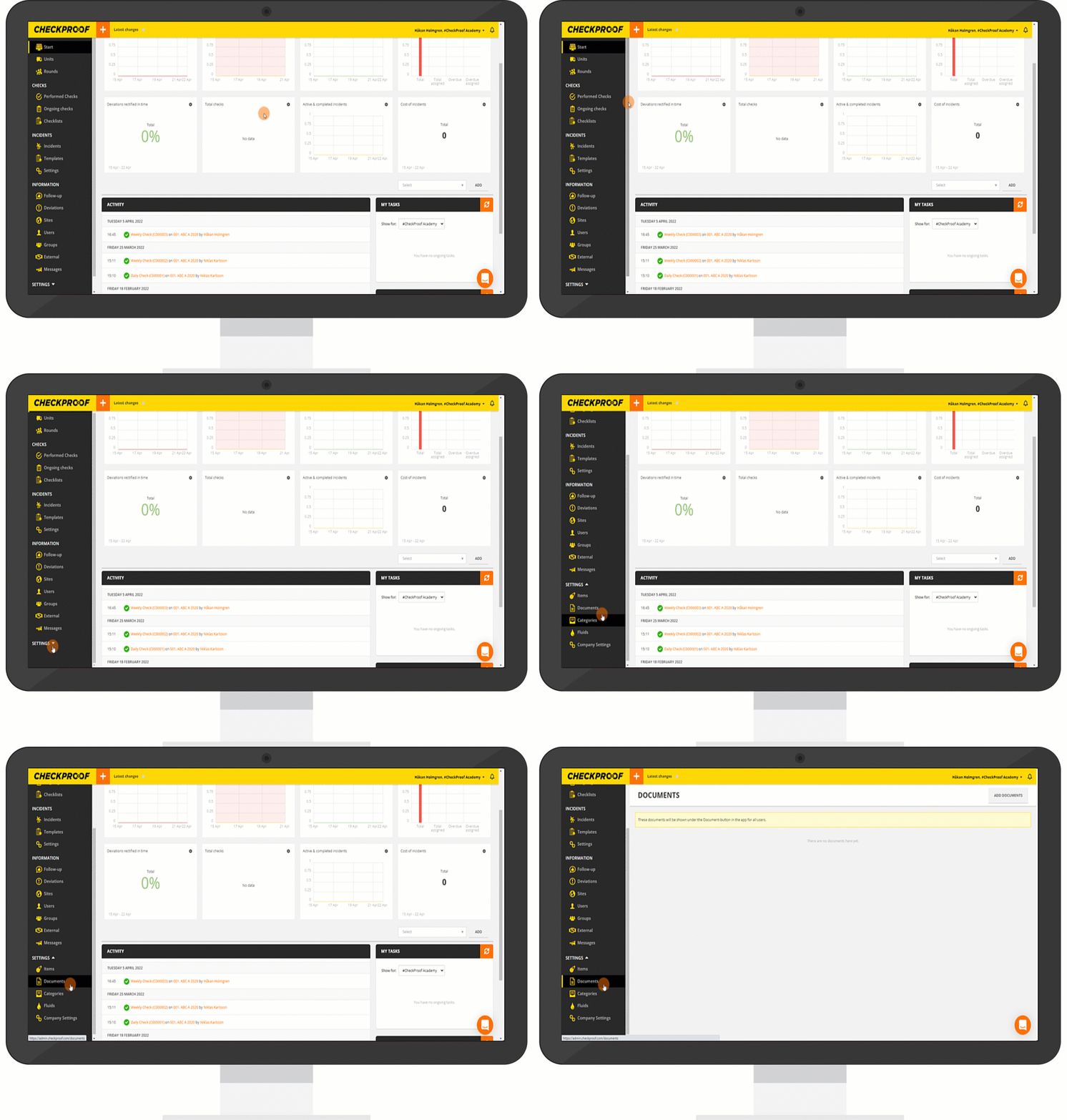
To access your company’s documents from the Admin Panel, click “Settings” in the drop-down menu and then click “Documents”.
2
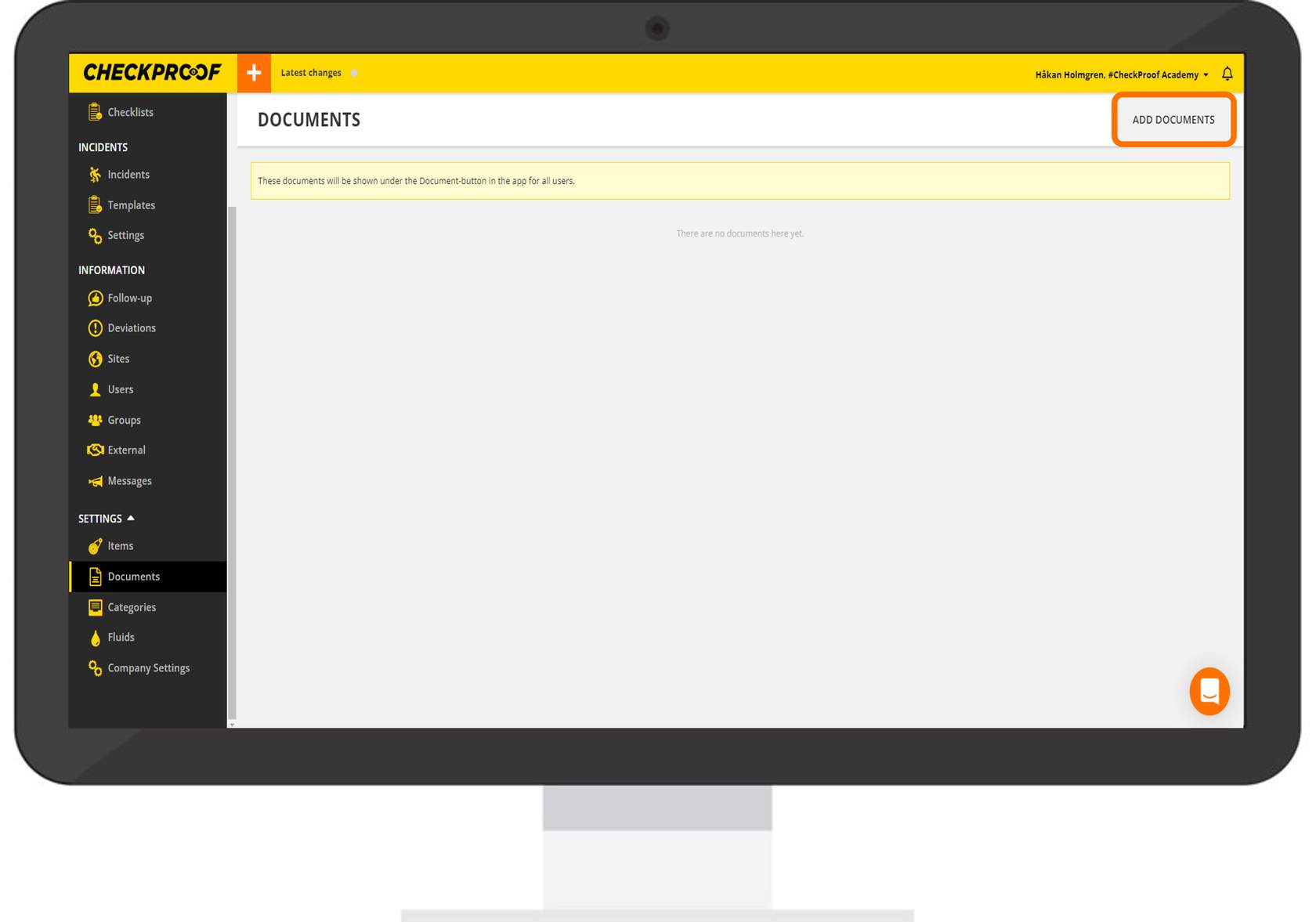
From the “Documents” page, click the “Add Documents” button that is in the upper-right corner of the page.
3
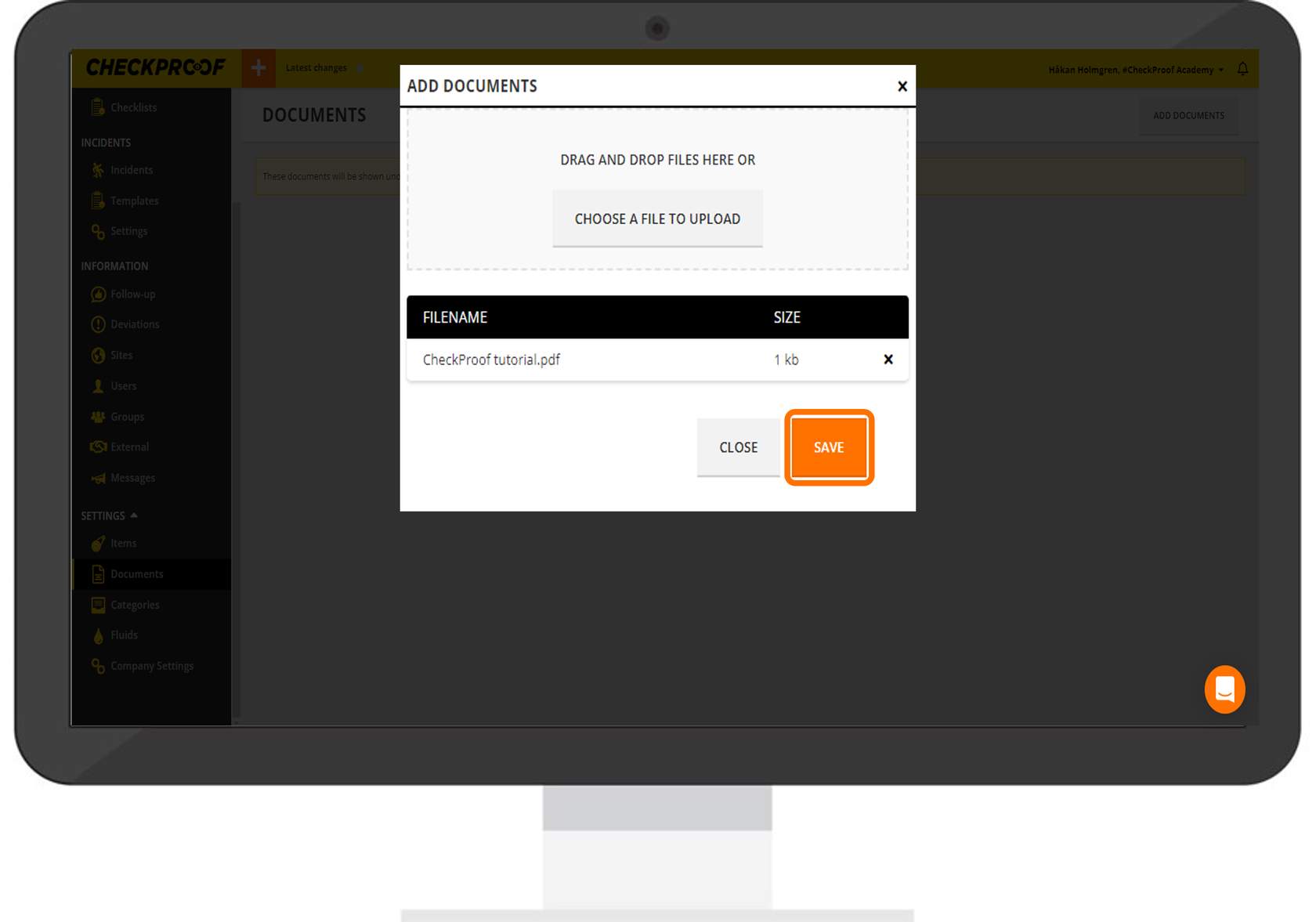
Now you are able to add documents. Click the “Choose a File to Upload” button which will allow you to select a document from File Explorer.
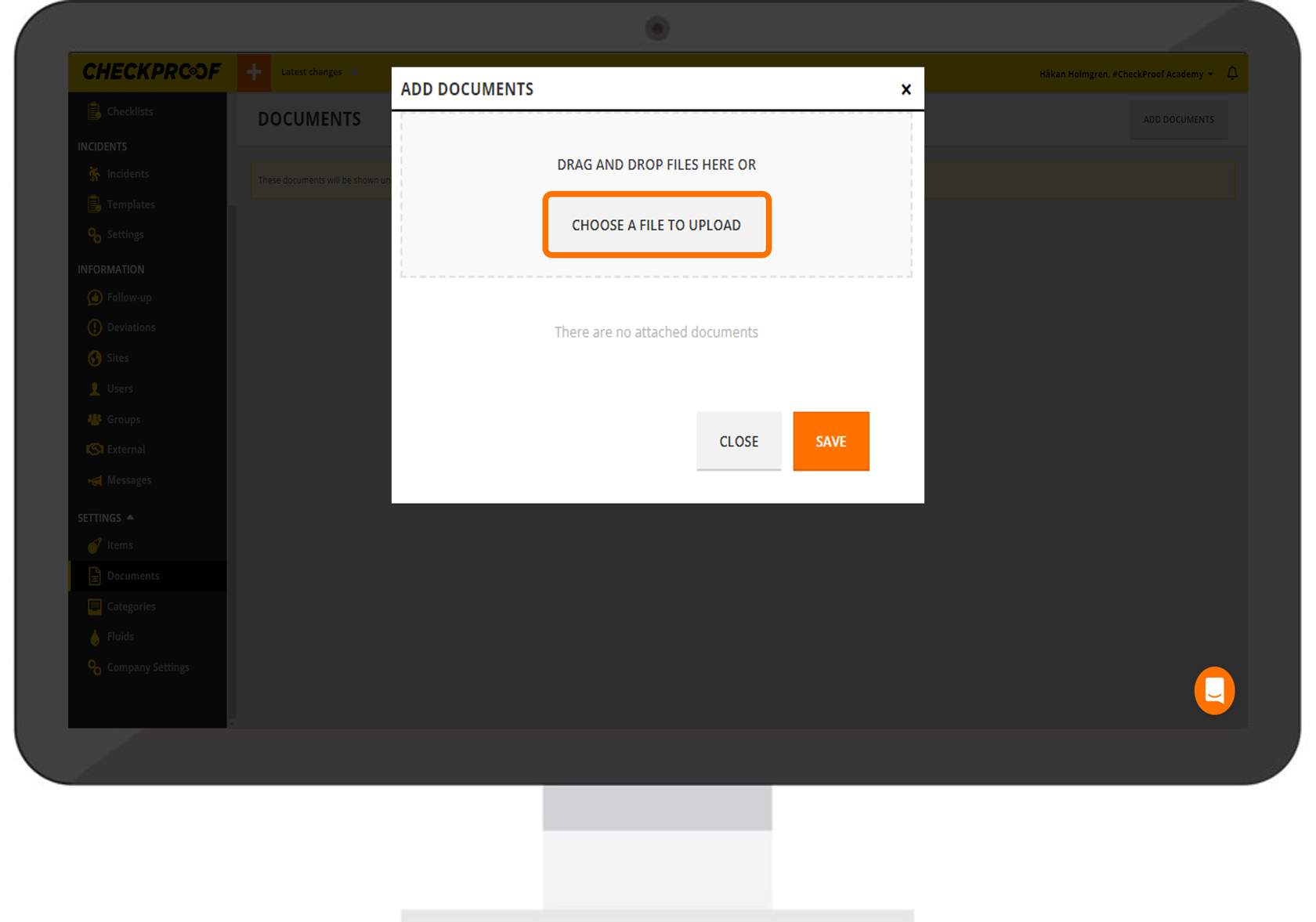
Note: Any documents should be uploaded in PDF format.
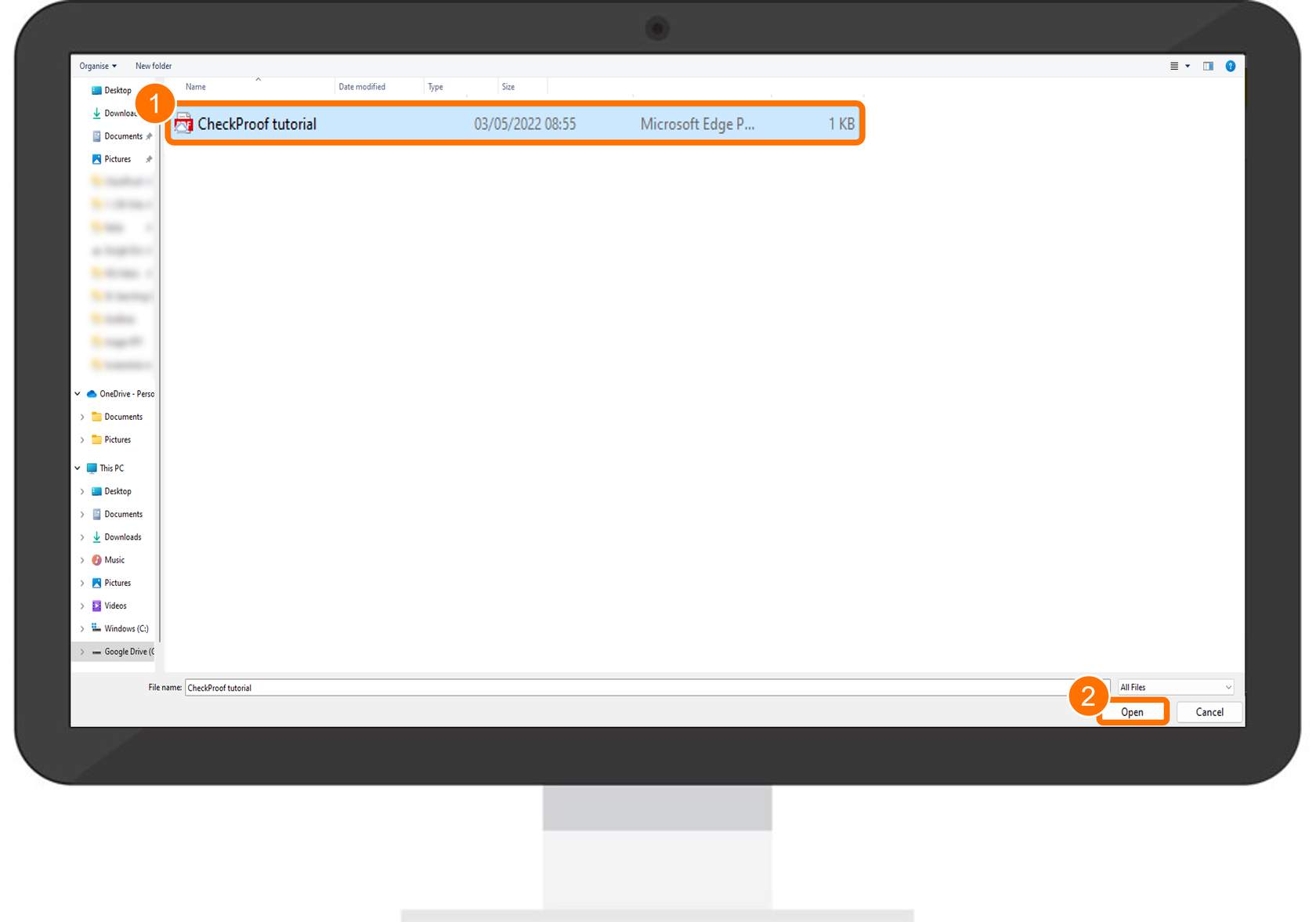
Now find the file you want to upload as a document to CheckProof. Select the document and then click the “Open” button to upload it.
4
Now that you have uploaded the document, click the “Save” button.
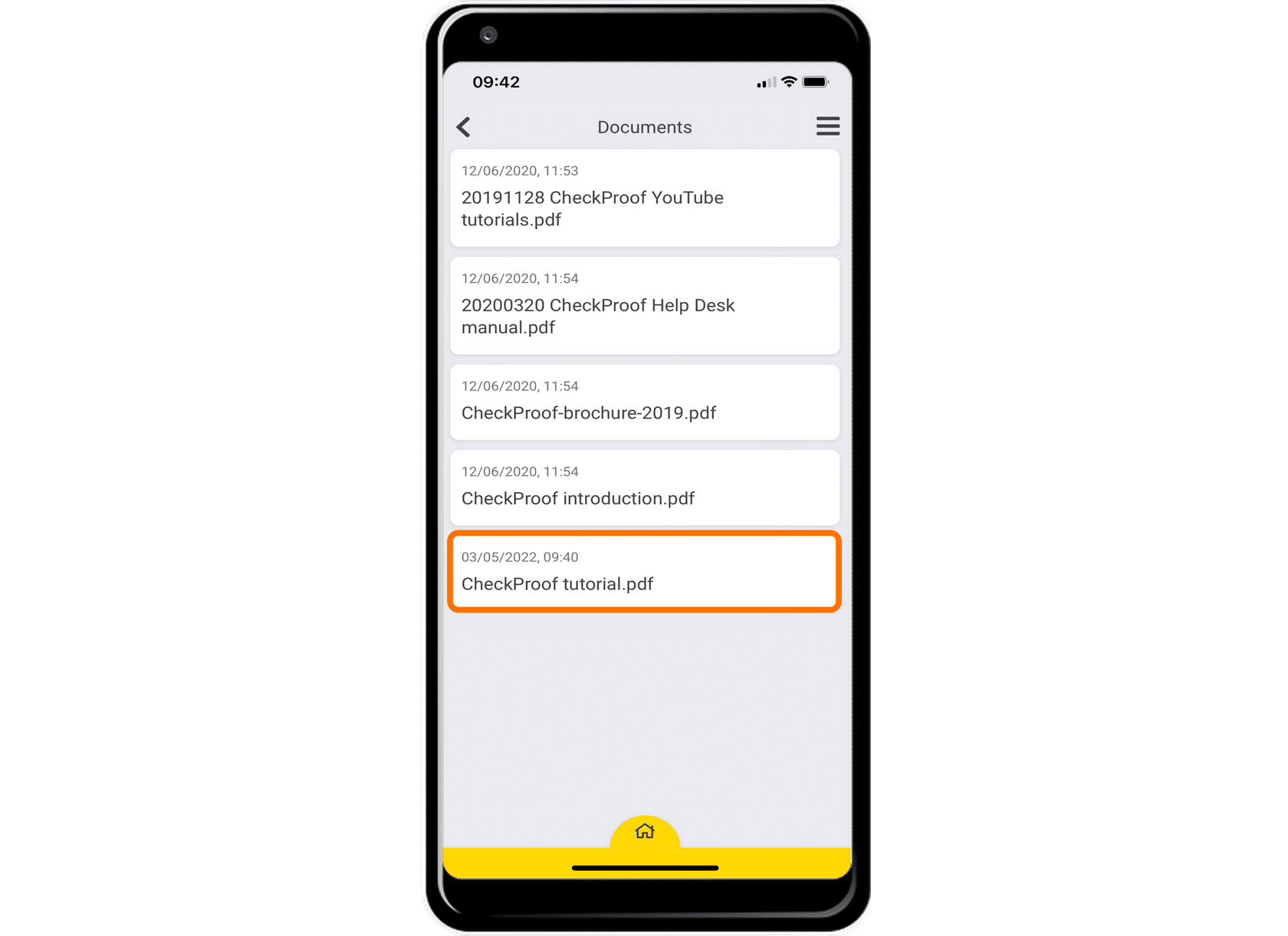
You are now able to view this document from the CheckProof app. It will be listed in the “Documents” section.

