
Managing Fluids
In this lesson, we are going to look at how to manage fluids in the Admin Panel.
NAVIGATE TO FLUIDS
ADD FLUIDS
FLUID ADDED
From the homepage, scroll down the side menu, expand “Settings” and then click “Fluids”.

Here you can see a list of fluids that have already been added to your company’s database. They are separated into two lists:
- Fluids
- Fuel
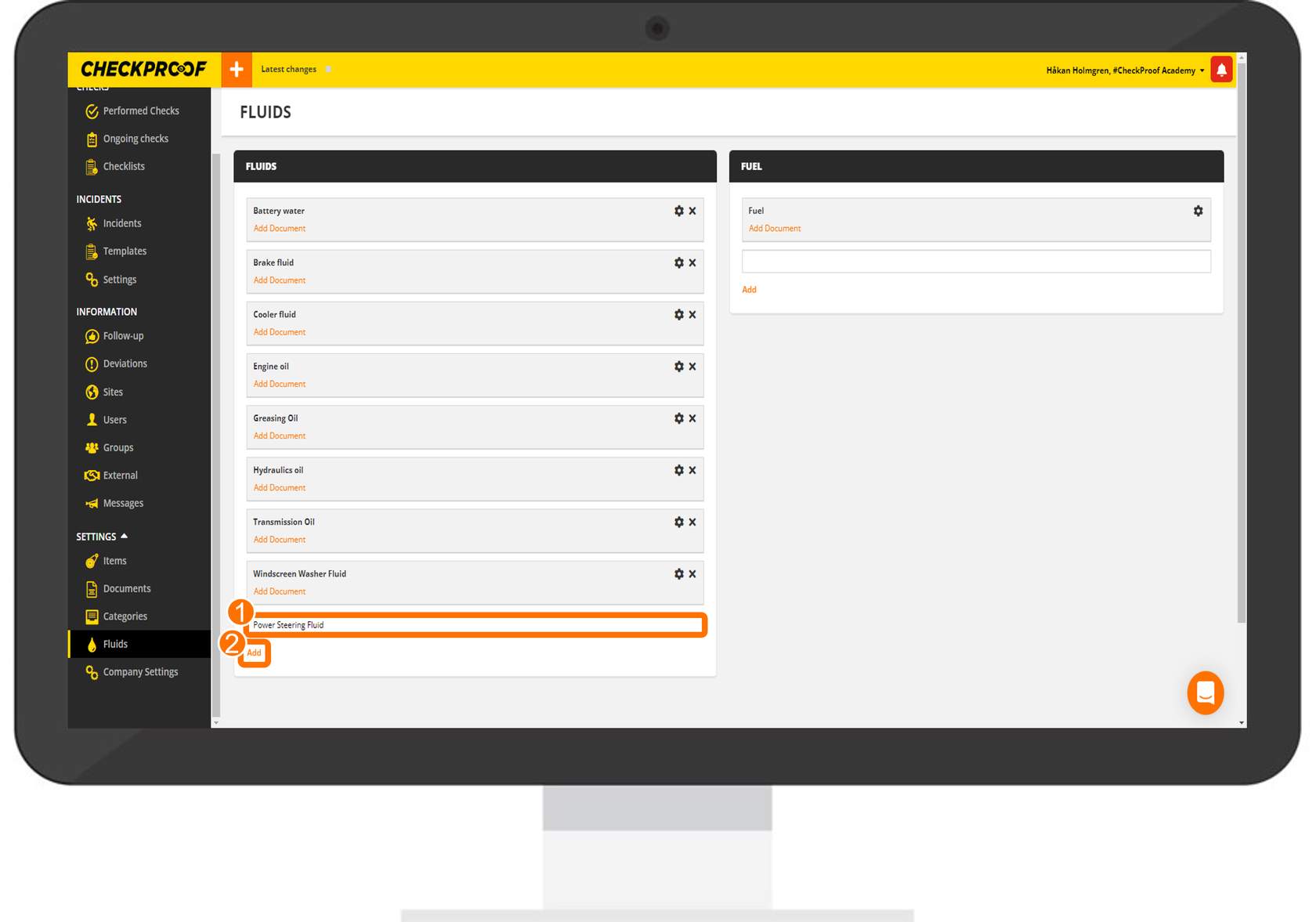
To add another fluid or fuel:
- Type the name of the fluid in the empty field.
- Click “Add” at the bottom of the list.
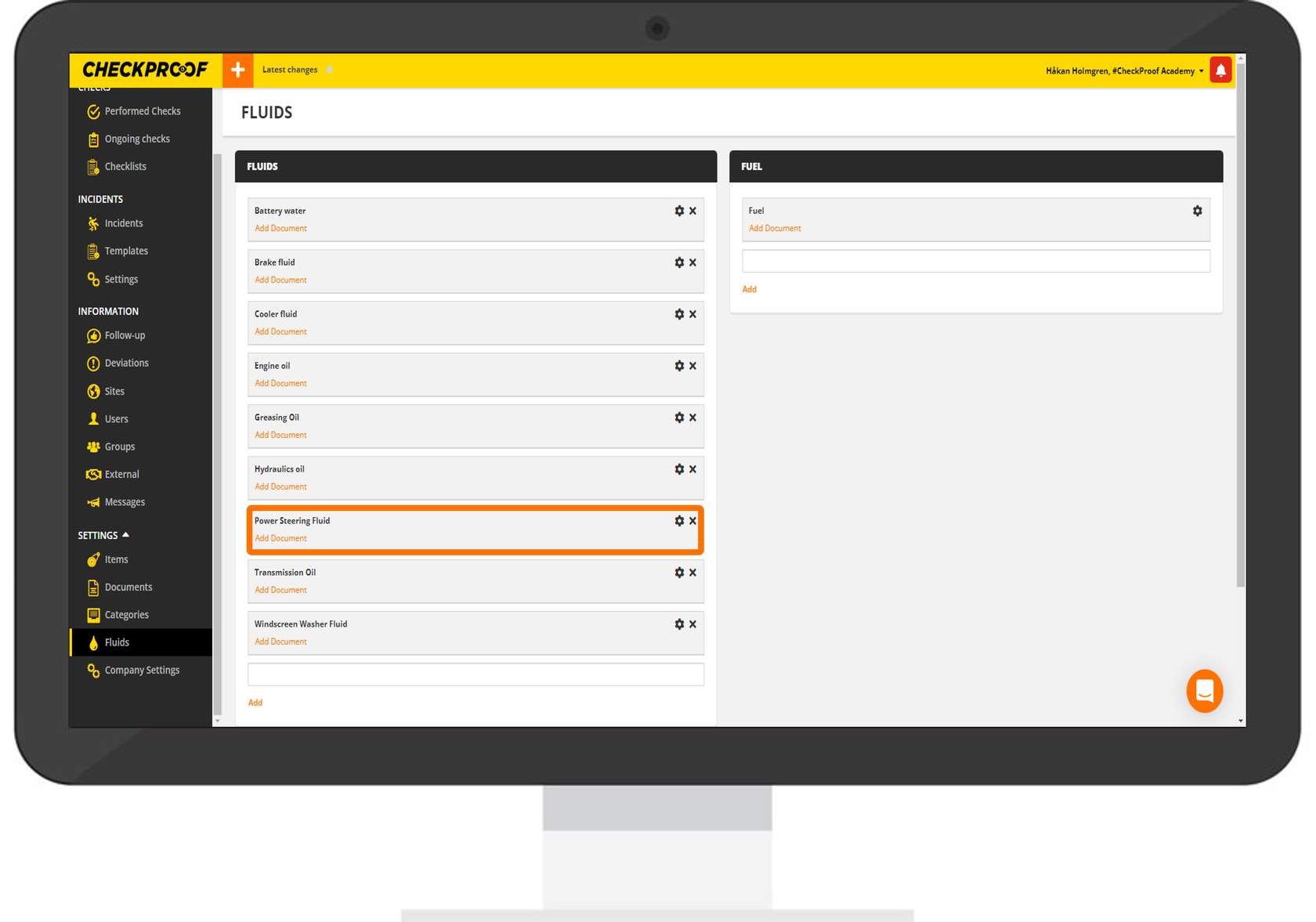
The new fluid will now be added to the list and can now be used when performing a refill task in the CheckProof app. By default, fluids are organized in ascending alphabetical order.
Great! Now you know how to manage fluids in the Admin Panel.

