
Sending A Deviation As An Order To An External Partner
You know how to assign a deviation to an external partner. Now it is time to send the order to them through the CheckProof admin panel.
1
SIDE MENU
From the CheckProof homepage, click “Deviations” from the side menu.
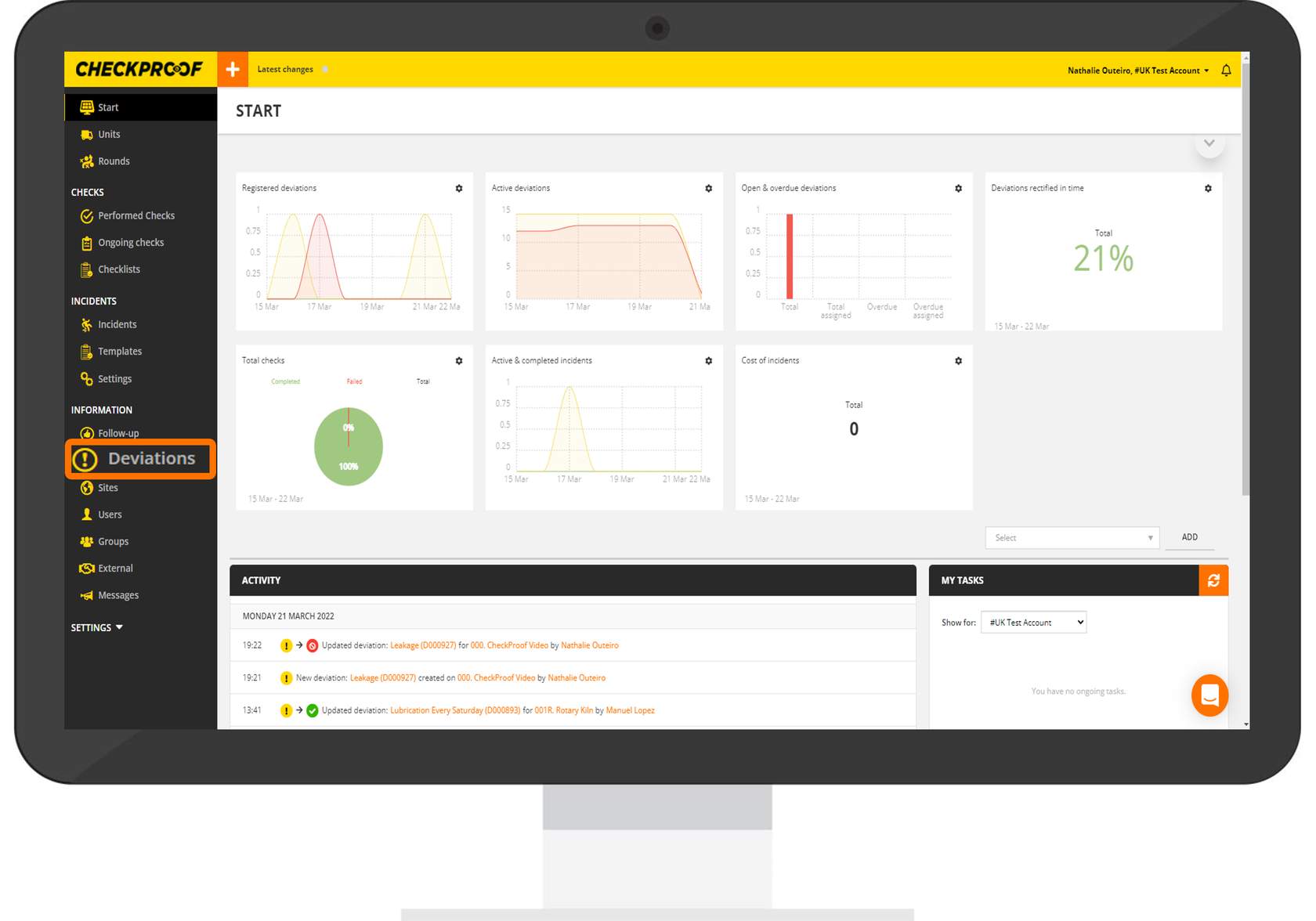
2
DEVIATION
Here you will see a list of deviations. Click the deviation that you want to assign to an external partner.
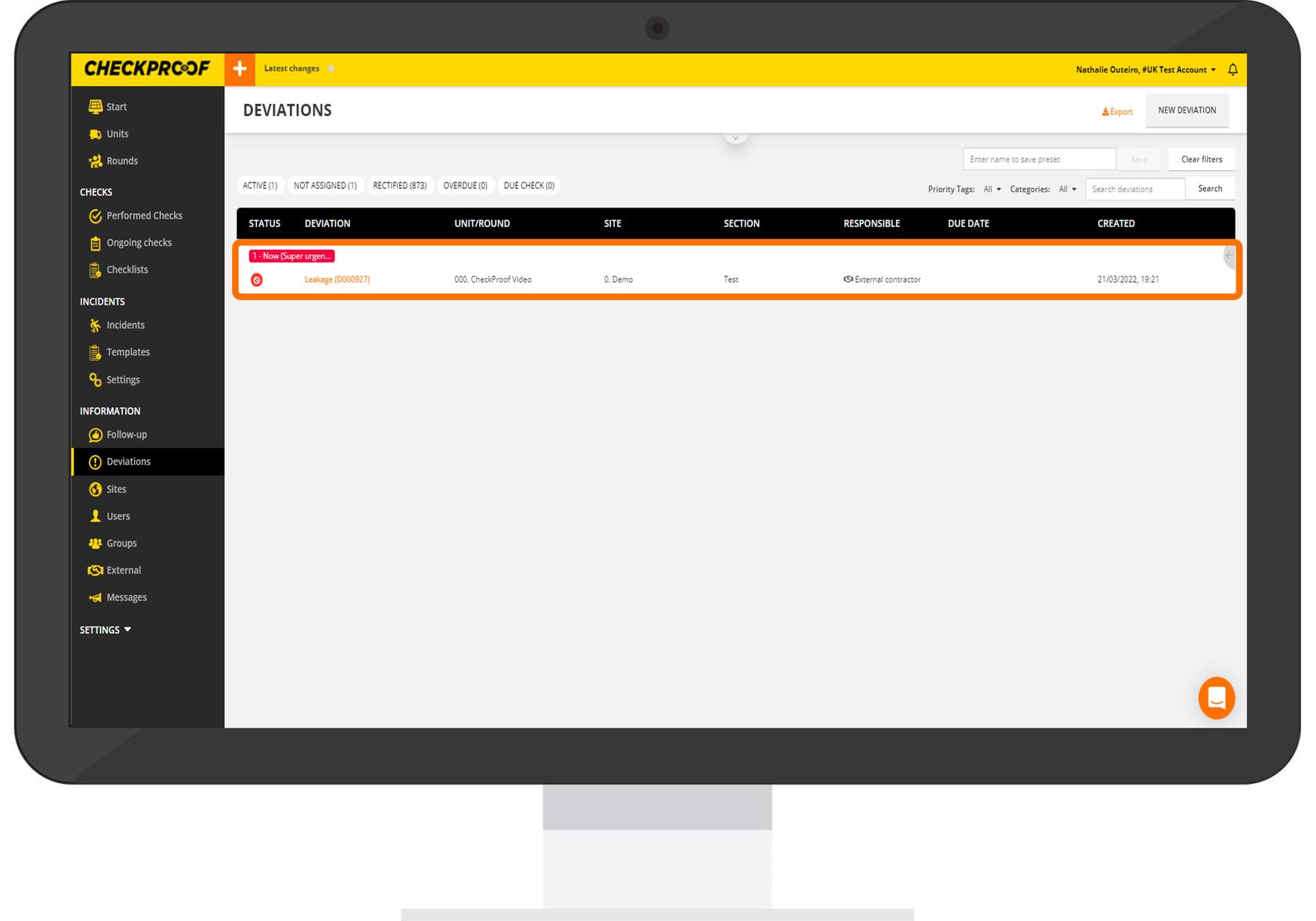
3
ORDER
Now you will be able to view and edit information related to this deviation. Click the “Order” button at the top of the screen.
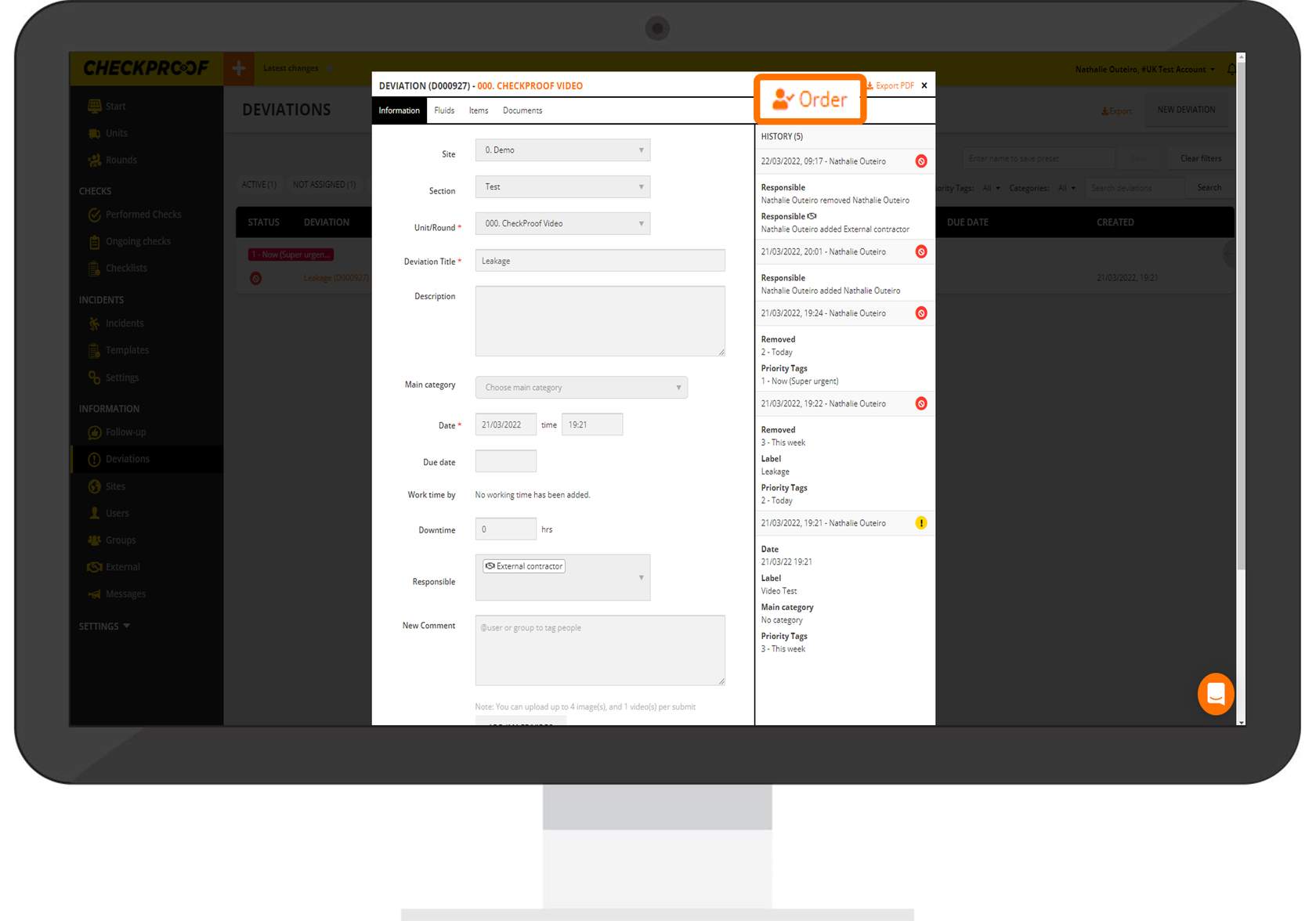
4
SEND
You will now be able to provide the external partner with additional information related to the deviation. When you are finished, click “Send” to send the form to the external partner.
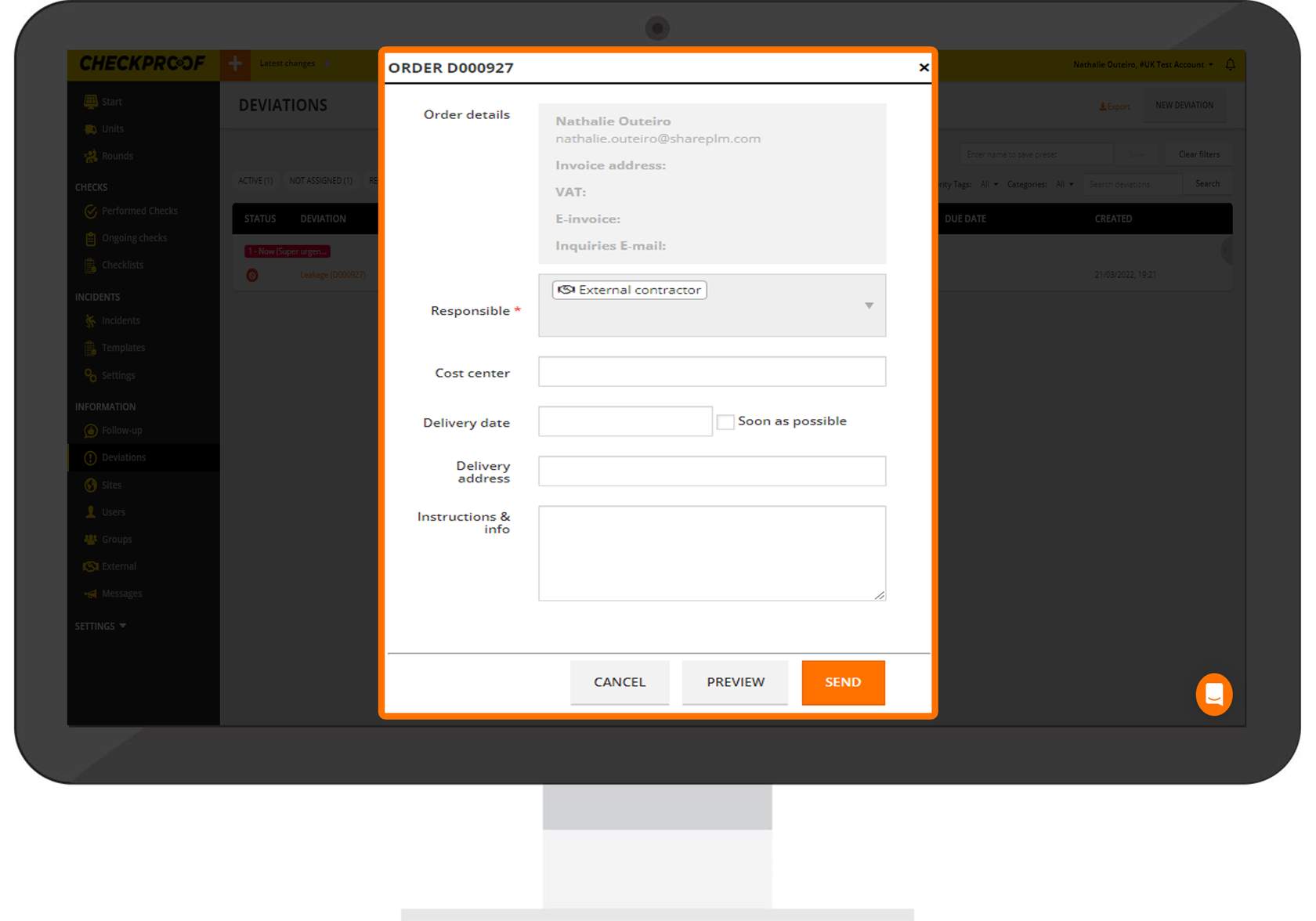
Lets take a closer look at the information related to the order.
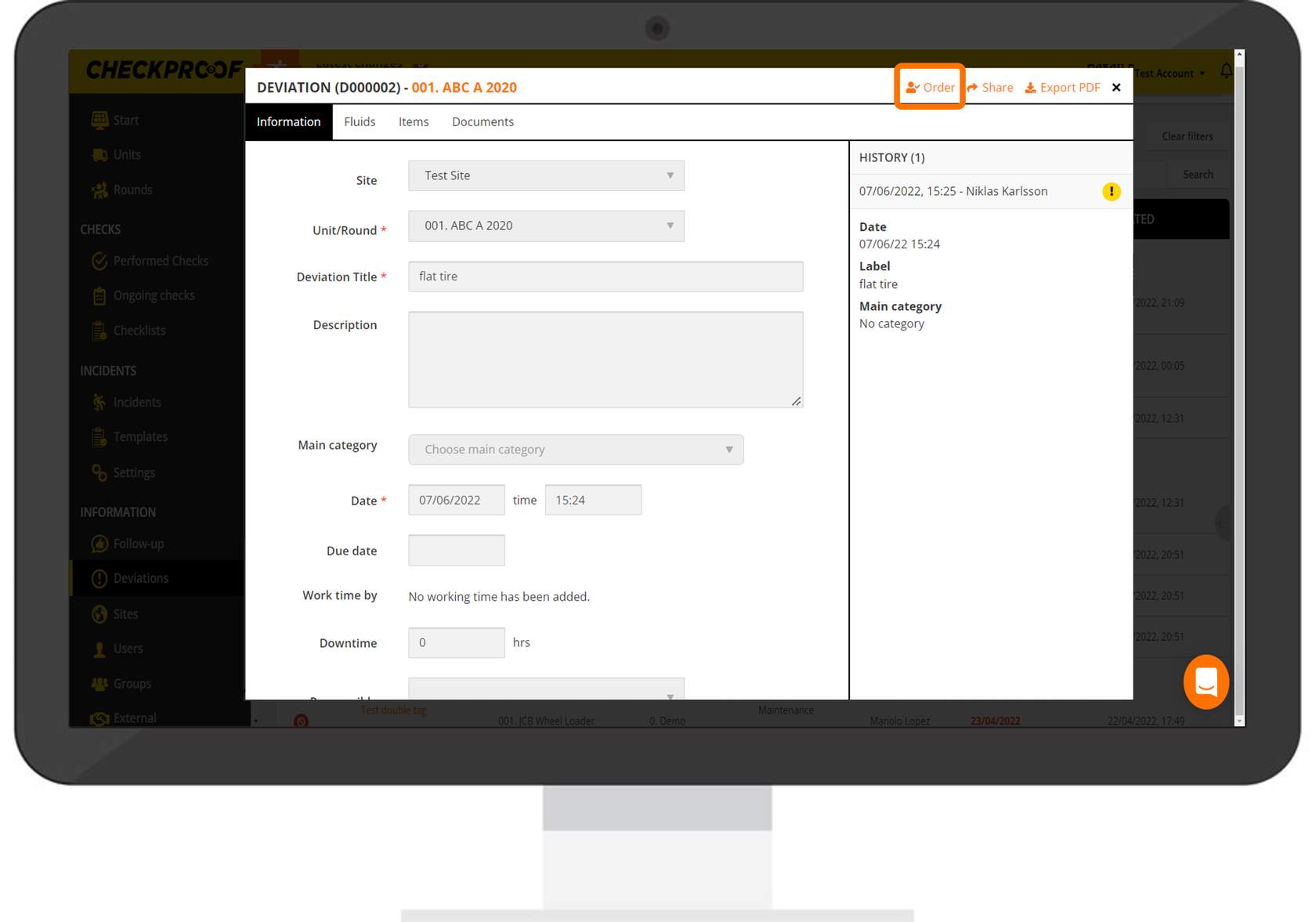
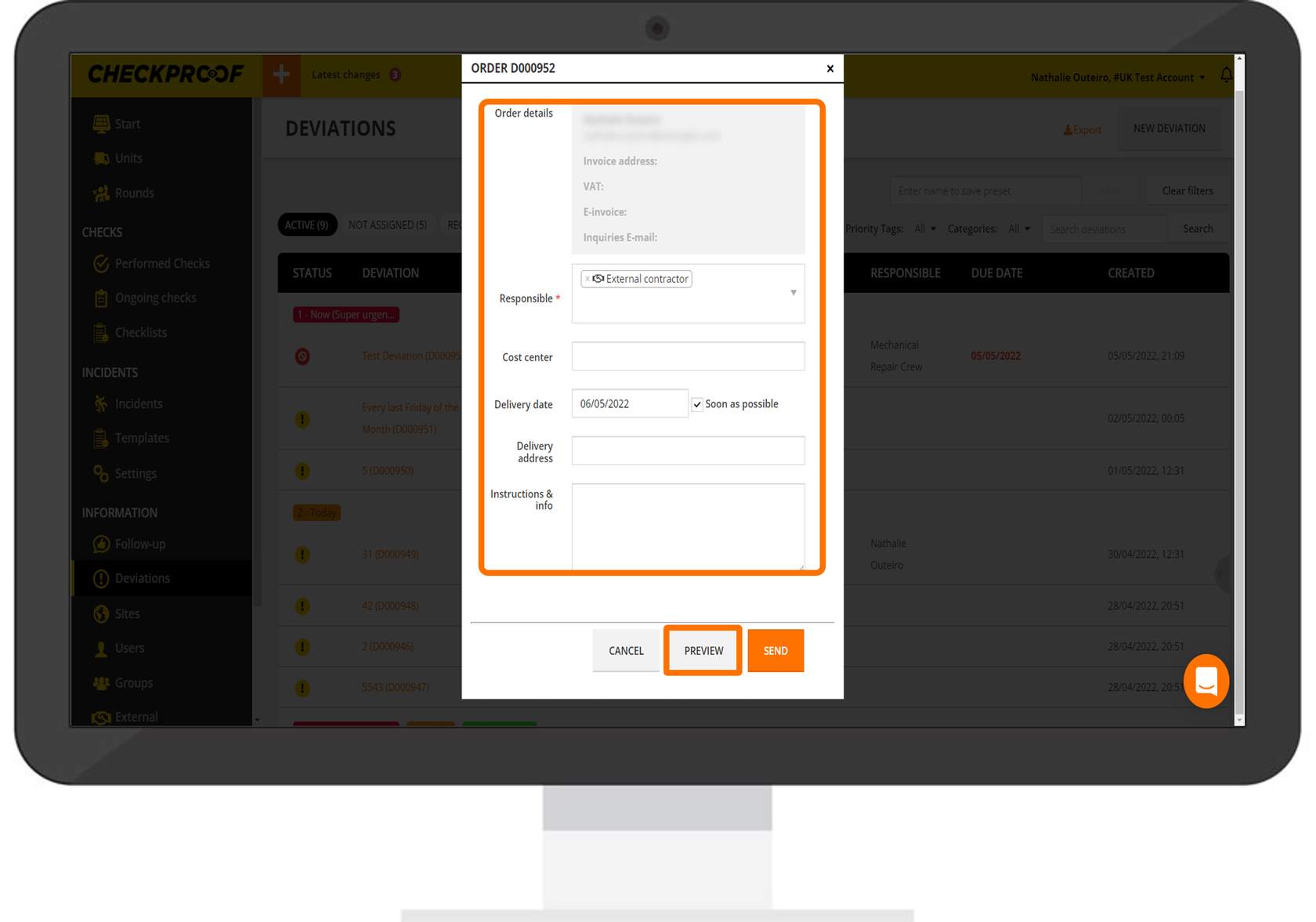
In the grey box, you will see the order details. The white fields are ready to be completed.
- Responsible: Here you must add someone who is to be responsible for the deviation. This can only be an external contractor as you are placing an order.
- Cost Center: This is where in the company the cost will be.
- Delivery Date: Here you can enter the date you expect the delivery to be completed. Check the “Soon as Possible” box if it is urgent.
- Delivery Address: Here you can enter a delivery address.
- Instructions & Info: If necessary, you can add some additional instructions and information here to help the user fully understand.
When you are finished, click the “Preview” button to preview the order in a new window.
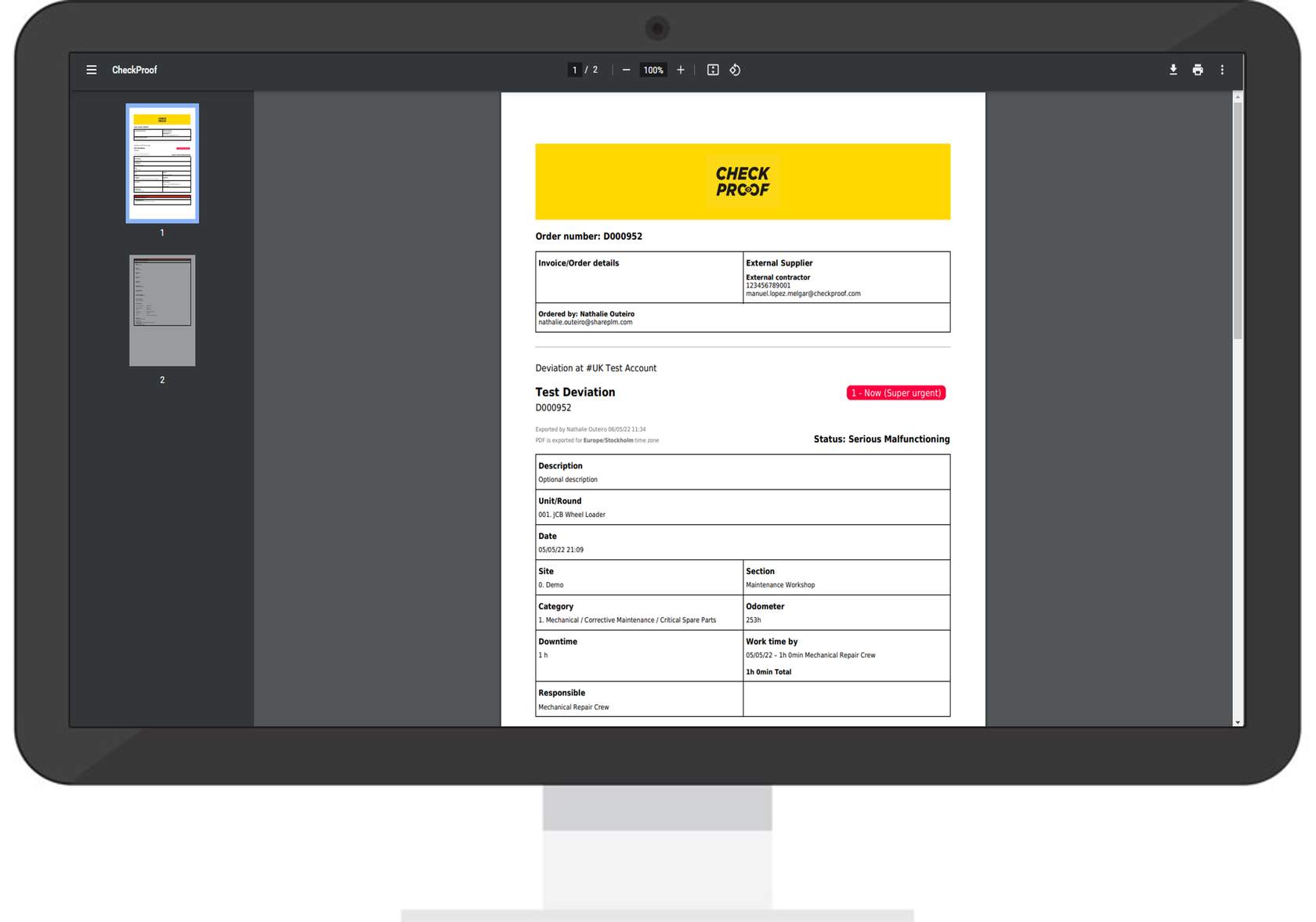
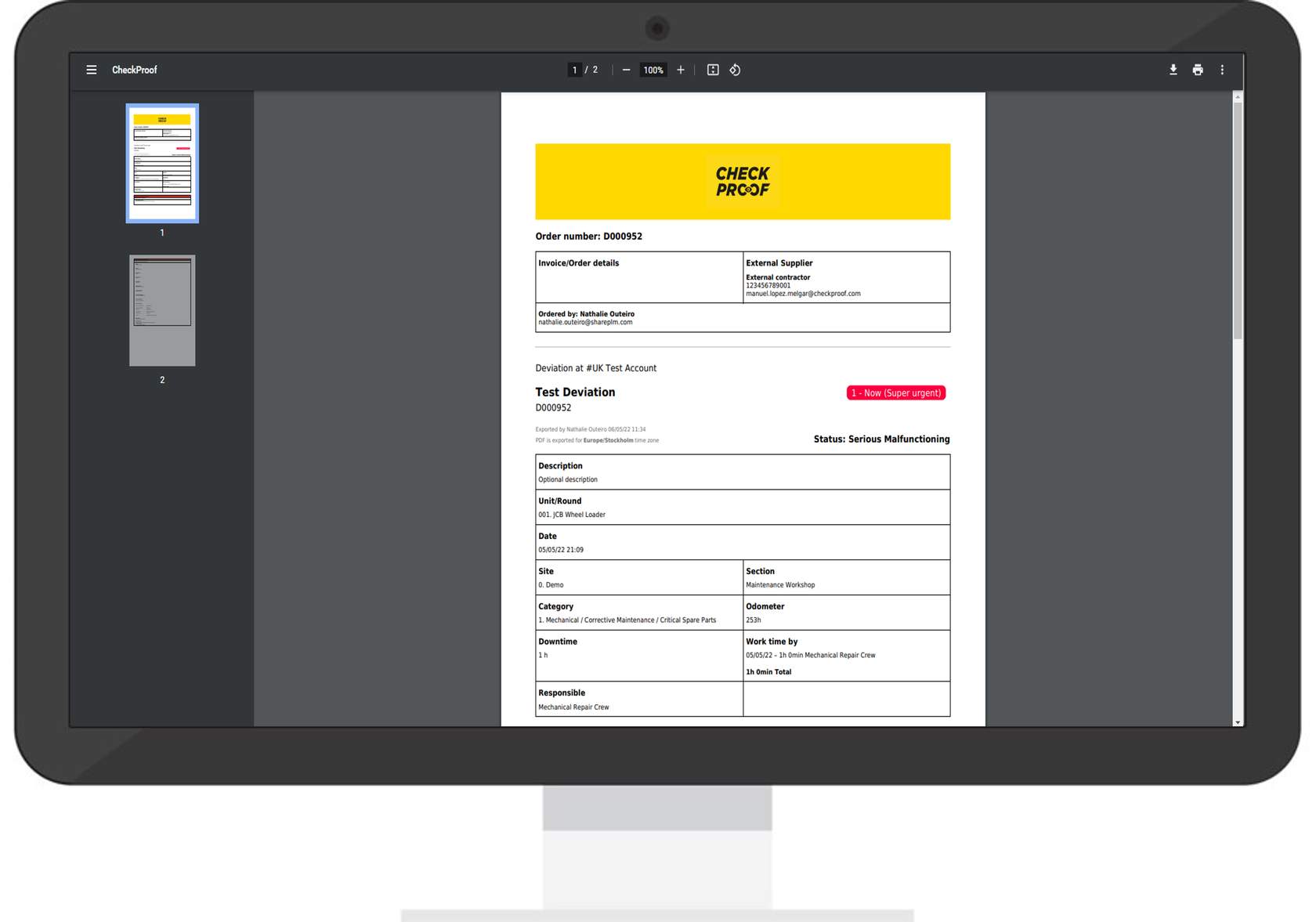
On this page you can view a preview of the deviation order. Navigate back to the CheckProof website and click the “Send” button to submit the order.
Great! Now you know how to order a deviation from the CheckProof Admin Panel.
Great! Now you know how to place an order on a deviation to an external partner from the CheckProof Admin Panel.

