
Switching Accounts

Switching accounts
If you have access to multiple accounts as a CheckProof user, you can switch between them by using the menu in the top-right corner.
Open the boxes below to learn how to switch companies.
Access menu
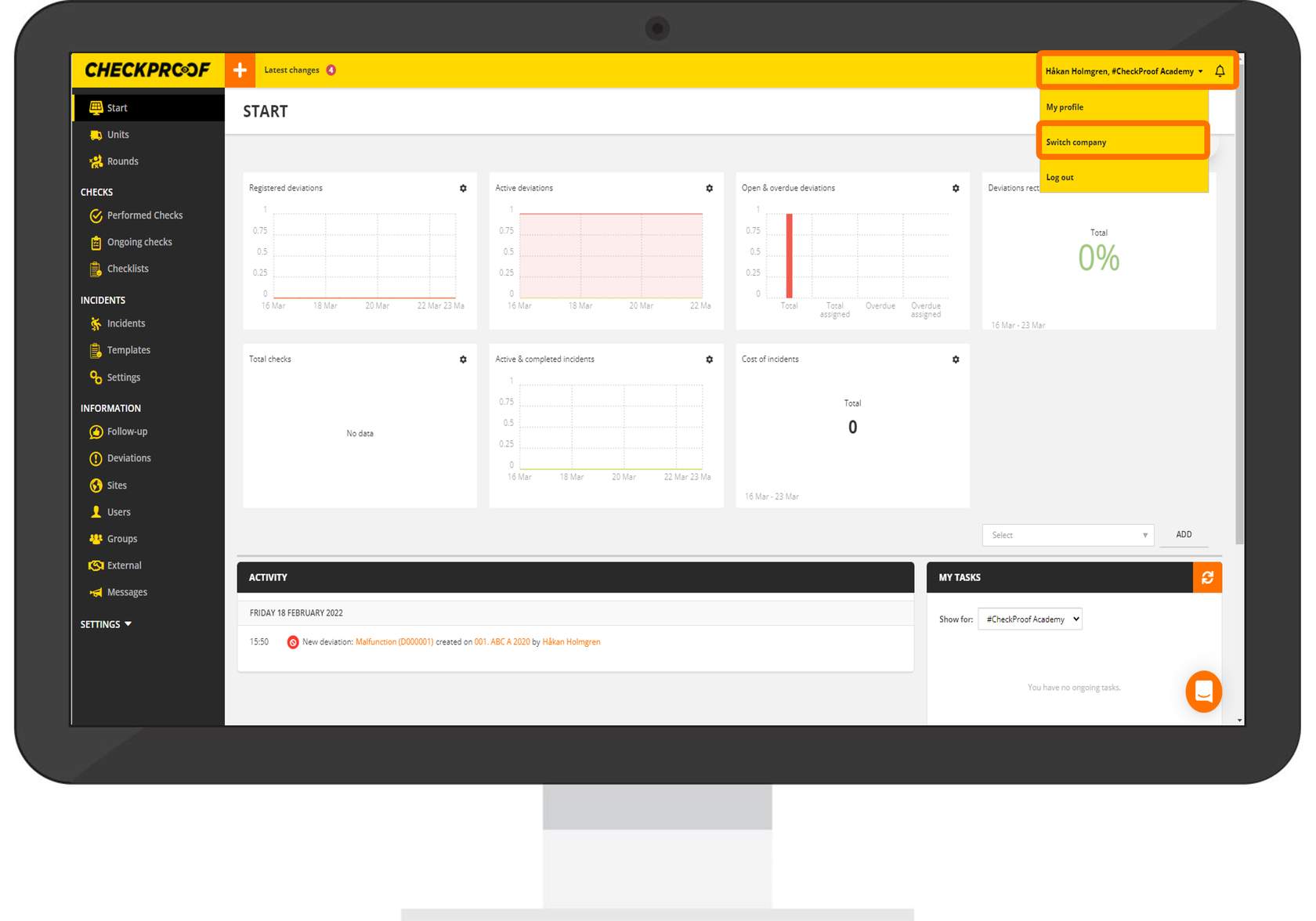
From the top-right corner:
- Click on the menu with your username.
- In the drop-down menu select “Switch Company”.
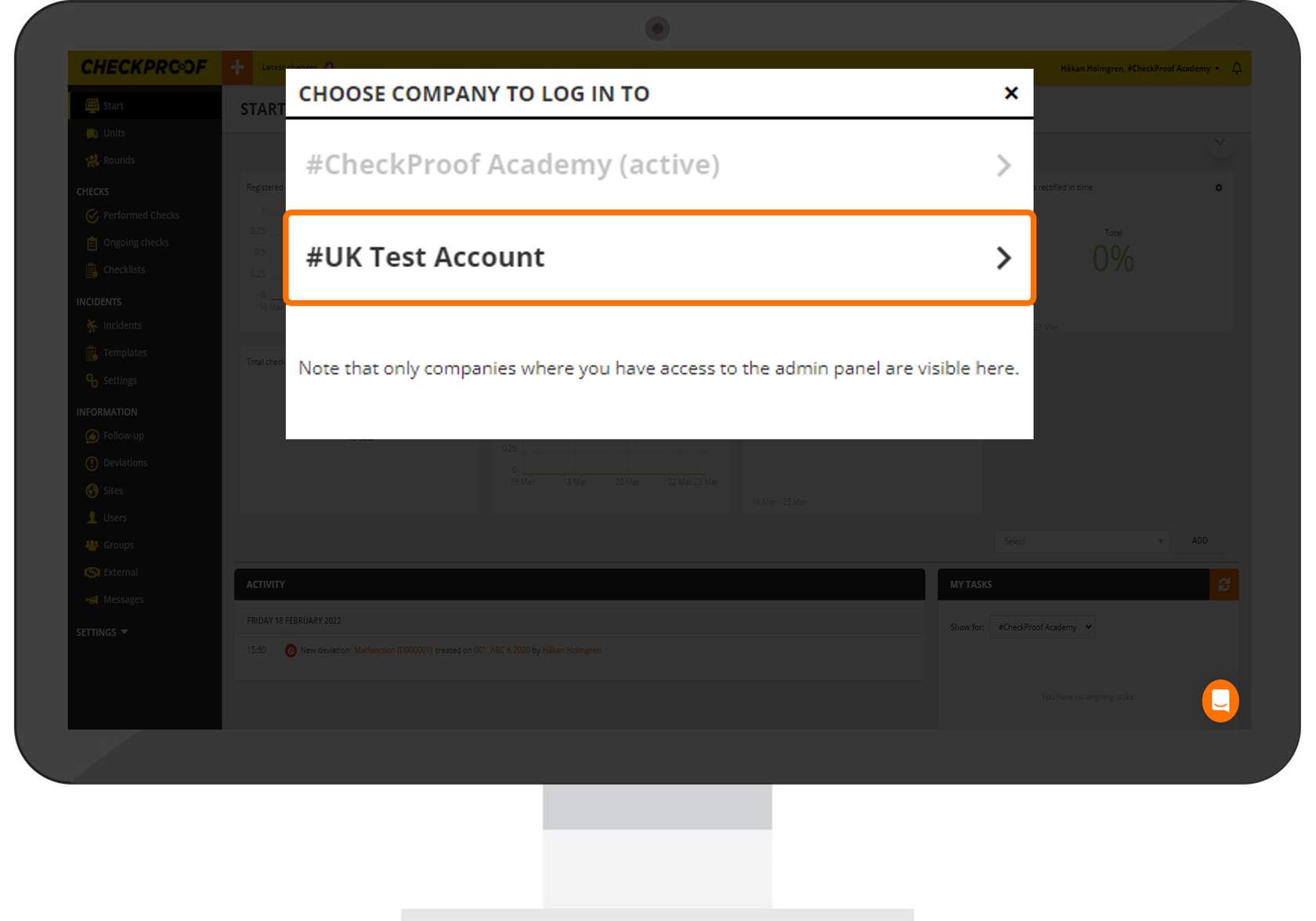
Choose Company
When the window opens with the list of companies, select the company you want to change to.
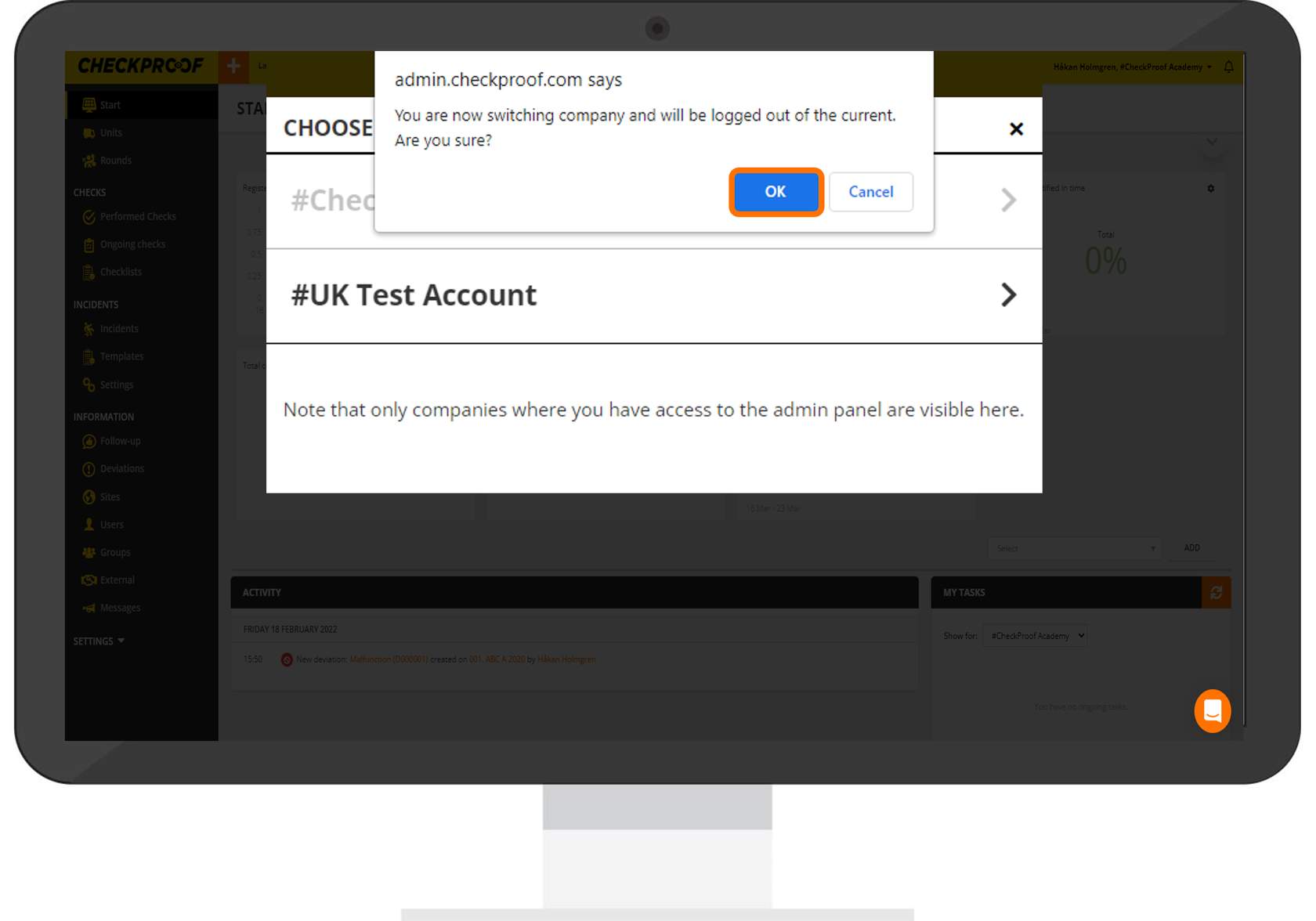
Confirm
Click “OK” to confirm that you want to switch companies.
Great! Now you know how to switch company accounts.

