Using the Refill Function
Refill Function
The refill function in CheckProof allows you to register any replenishment of fluids you do to your machinery.
This function distinguishes between:
- Fuel (diesel, petrol, coal, etc.)
- Other fluids (oil, coolant, etc.)
Let’s see how to use the refill function.
Choose the Fuel Type
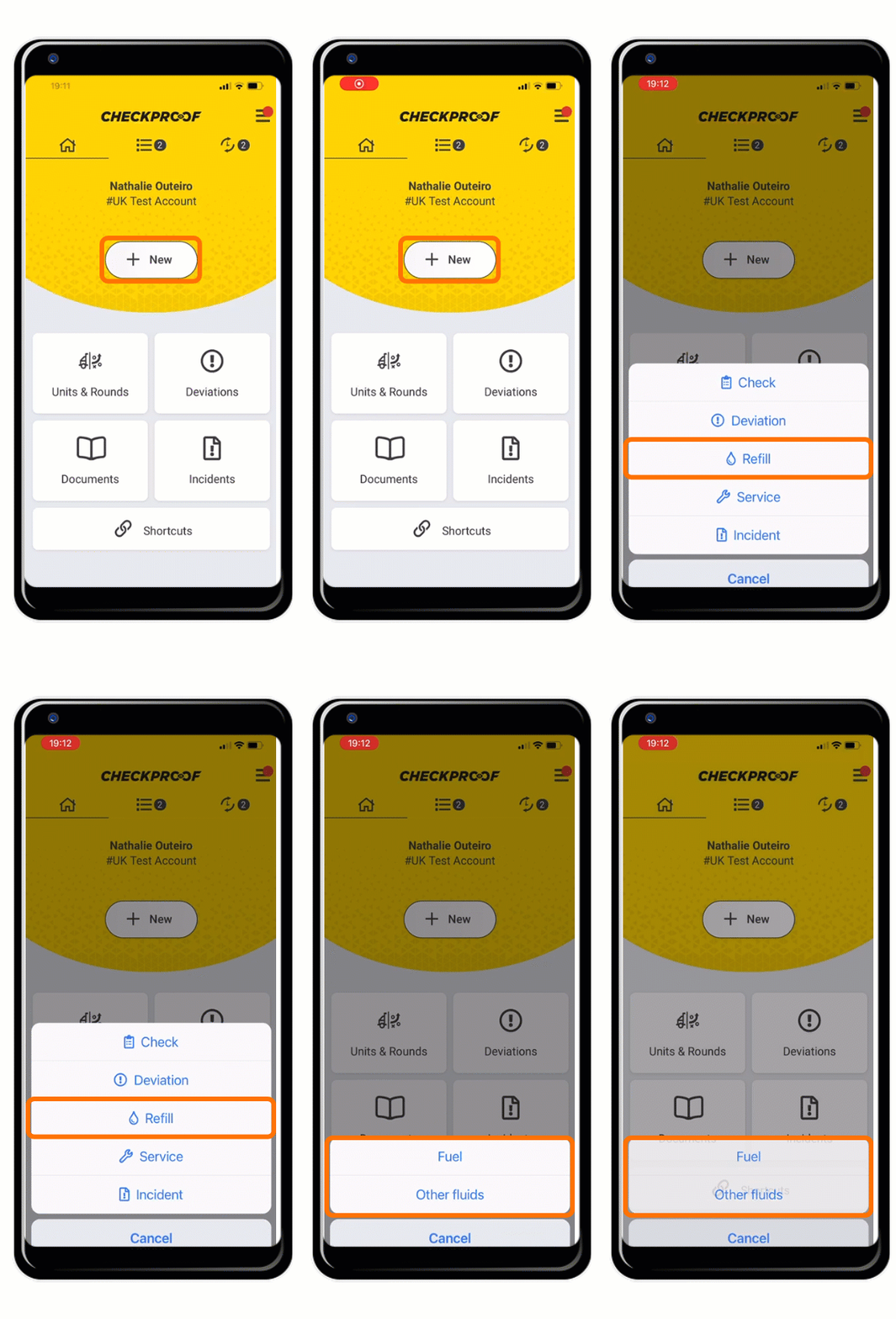
First click on “New” and then click “Refill”. Now select either “Fuel” or “Other fluids”.
Choose the Unit to Refill
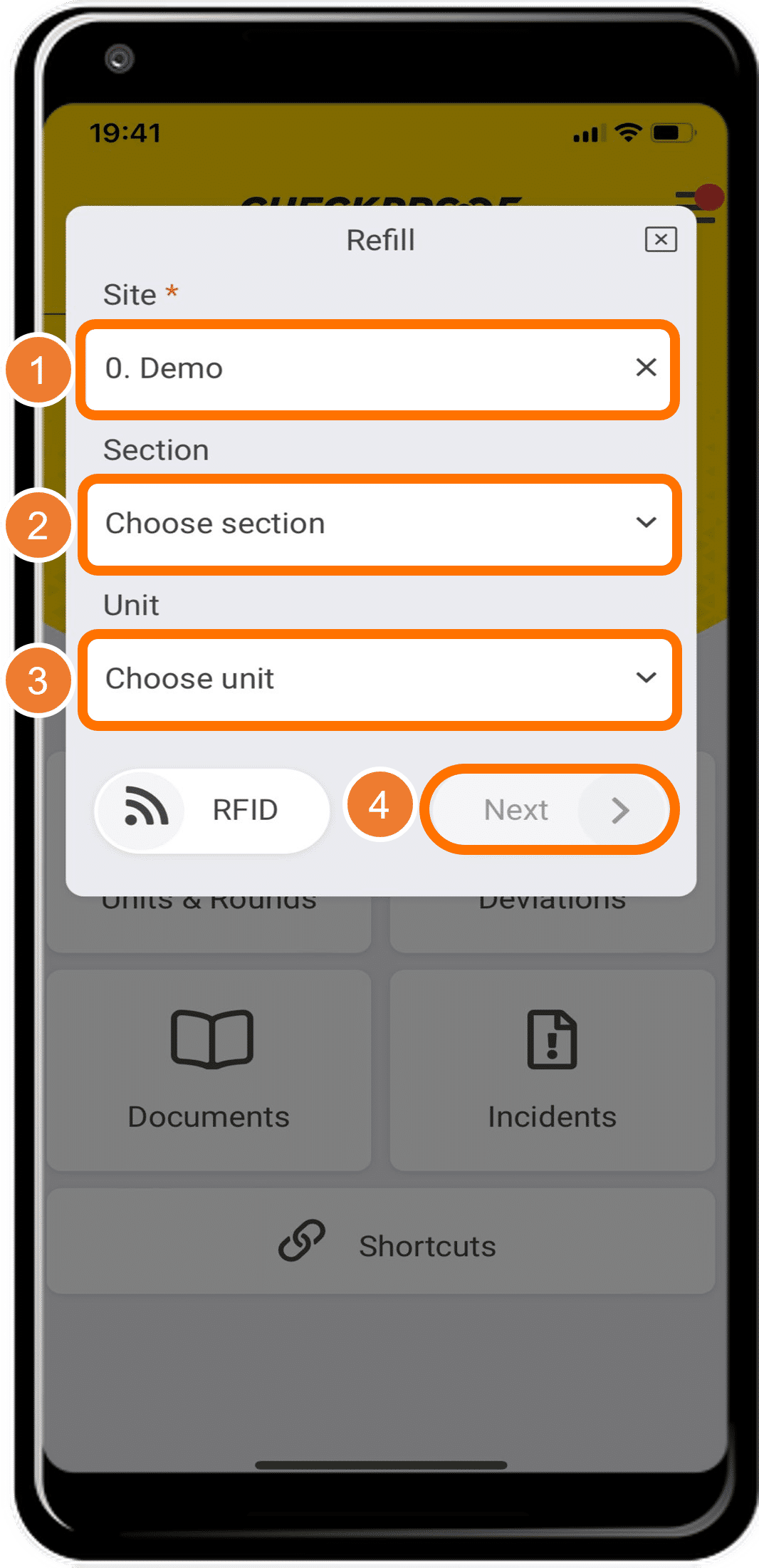
- Now you need to select the “Site” where you are performing the refill.
- When you have chosen the site, you will be prompted to select a “Section” to pinpoint the area.
- Now choose the “Unit” which is the machine that you are refilling.
- When you are done, click “Next”.
Complete the Information
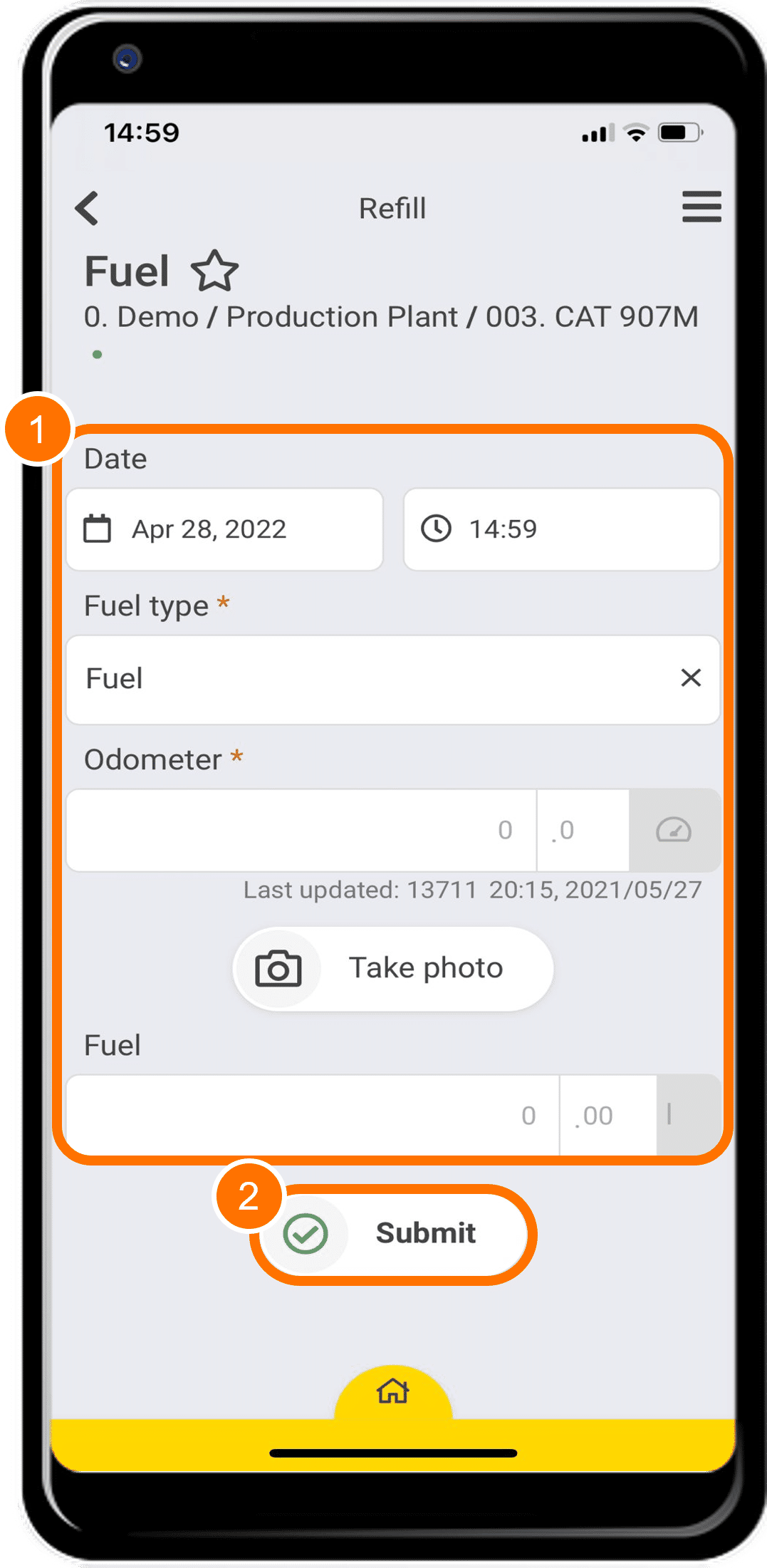
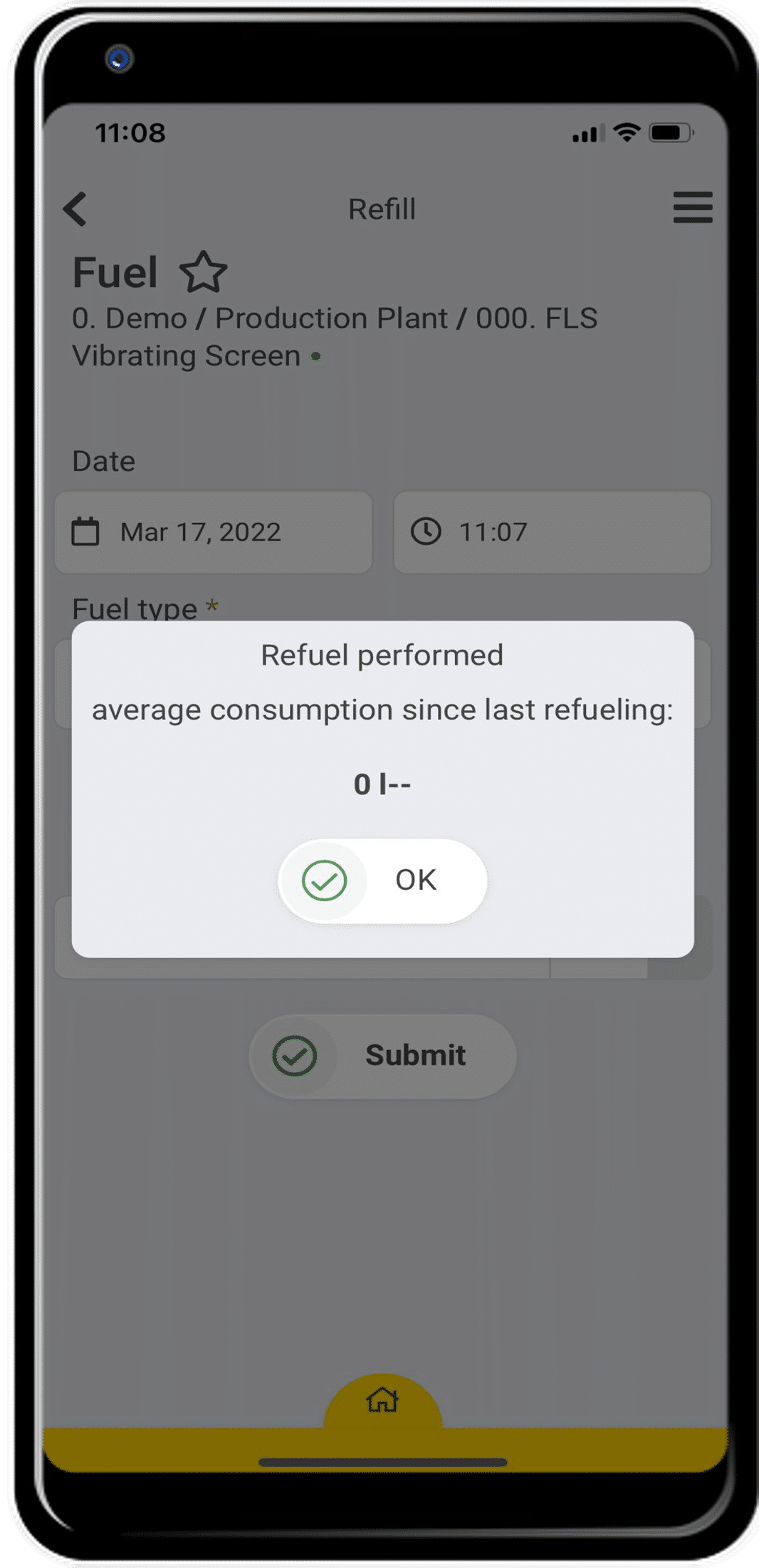
- Now you need to fill in the information on the page. The fields marked with an asterisk are mandatory.
- Date: The date and time you are refilling the machine.
- Fuel type: The type of fuel you are using.
- Odometer: The current reading on the machine’s odometer.
- Fuel: How much fuel (L) you are using to refill the machine.
- When you are finished, click “Submit”.
Great! Now you know how to use the refill function.