Work Time
“Work Time” Tab
The “Work Time” tab allows you to include different types of work time and create different work time activities.
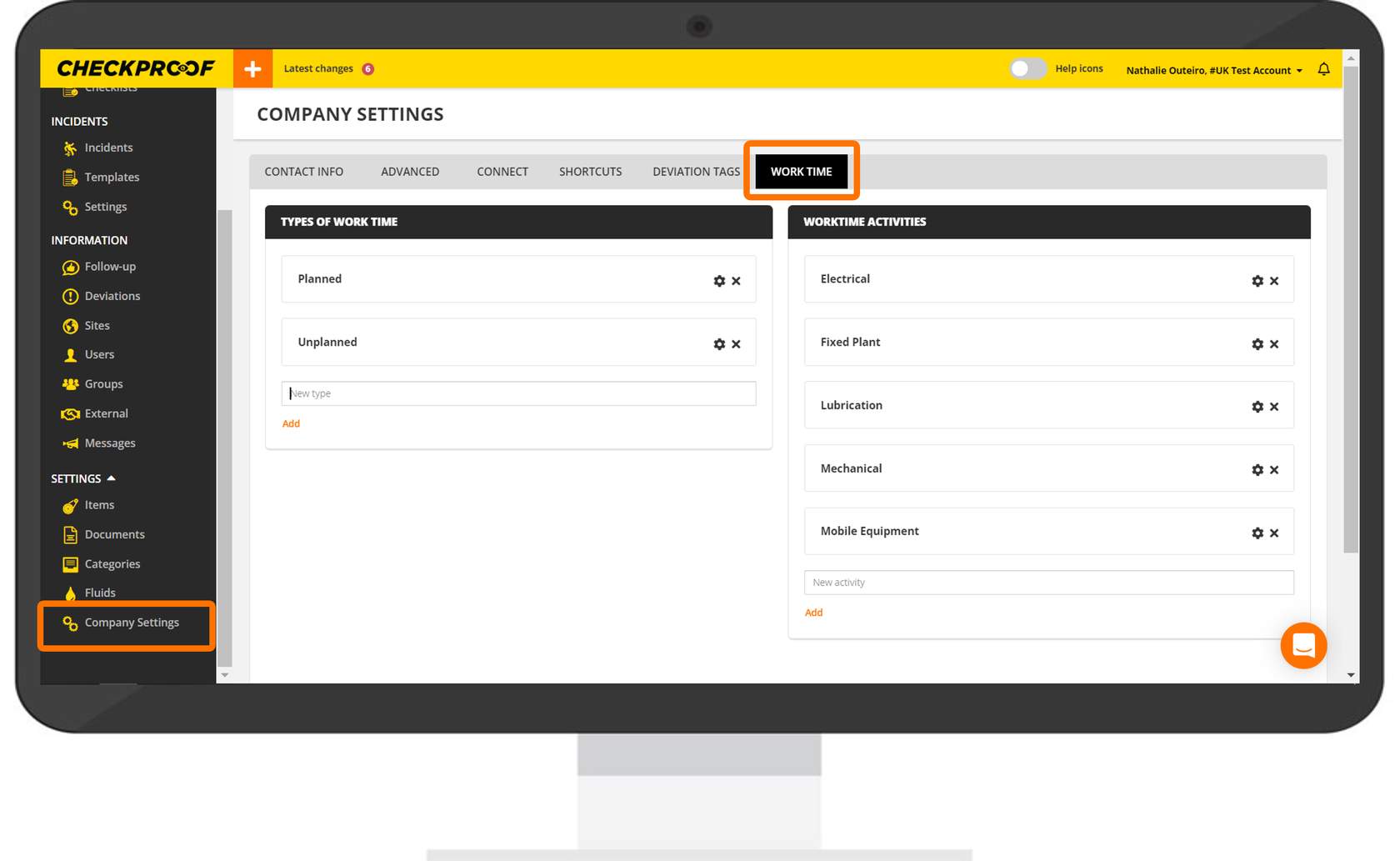
Click on “Company Settings” and navigate to the “Work Time” tab at the top of the screen.
TYPES OF WORKTIME
WORK TIME ACTIVITES
WORK TIME SUMMARY
In this section, you can include the different types of time spent performing a check or reporting a deviation.
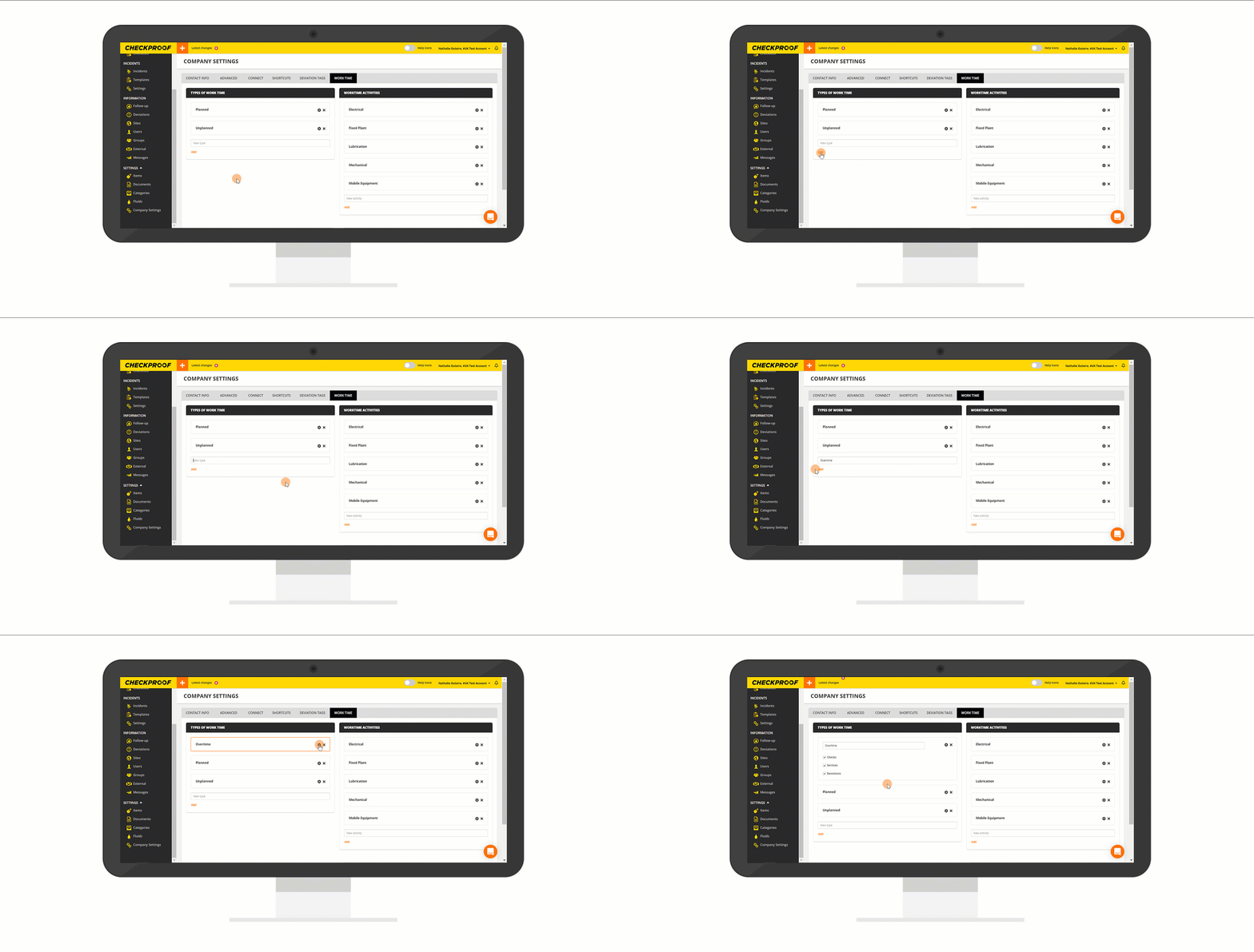
To create a new type of worktime:
- Complete the last field with the name of the new work time.
- Click on “Add”.
- Click on the cogwheel icon to select where will this new work time appears, such as checks, services, and/or deviations.
This section is meant to describe what type of activity the work time refers to.
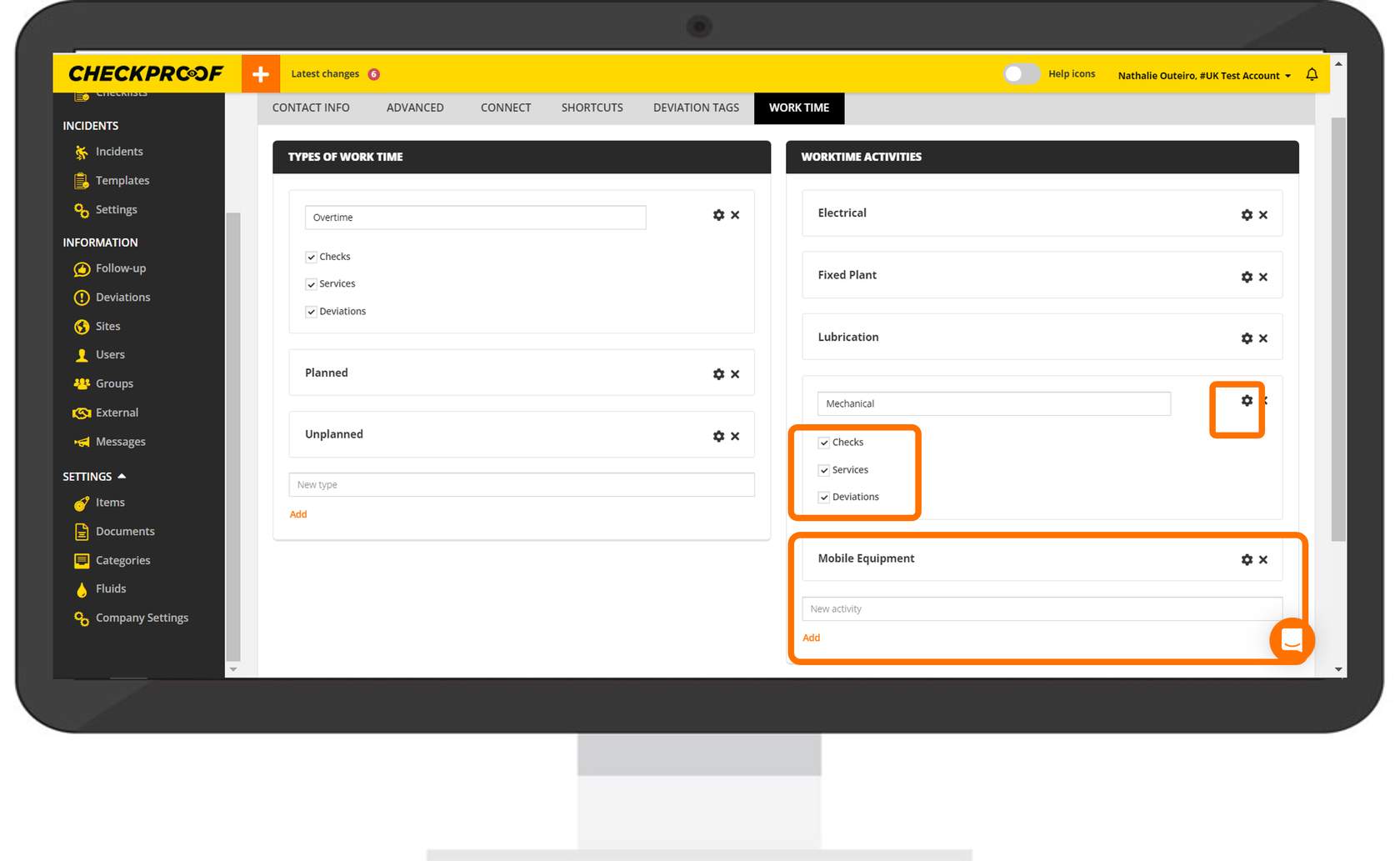
To create a new work time activity:
- Complete the last field with the name of the new work time activity.
- Click on “Add”.
- Click on the cogwheel icon to select where will this new work time activity appears, such as checks, services, and/or deviations.
Work time summary
- If you want an overview of your work time that has been added to
Checkproof through different tasks you have worked on.
- When you’re in the app, click on the hamburger menu, and select “Work
time”.
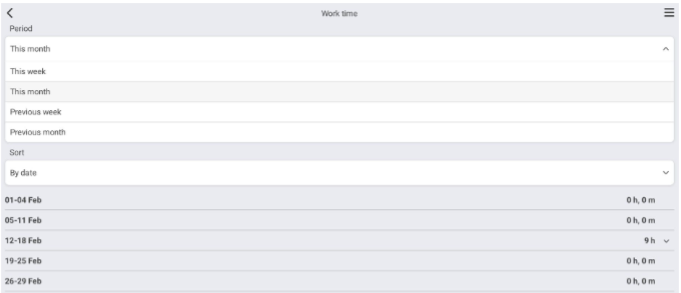
- In this page you can filter for different time periods. You might want to see
this weeks work time, or last weeks.
You can also filter by date, or by work time type.
- Once all filtration has been added, you will be able to see all your work
time during the period of time that has been selected.
- You will also be able to see the specific tasks that you’ve added the work-time to.