Creating a HSEQ
HSEQ does not necessarily need to be connected to a unit, it can also be used for something that cannot be touched and is instead checked by carrying out a round, inspection, or audit activity.
Examples include:
- Safety inspections
- Risk assessments
- Environmental rounds
- Fire Safety Inspections
- Quality checks
- Housekeeping inspections
- Compliance checks
Let’s learn how to create a HSEQ in the CheckProof app.
1
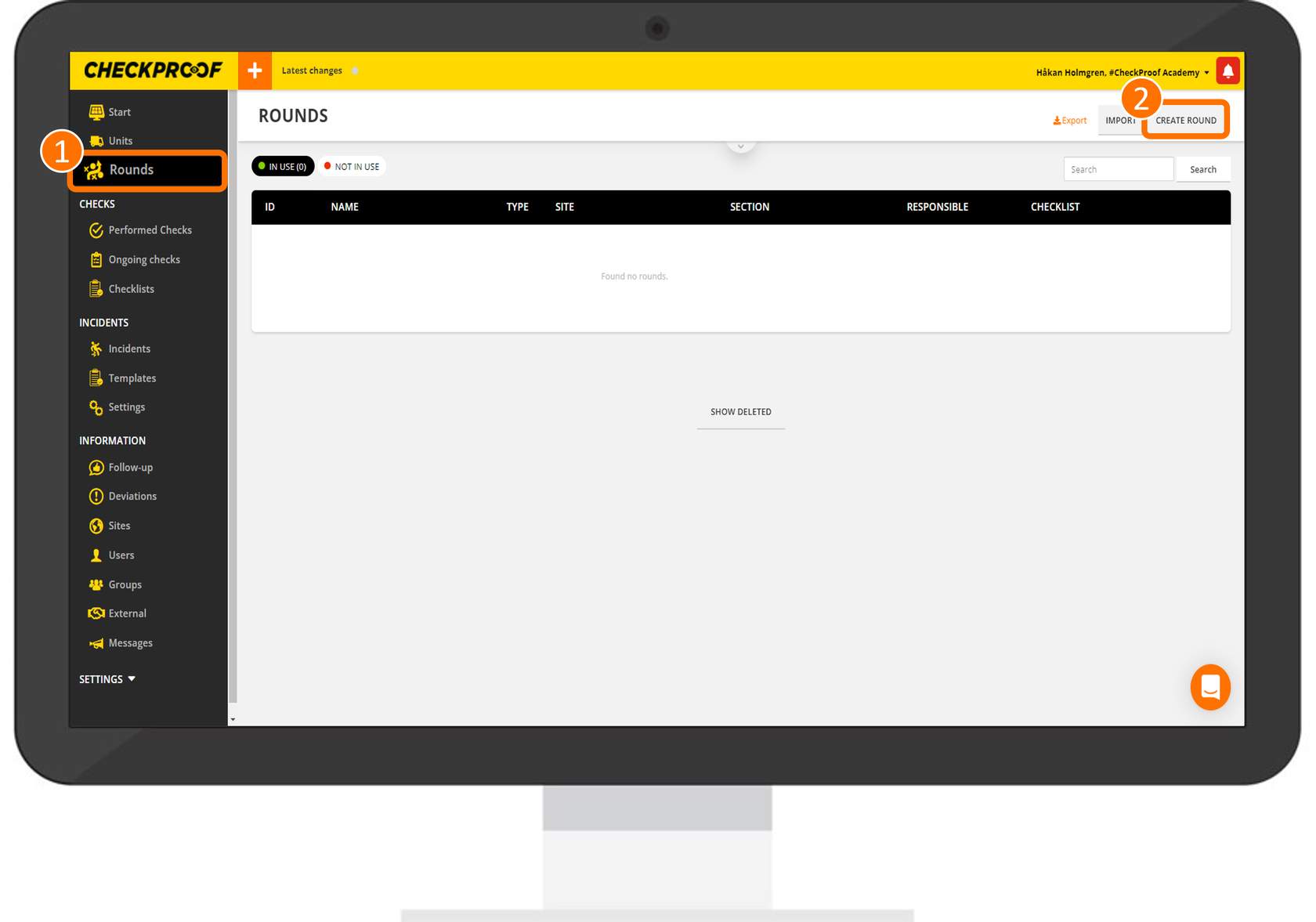
From the CheckProof homepage, click on “HSEQ” from the menu and then click the “Create HSEQ” button in the top-right corner of the screen.
2
Complete the information
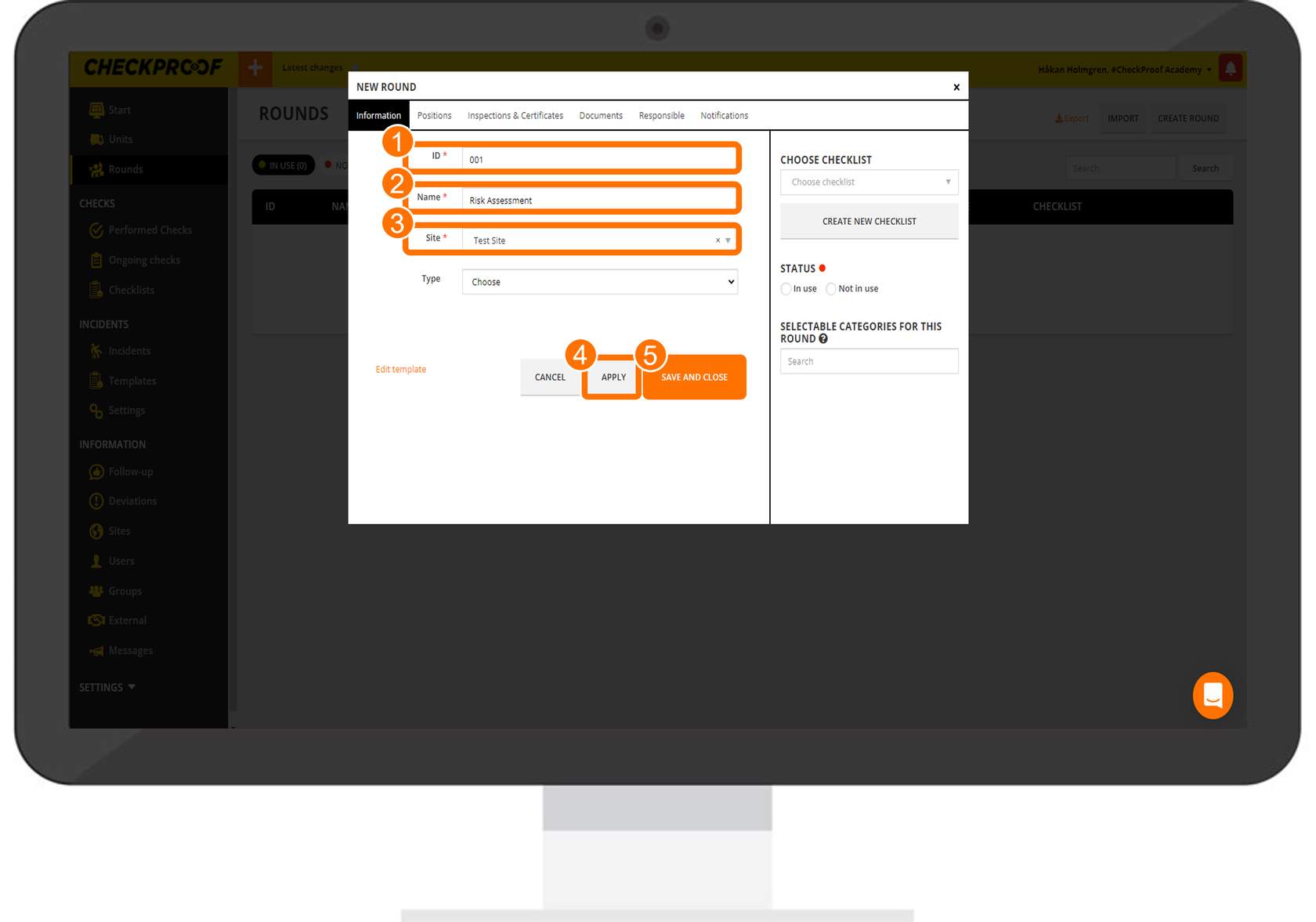
You will now be prompted to provide information regarding the new HSEQ. Follow the steps below to see how to complete the form.
- Enter an ID in the “ID” field so the round can be found quickly.
- In the “Name” field, you should provide an easily identifiable name for the HSEQ.
- Select a previously created site from the “Site” drop-down list to connect it to the HSEQ
- Click on the “Apply” button.
- Finally, click on the “Save” button.
HSEQ created
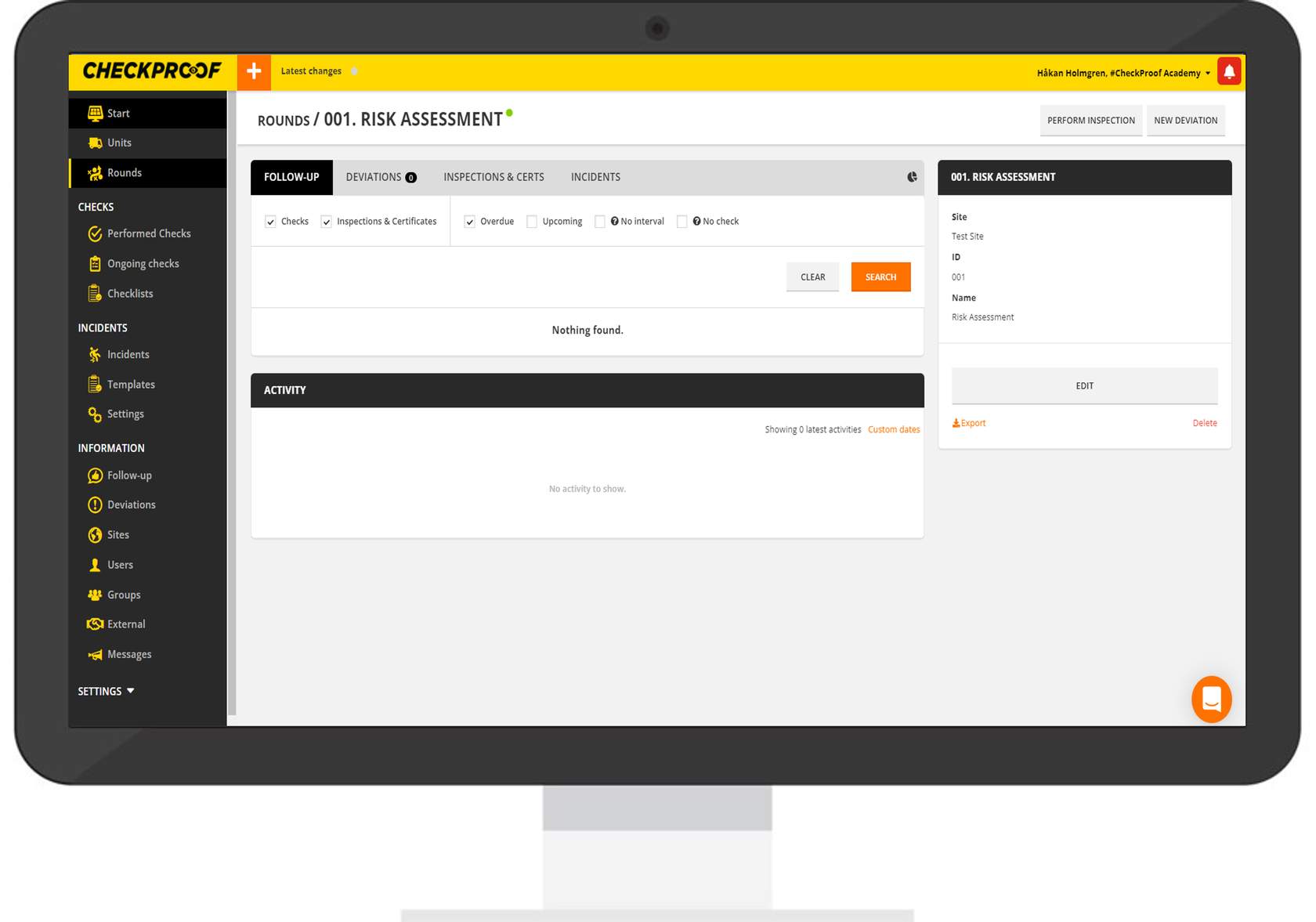
Once the HSEQ has been created, you will be directed to a summary page of the HSEQ. Later you will learn how to connect a checklist to a HSEQ which is essential when performing checks.