
Connecting a Checklist to a Round
Now that you know how to create and edit rounds, let’s see how to connect them to a checklist.

Click on “Arrow” to see how it is done.
Choose a round from the list.
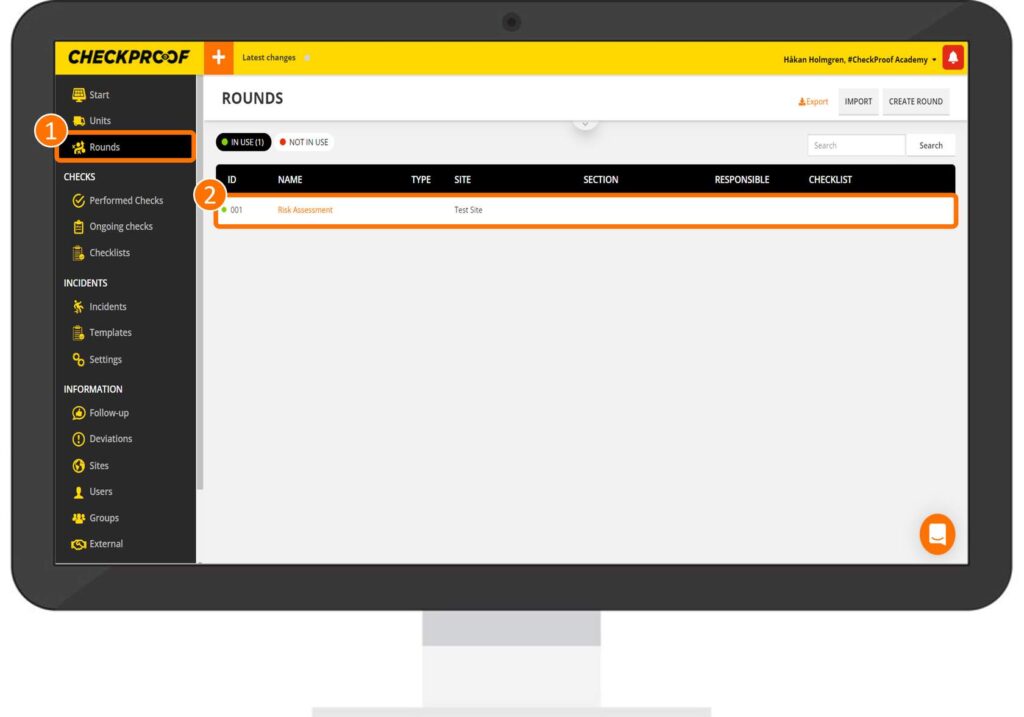
From the CheckProof homepage, click on “Rounds” in the side panel menu to view a list of rounds. Now, choose the round that you want to connect a checklist to.
Click on the “Edit” button.
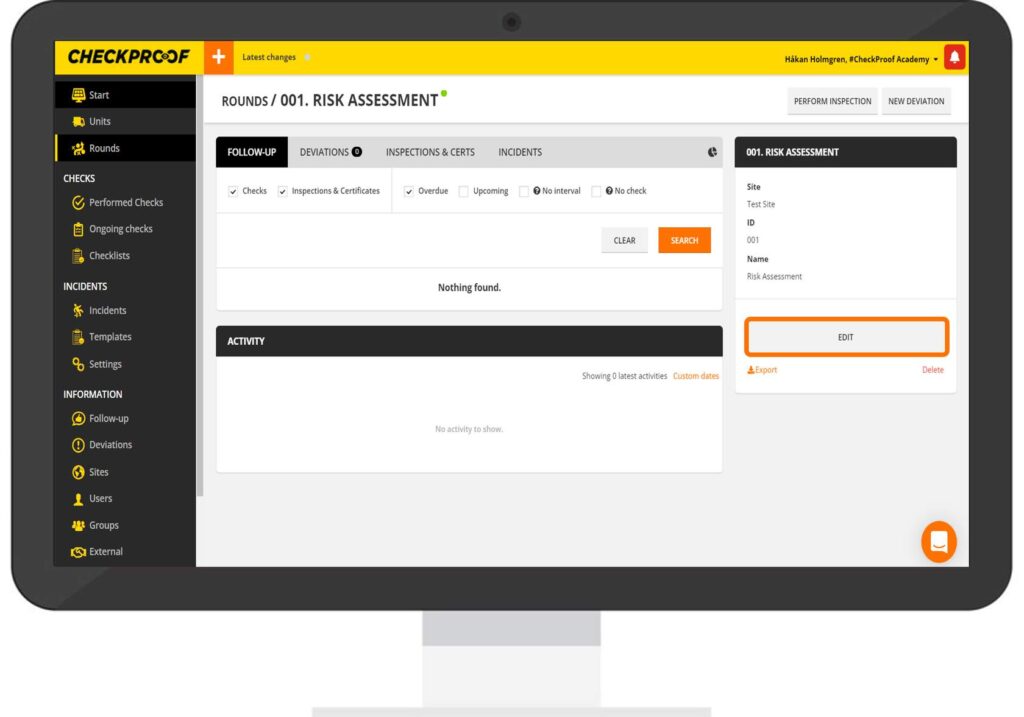
You will now be able to view information regarding this specific round. Click the “Edit” button to begin editing.
Select a checklist to connect to the round.
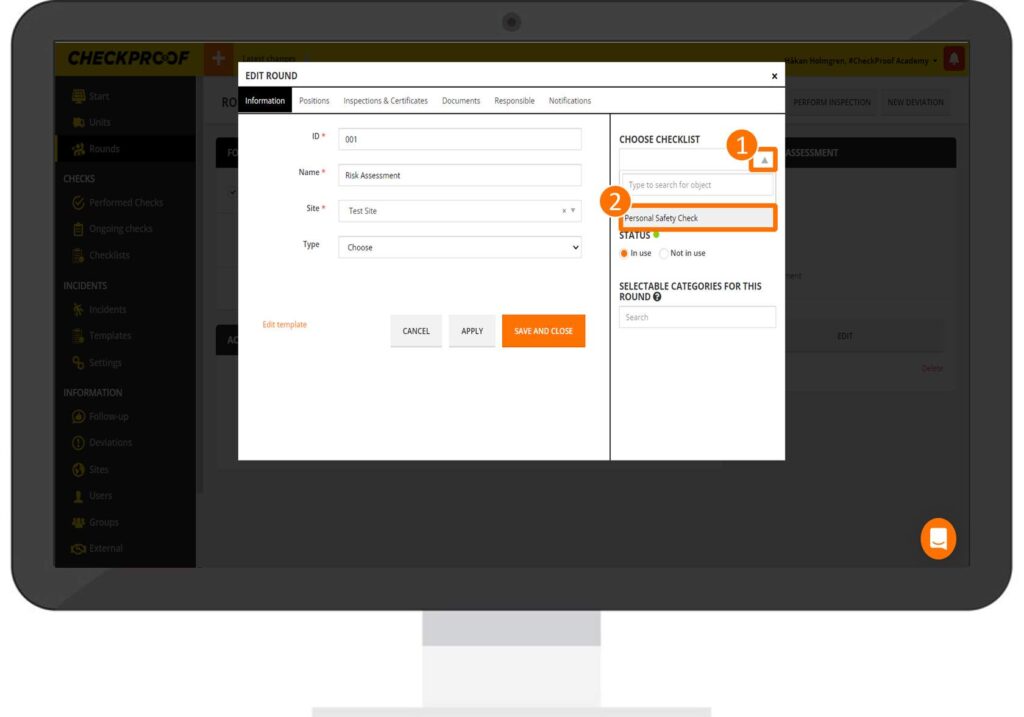
Click on the arrow icon in the “Choose checklist” field, then select a checklist from the list.
Finally, apply and save the changes to add the checklist.
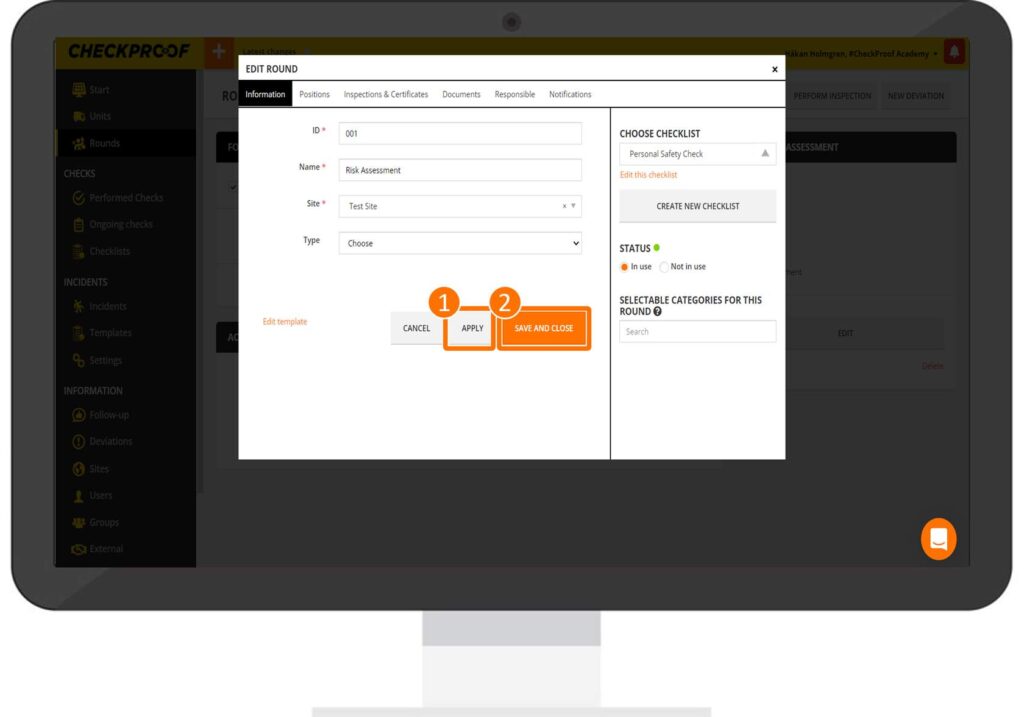
Now that you have selected a checklist, click on “Apply” and then on “Save and Close”.
Great! Now you know how to connect a checklist to a round.
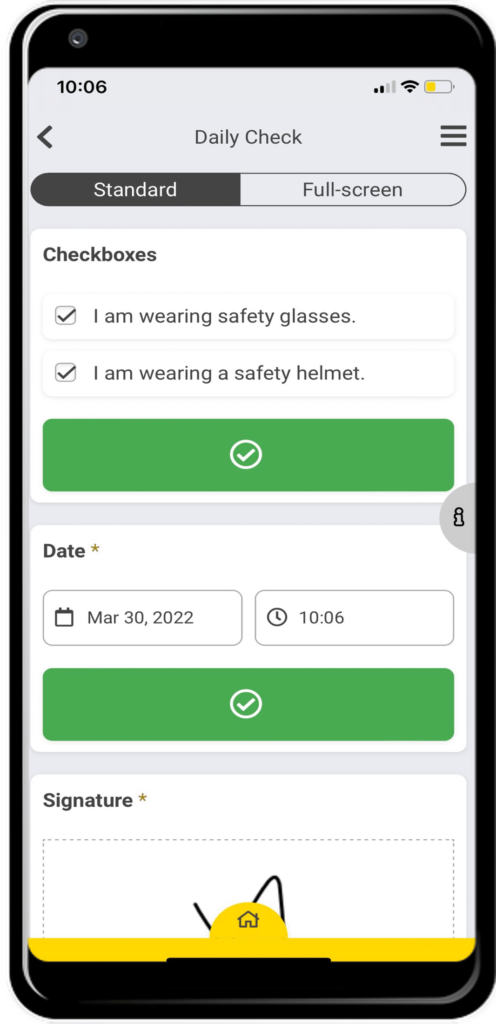
Users will now be able to view the checklist when they perform a check on this round.
Quizzes

