
Editing a Checklist
Checklists
A checklist can consist of many checks. It is possible to update a checklist from the settings menu, where you can change the name of the checklist and assign permissions.
You can update checklists at any time. Follow the step-by-step instructions below to learn how to do it!
Select the checklist.
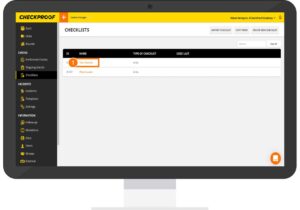
Simply click on the name of the checklist that you want to modify.
Update the steps in a check.
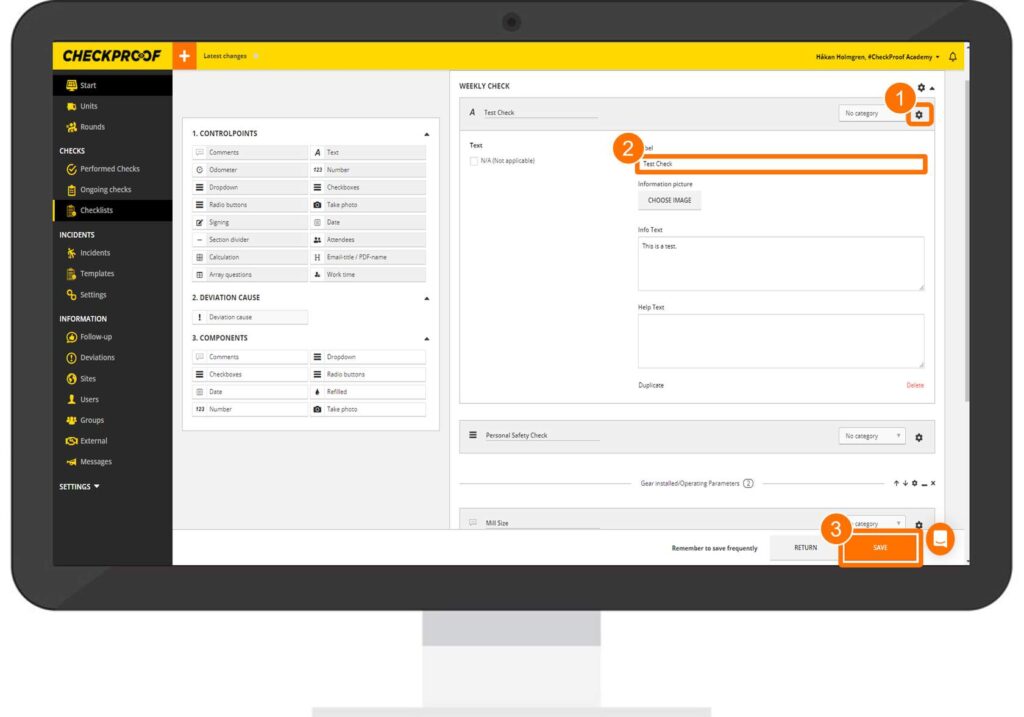
If you want to update a step or the content within one of the steps, do the following:
Click on the cogwheel icon next to the field name.
Click on the text field you want to modify and edit it accordingly.
Then click on “Save”..
Update the check interval.
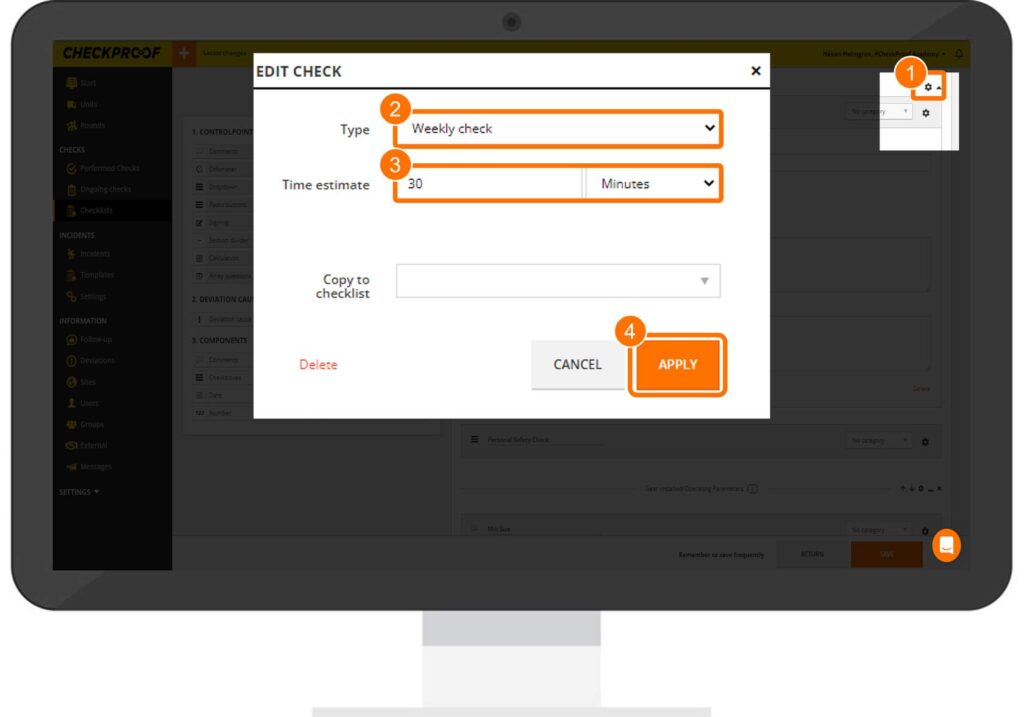
You can also update the check’s frequency by doing the following:
Click on the cogwheel icon next to the check.
In the pop-up window, change the type by clicking on the drop-down menu and selecting the new option.
Lastly, click on “Save”.

