
Connecting a Checklist to a Unit
To use the previously created checklist and perform a check in the CheckProof application, that checklist must be connected to an object.
Follow the steps below to learn how to connect a checklist to a unit.
1
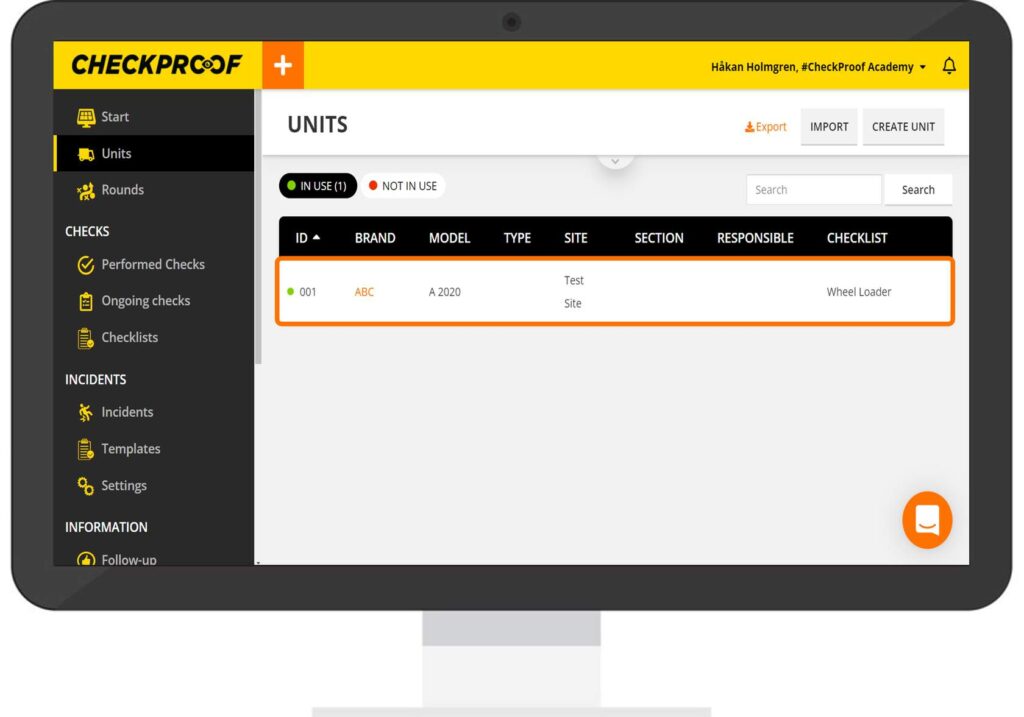
SELECT THE UNIT
From the “Units” list, select the unit that you want to connect to the checklist.
2
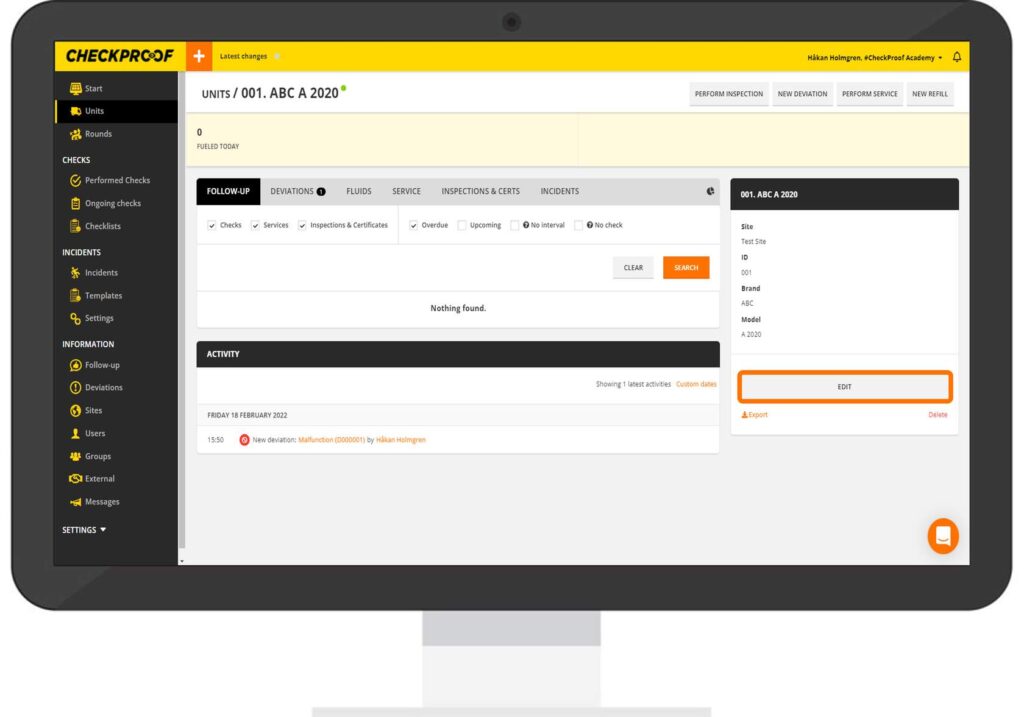
EDIT
Under the unit information you will find the option to edit the unit. Click on “Edit” to do so
3
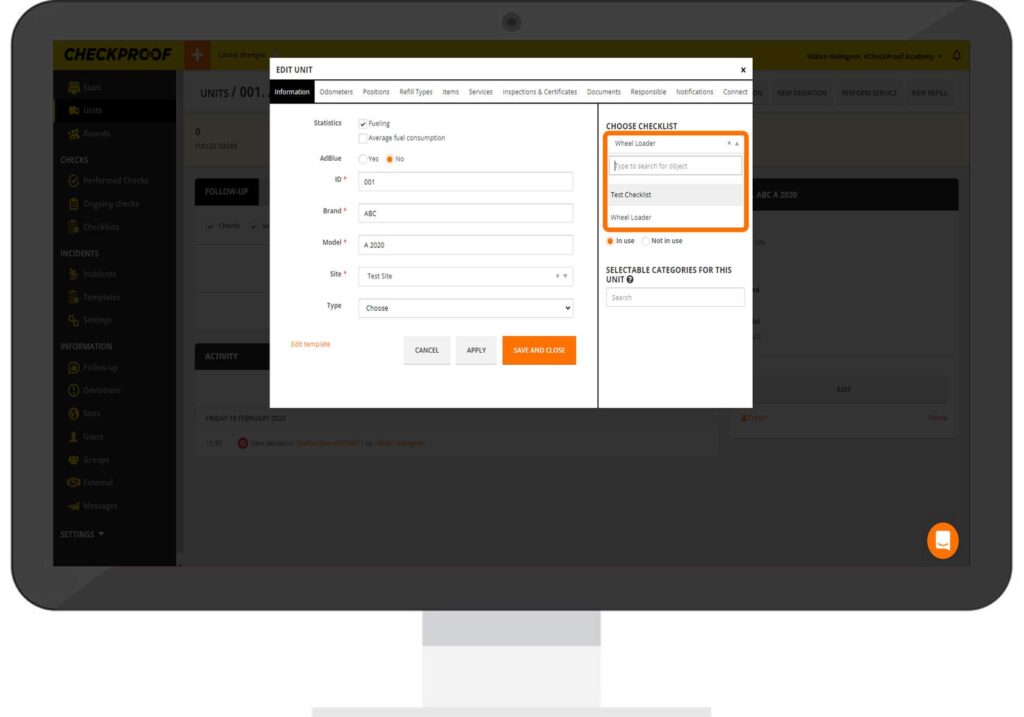
SELECT THE CHECKLIST
Now you need to choose the checklist. Click on the arrow next to the field to open the drop-down menu. From the list, select the checklist you want to connect to the unit.
4
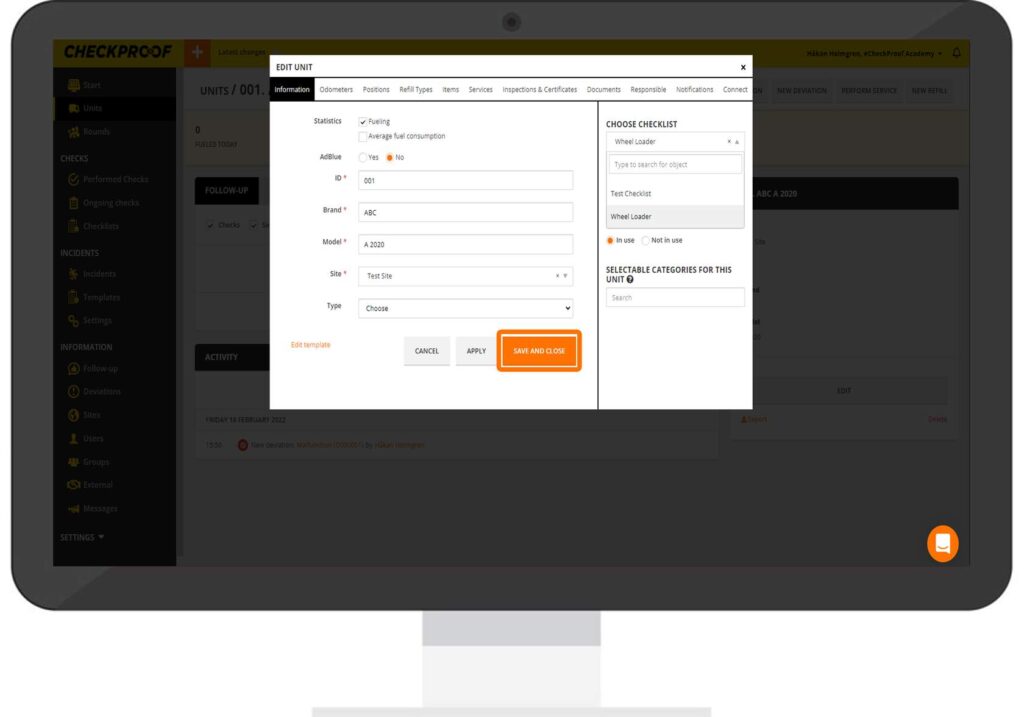
SAVE
Once you have selected the checklist, click on “Save and Close”.
Now the checklist and unit are connected.
Great! Now you know how to connect a checklist to a unit.
Quizzes

