
Editing Rounds
Now that you know how to create a round, let’s see how to edit a round from the Admin Panel.
Select a round
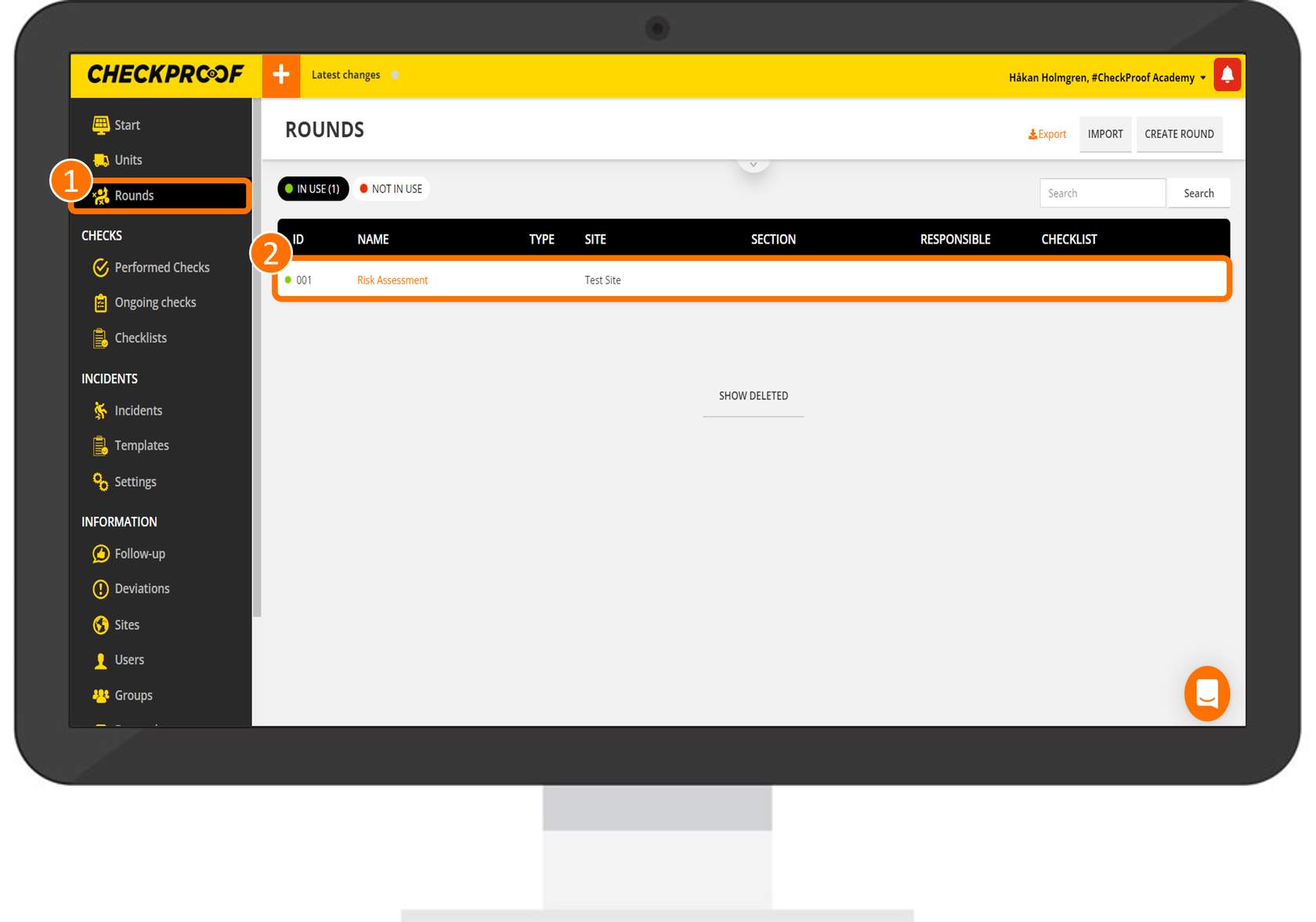
First, you need to select the round that you want to edit. To do this, click on “Rounds” in the side menu and then select a round from the list.
Click to edit
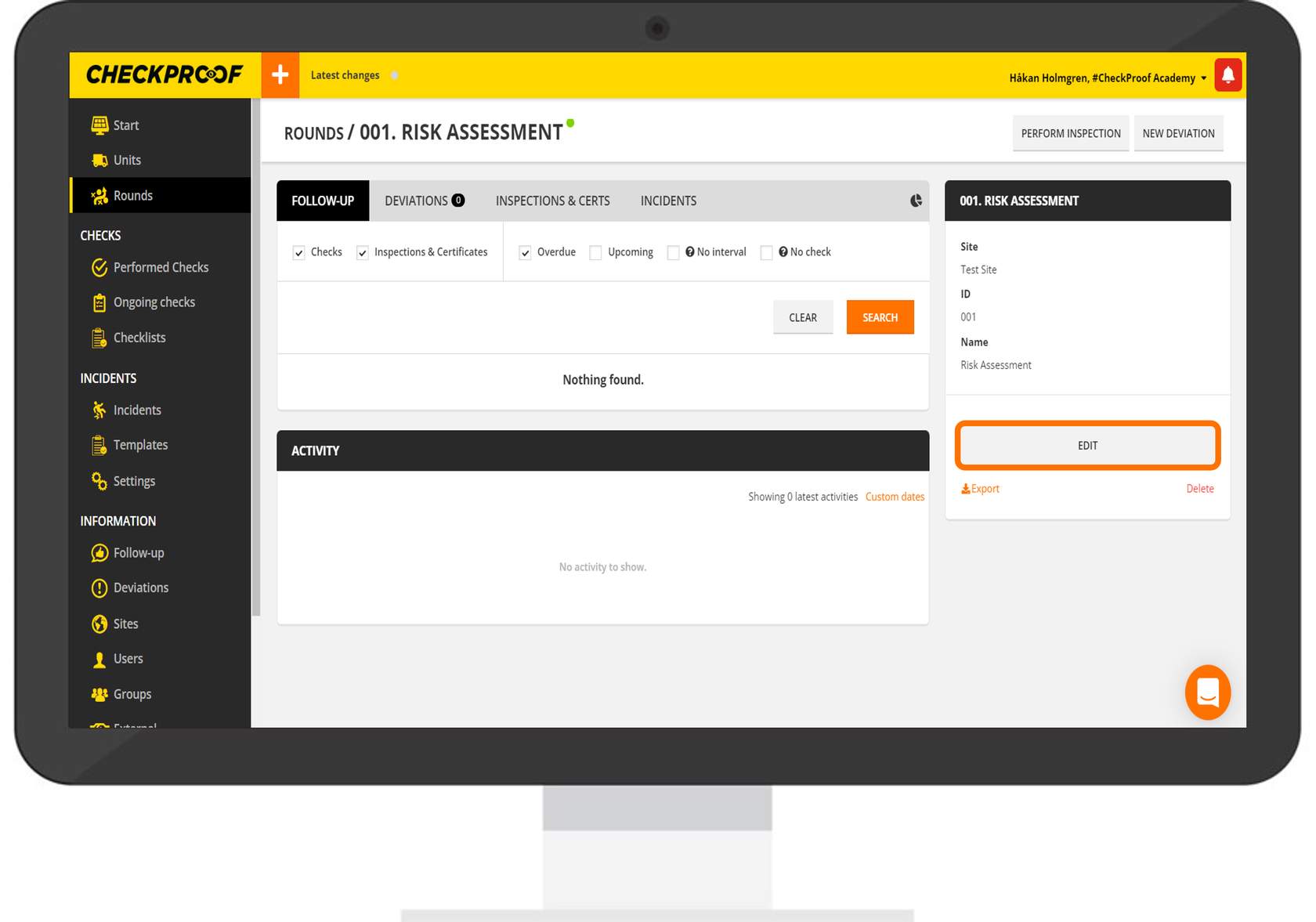
Now that you have selected a round you will be able to see the round’s details. Click the “Edit” button to begin editing.
Click the markers under each tab to learn more about the information you can edit.
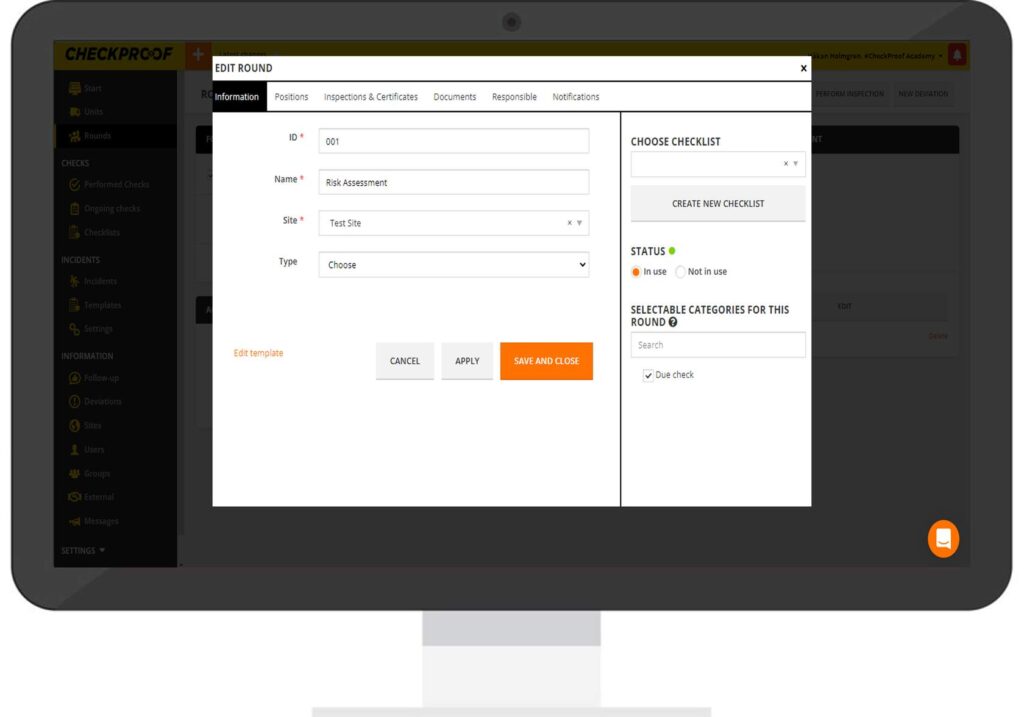
Information
Positions
Inspections & Certificates
Documents
Responsible
Notifications
Remember to click “Apply” whenever you make a change so that you don’t lose any data.

