
Setting and Changing Responsible
In this lesson, you will learn how to set and change who is responsible for a deviation.
First, let’s take a look at how to set who is responsible for a new deviation.
Let’s learn how to set who is responsible for a new deviation.
Click through the steps to learn how!
Step 1
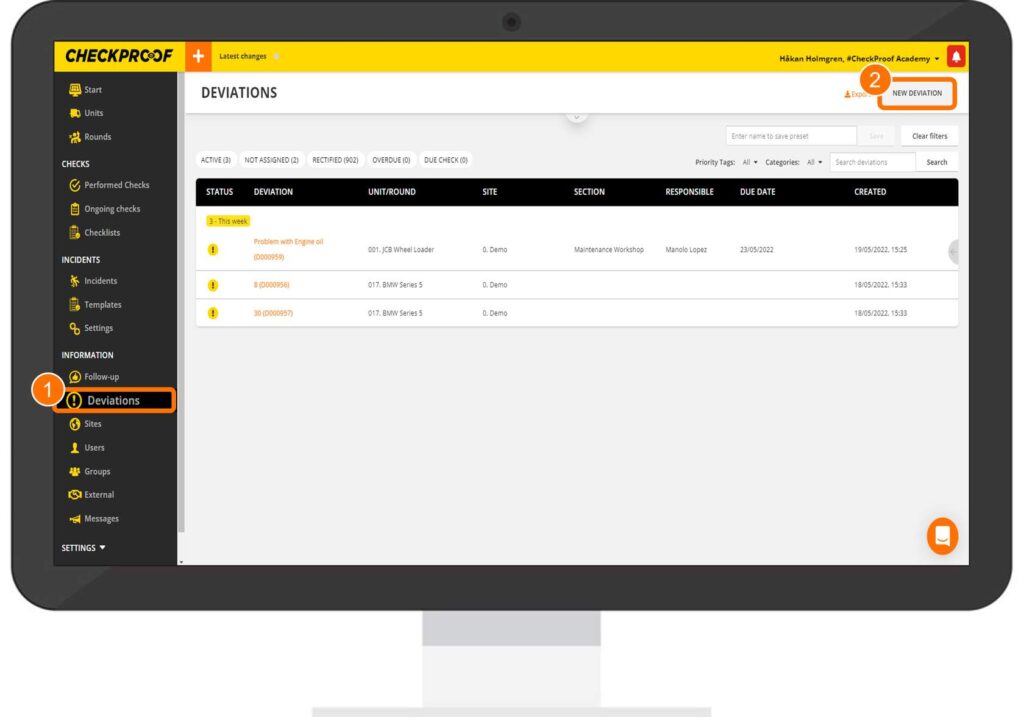
First, click on “Deviations” in the left-side panel. Then, click the “New Deviation” button at the top of the screen.
Step 2
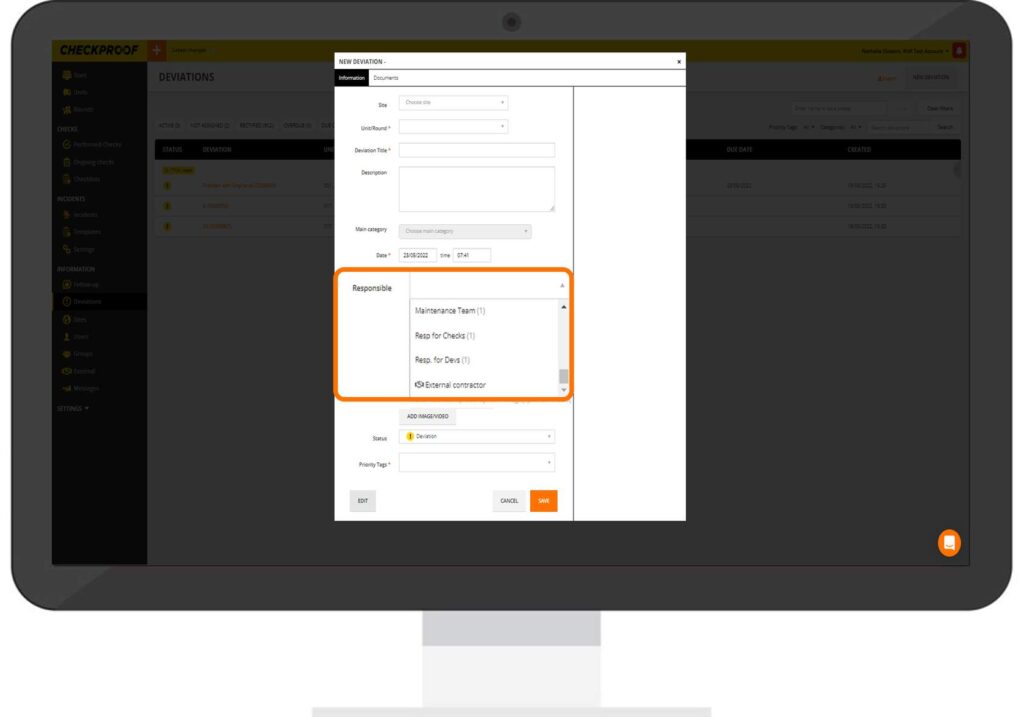
A form will appear on your screen that needs to be completed in order to create the deviation. To assign someone responsible for this deviation, you should click the “Responsible” field, then select a user from the drop-down list.
Step 3
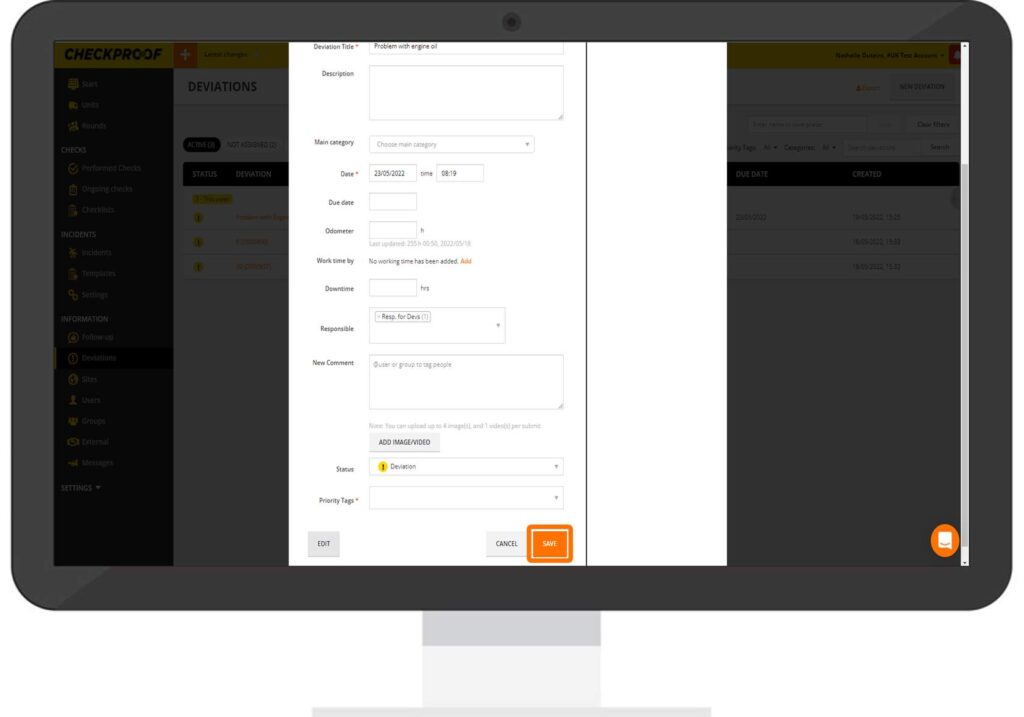
Once you have completed the form and assigned someone as responsible for this deviation, click on the “Save” button at the bottom of the form.
Note: The “Time Estimate” field is optional.
Let’s learn how to set or change who is responsible for a deviation when placing an order.
Click through the steps to learn how to set or change who is in charge of a deviation while placing an order.
Step 1
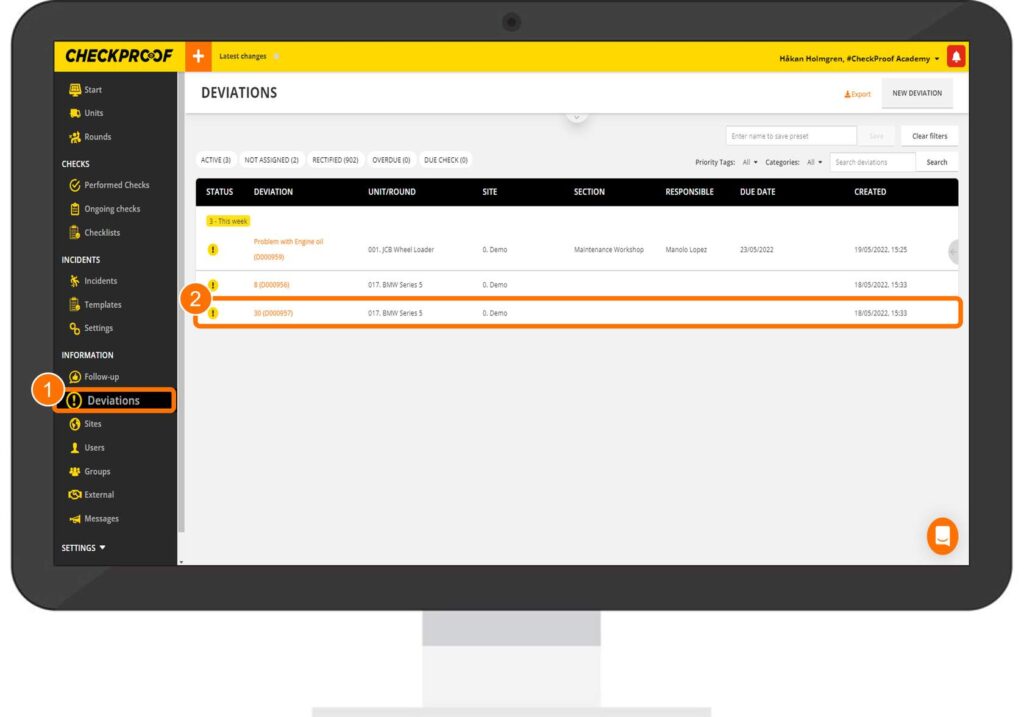
You can also choose who is to be responsible for a deviation when you go to place an order for an existing deviation.
First, click on “Deviations” in the left-side panel. Then, select a deviation from the list.
Step 2
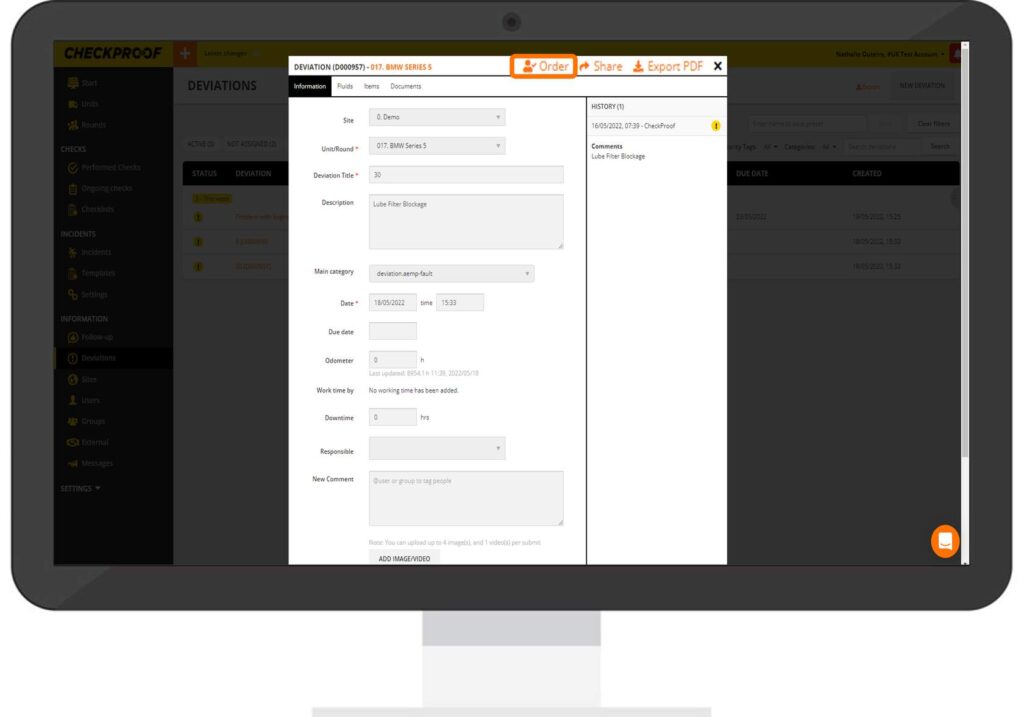
Now, click the “Order” button that appears above the form.
Step 3
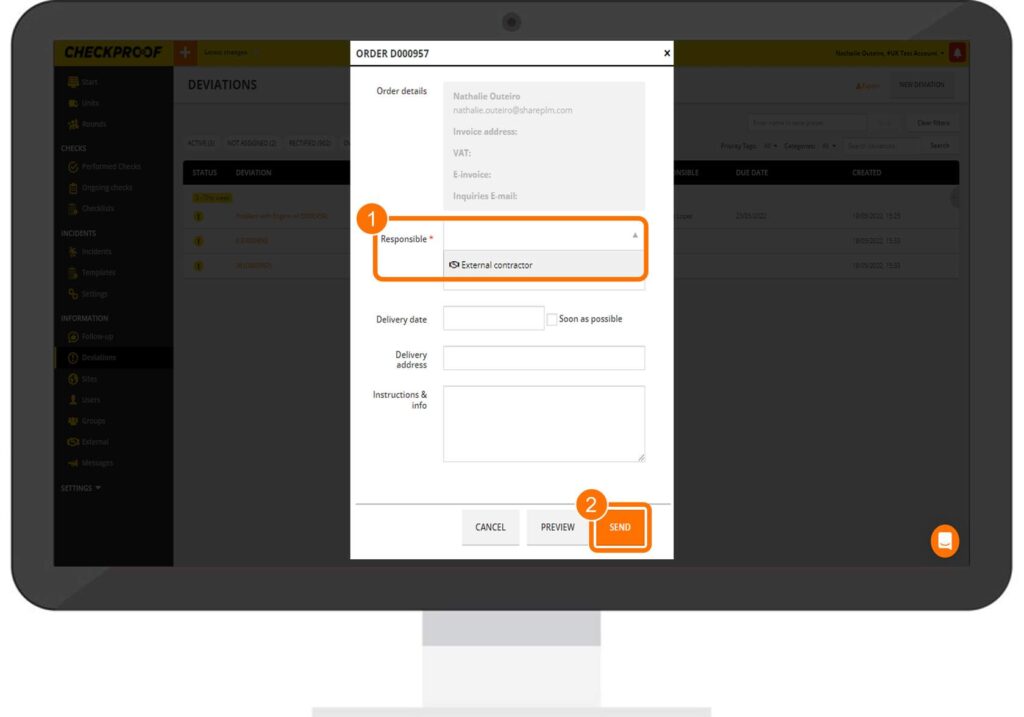
Complete the “Order” form as explained previously.
Make sure to set someone as responsible by clicking the “Responsible” field and selecting a user from the list that appears. When you are finished, click the “Send” button.
Great! Now you know how to set and change who is responsible for a deviation.

