
Starting Your Tasks
In the “My Tasks” section of the homepage, you will find the checks, deviations, and services you are responsible for managing.
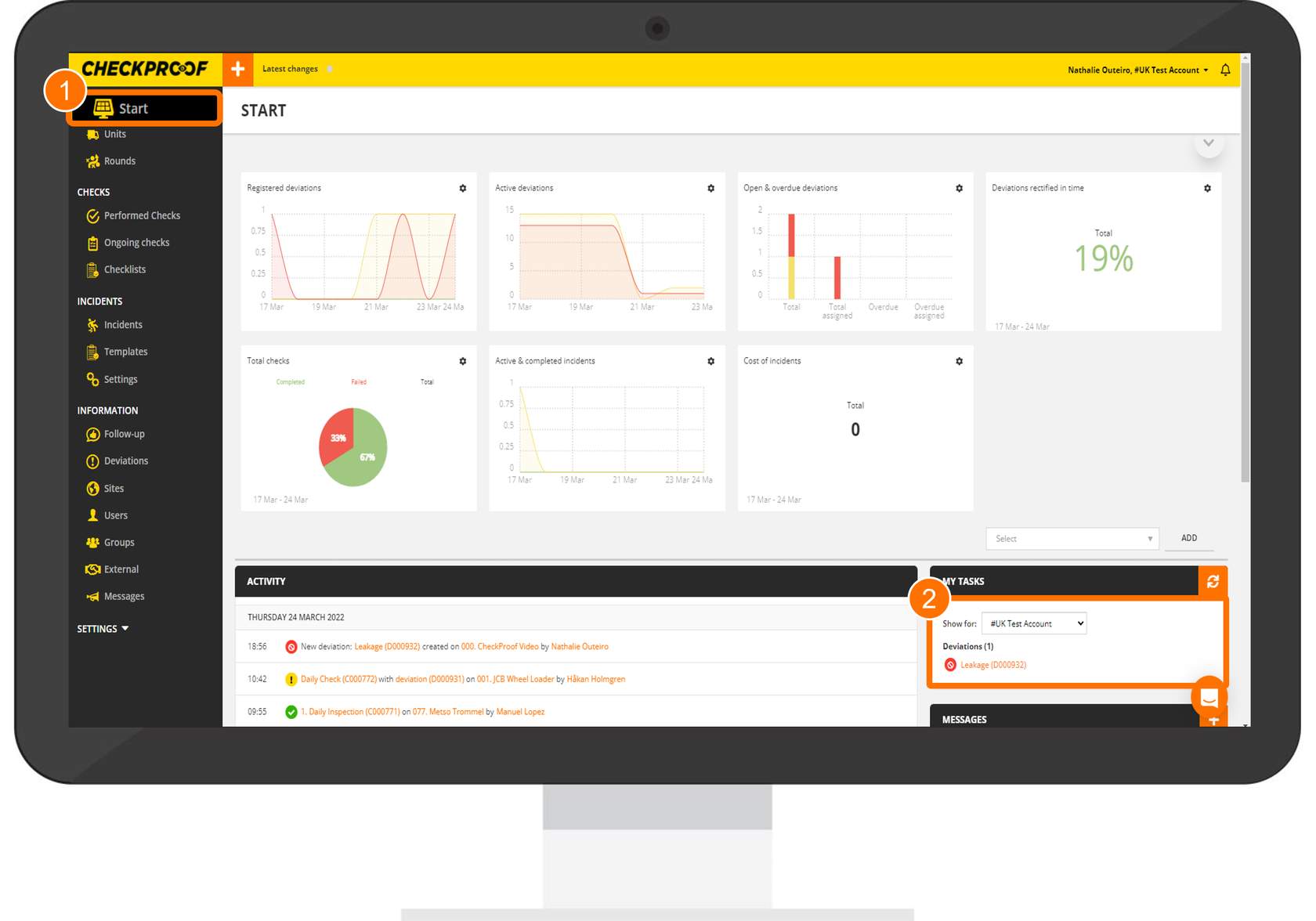
Open the boxes below to discover how to edit a task!
Note that in the boxes below we will be using deviations as an example.
Open The Task
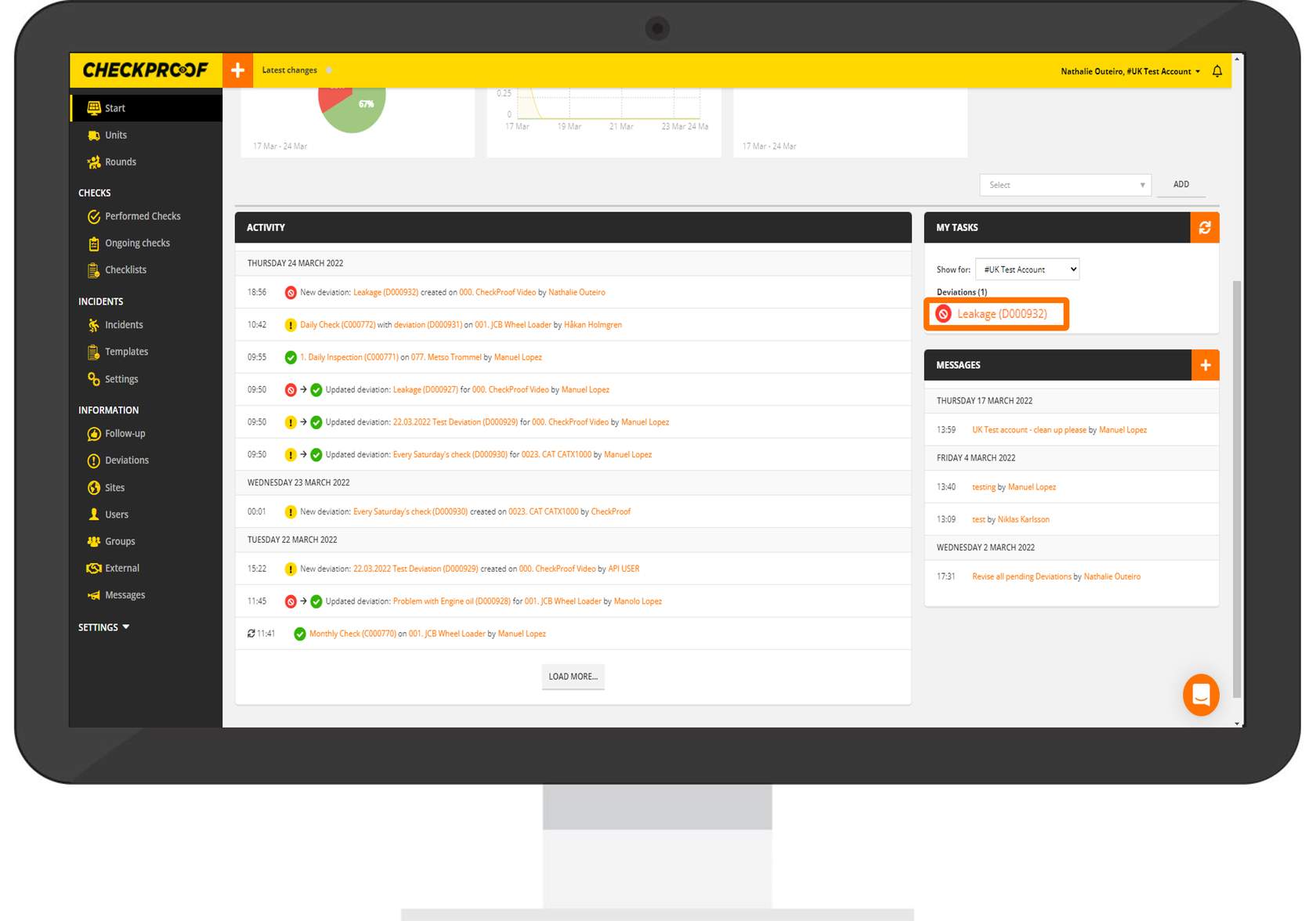
Click on the task you want to start working on.
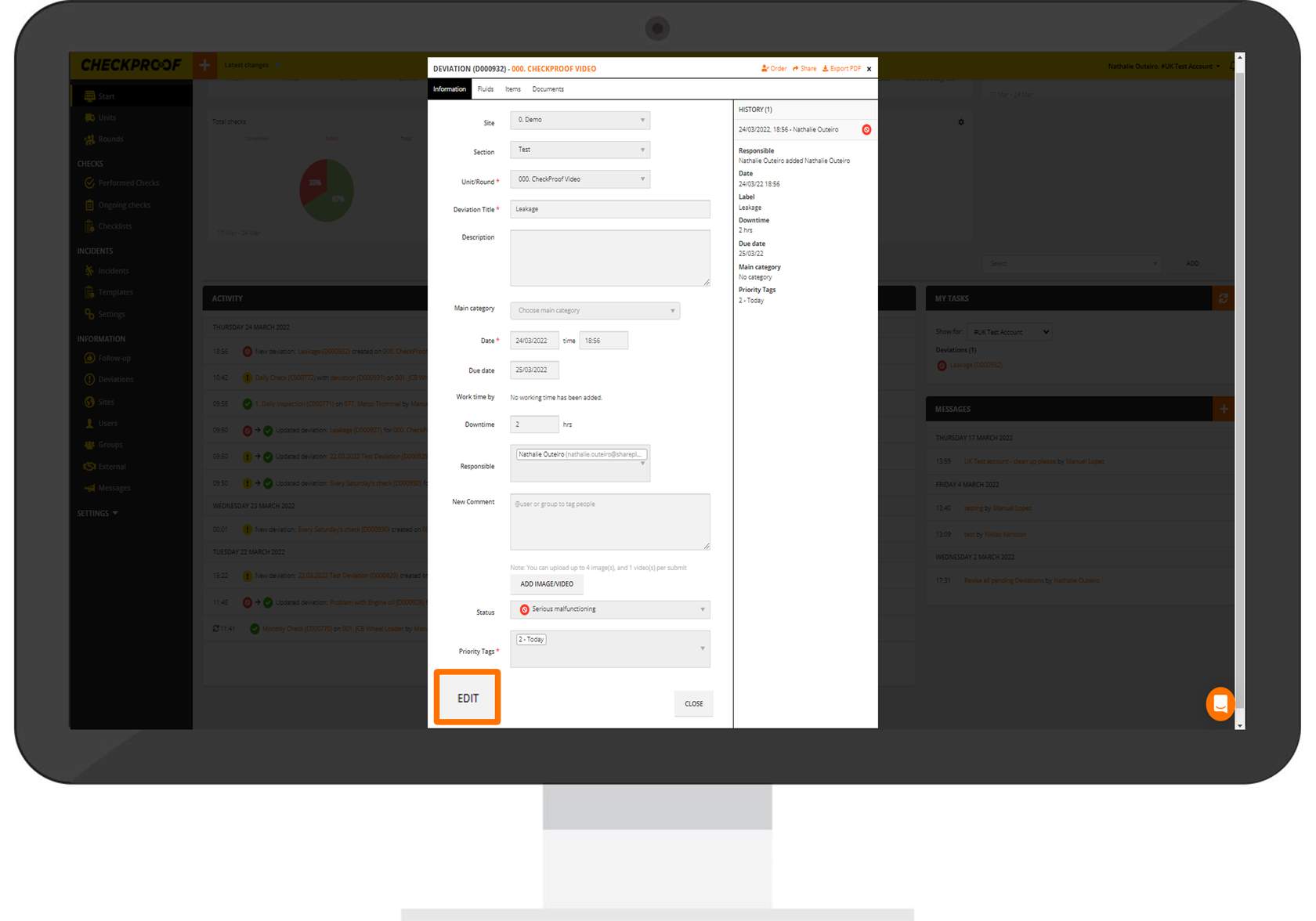
Click on Edit
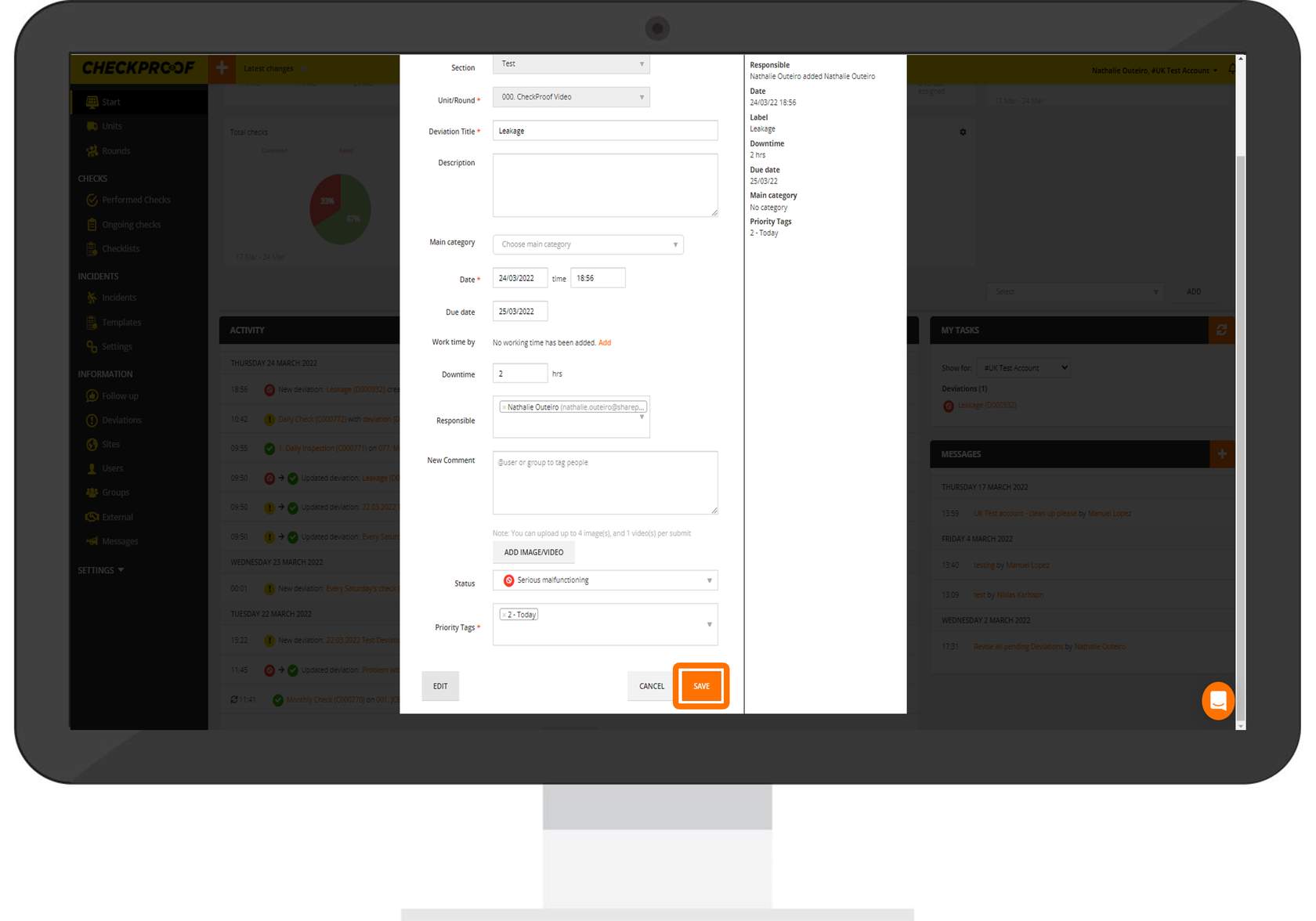
To Edit the task, click on “Edit” at the bottom of the form. This will enable the edit mode.
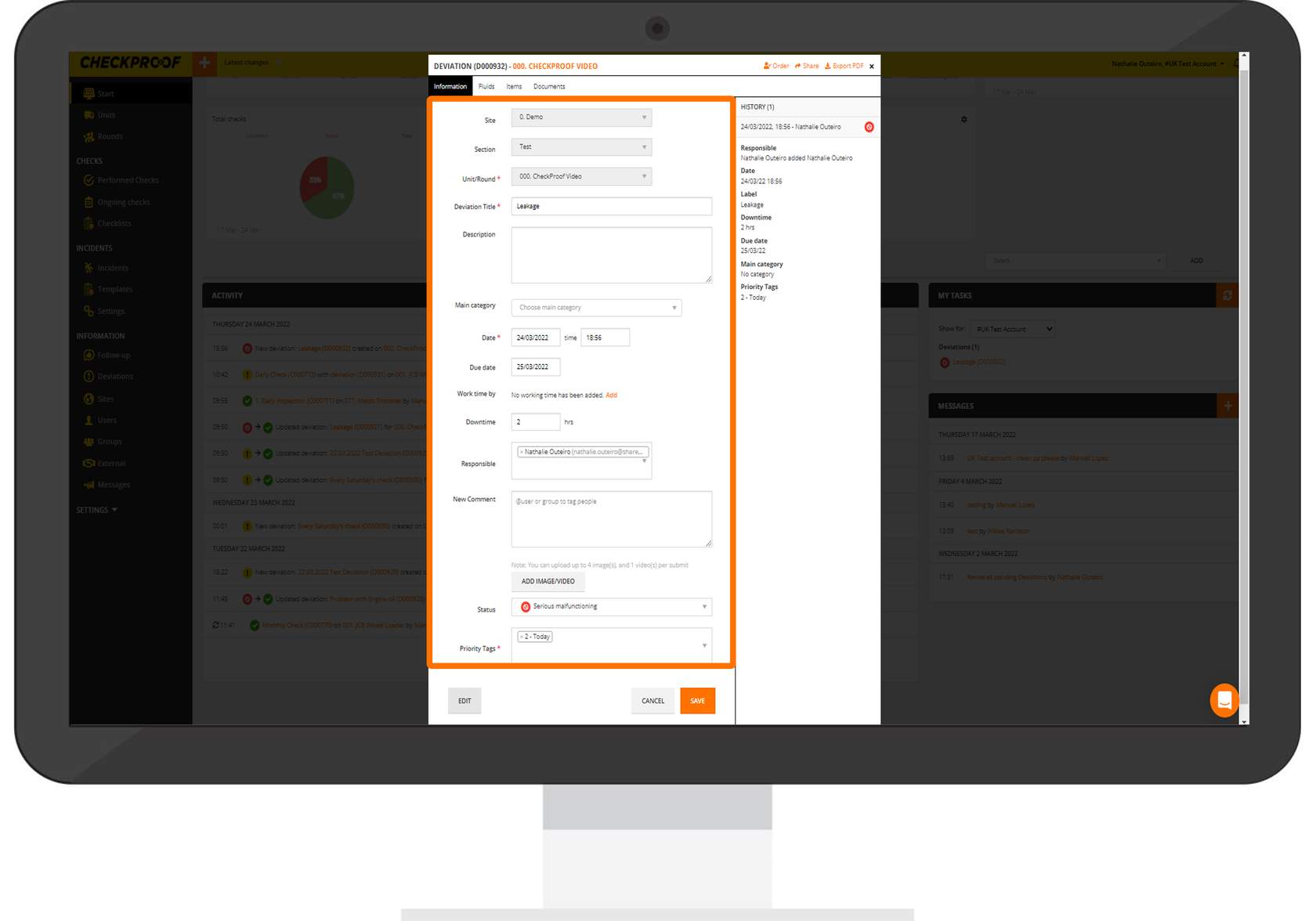
Manage Your Task
Once the edit mode is activated, you make all the necessary modifications to your task.
Save Your Changes
Once you have finished editing the task, click on the “Save” button.
Watch the video below to discover how to start your tasks from the Admin Panel!
Great! Now you know how to start your tasks.

